Repair shop CRM · WordPress · Cloud options

Auto Repair Shop Software to Manage Your Entire Workshop

RepairBuddy auto repair shop software helps you manage vehicle bookings, repair estimates, customer approvals, technician work orders, parts, invoices and service reminders in one connected workflow. It also gives car repair shops the tools to organize jobs and customer communication.

Built for independent garages, mechanic workshops and automotive service centres, RepairBuddy supports car repair shop management from the first booking through estimates, repairs, payment and the next service visit.

Online vehicle bookingEstimates and approvalsJob and customer history
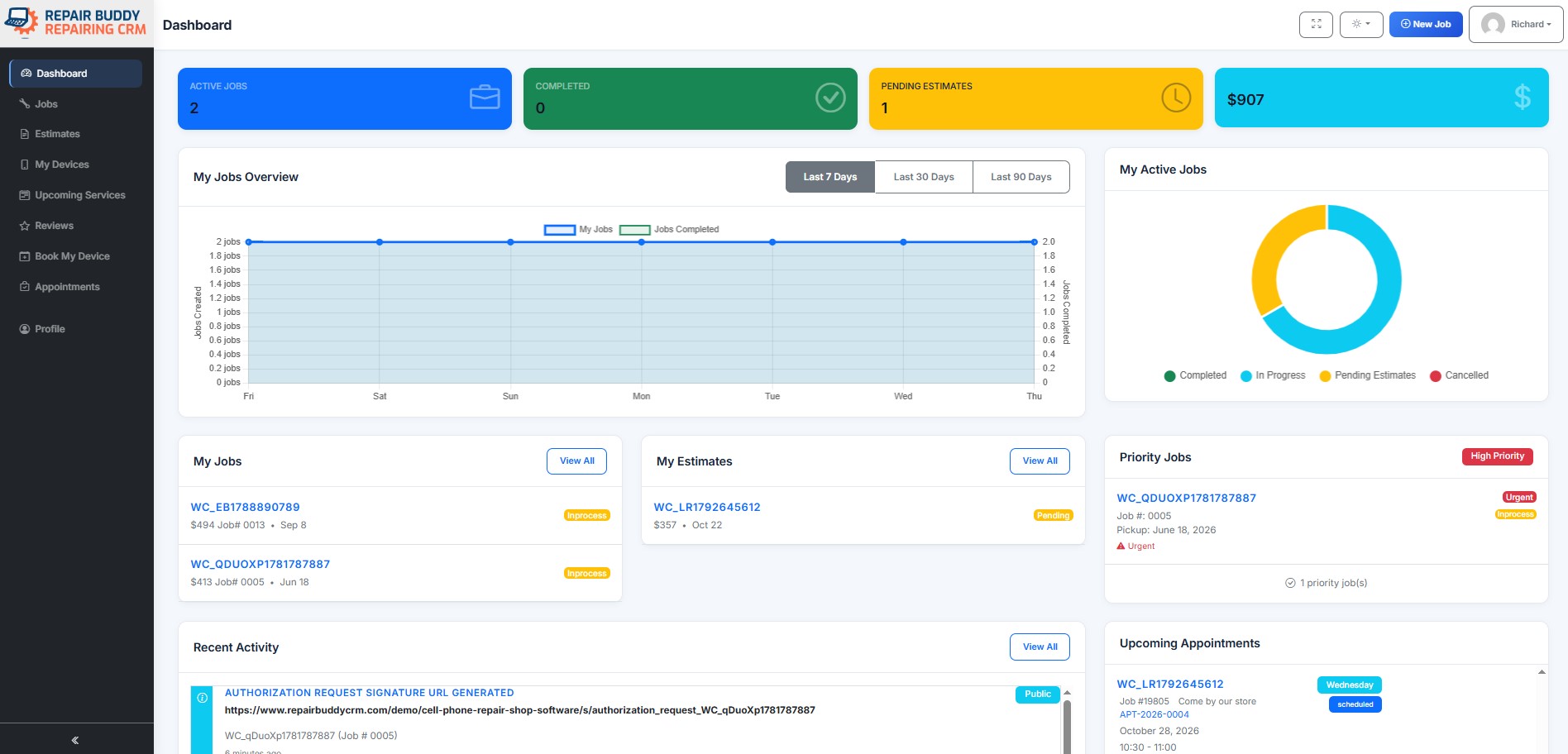
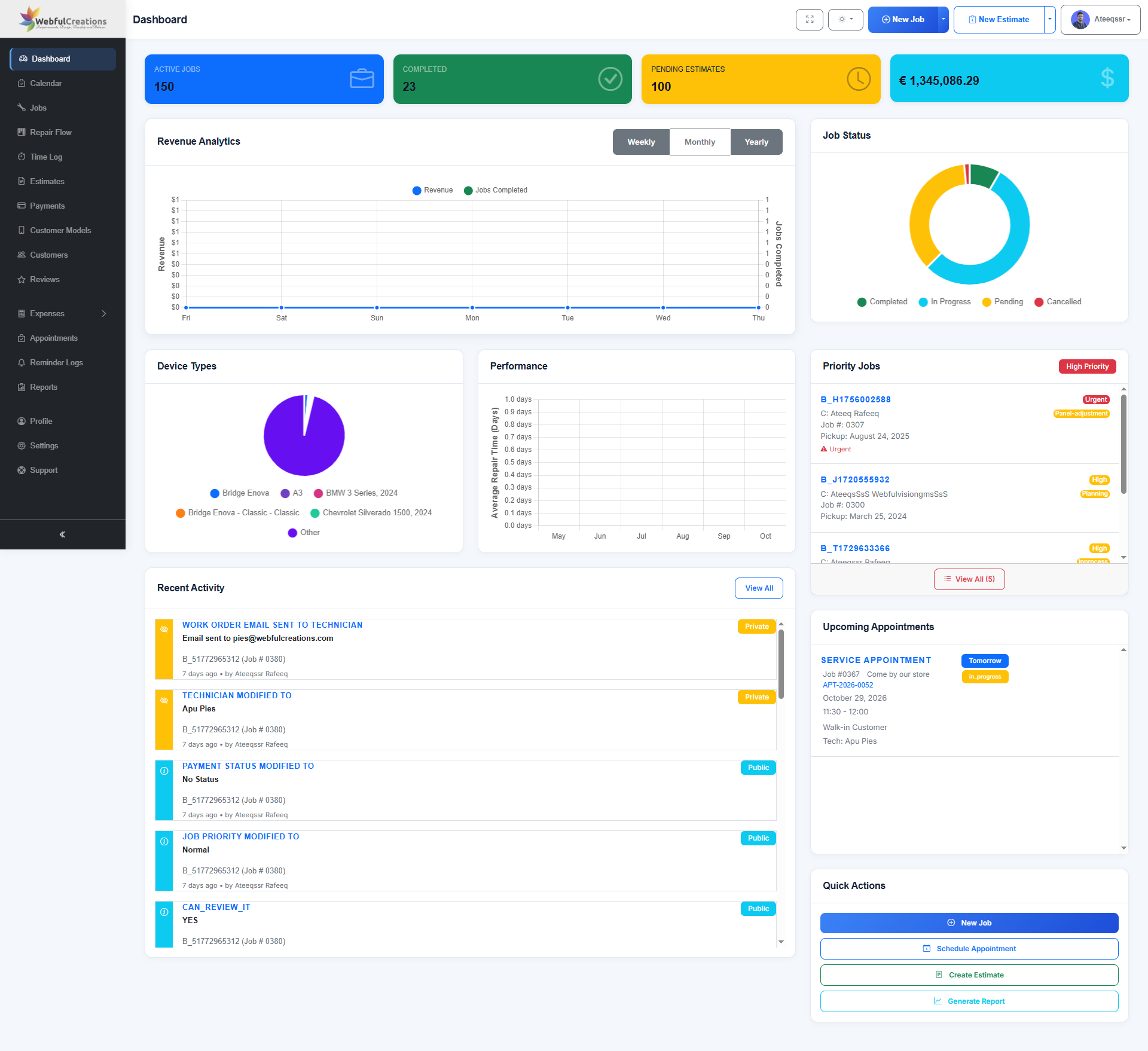
RepairBuddy auto repair shop management dashboard for workshop operations
Booking to JobConnected repair workflow
Customer PortalSelf-service and updates
Technician ToolsAssignments and time logs
12 ReportsSales, jobs, costs and more

Built for automotive workshops

Automotive Repair Management Software That Follows the Whole Job

RepairBuddy is more than an online booking form. Connect vehicle intake, evaluation, estimate approval, repair work, customer communication, invoicing and follow-up while keeping the job record and customer history together.

See RepairBuddy in action

Watch How RepairBuddy Helps Manage an Auto Repair Shop

Take a video tour of RepairBuddy and see how its repair-management workflow can help organize bookings, jobs and customer communication.

Prefer YouTube? Watch the RepairBuddy video on YouTube →

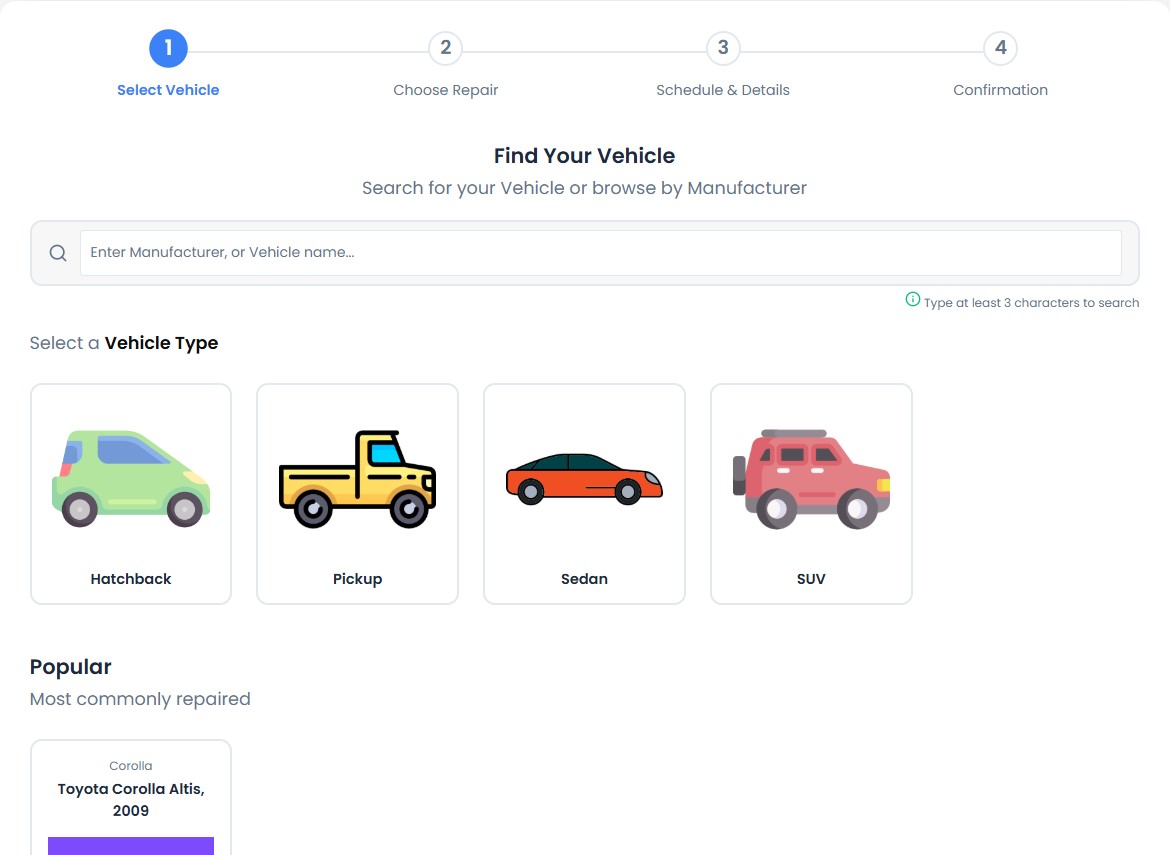
Customer selects a vehicle type in the RepairBuddy online car repair booking form

01 · Online booking

Make Online Car Repair Booking Simple

Let customers start a repair request directly from your website. Configure booking around the vehicle types and services your garage handles, so your team receives useful details before the vehicle arrives.

  • Set up booking for sedans, SUVs, hatchbacks, pickups and other vehicle types.
  • Collect make, model, registration and odometer reading.
  • Capture customer concerns and relevant repair information.
Explore the repair booking form →
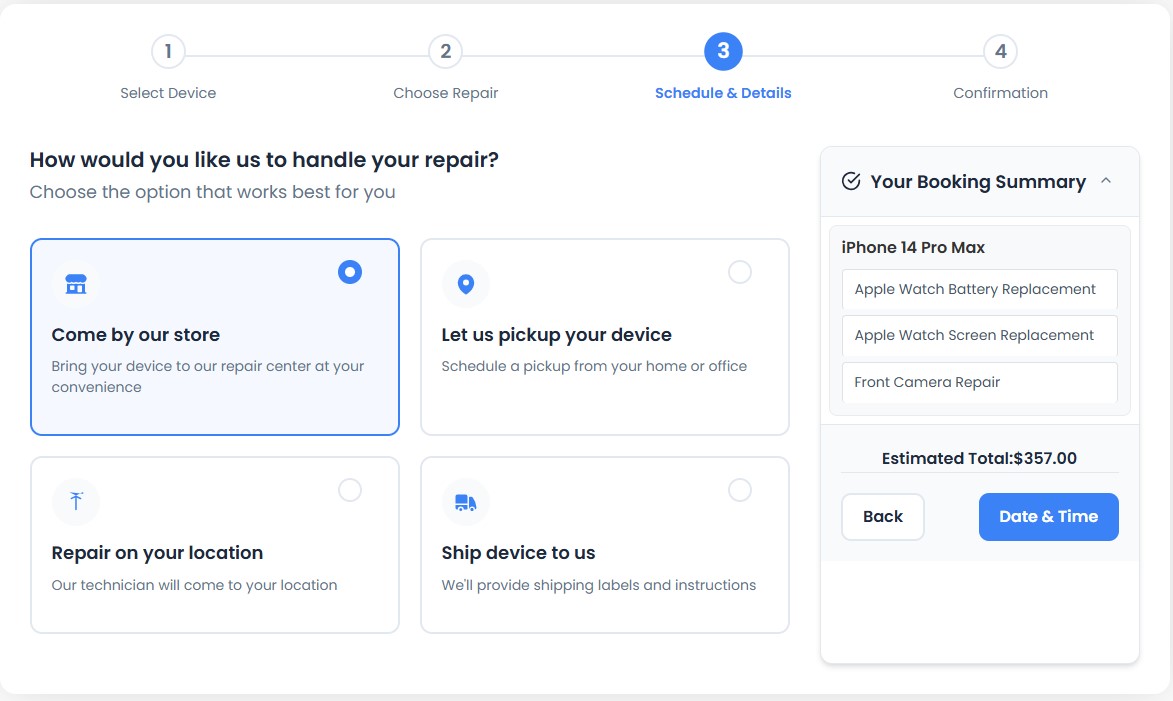
Vehicle repair booking options for workshop drop-off, on-location repair or vehicle pickup

02 · Appointment options

Offer Workshop Visits, On-Site Repairs or Vehicle Pickup

Let customers choose the booking or handover option that suits your business. Configure available booking types to reflect how your workshop accepts vehicles.

  • Present the booking options your business supports.
  • Capture appointment preferences in the same workflow.
  • Keep booking details available for your team to review.
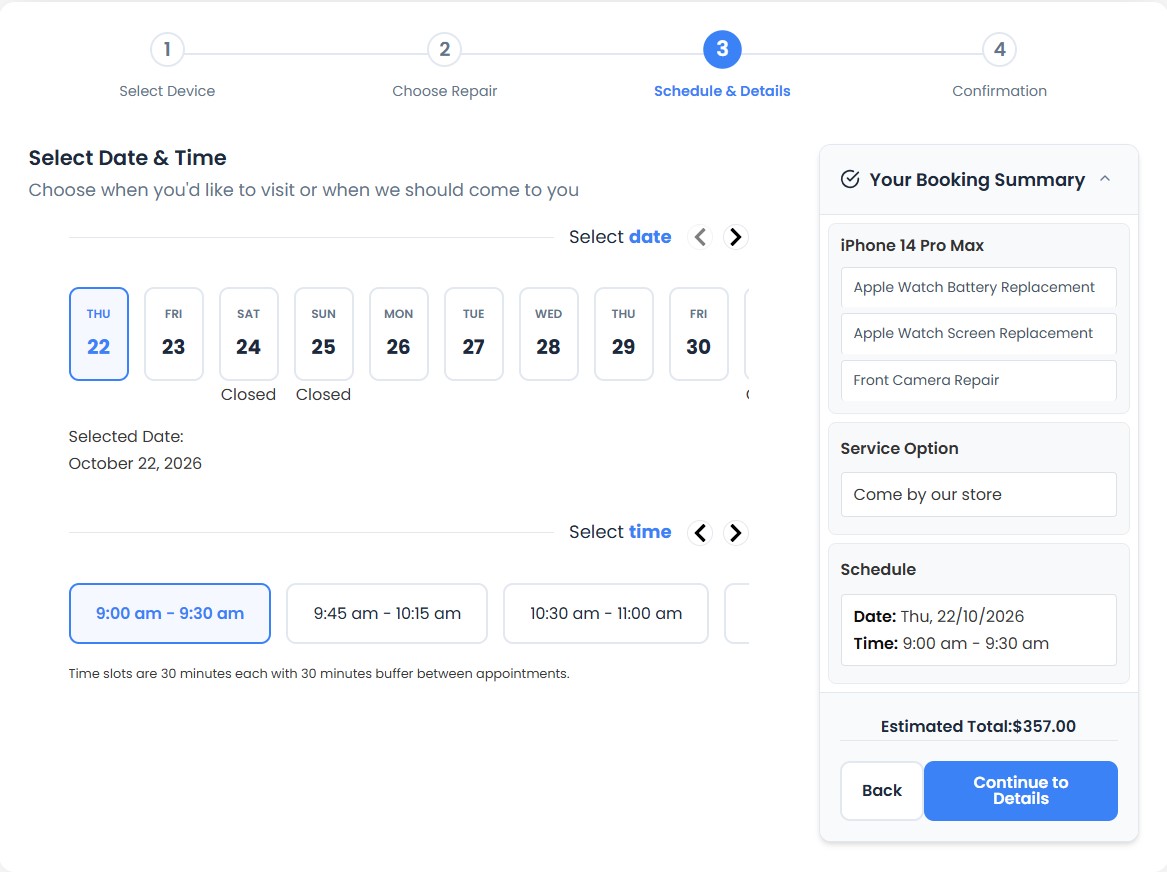
Customer selects an available date and time for an automotive repair appointment

03 · Scheduling

Let Customers Choose an Available Appointment Time

Use appointment time slots to organize incoming repair requests and give customers a clear way to request a suitable time. Review bookings from the RepairBuddy dashboard.

  • Offer date and time choices based on configured availability.
  • Keep appointment details associated with the customer and repair request.
  • Review incoming bookings from your workshop dashboard.
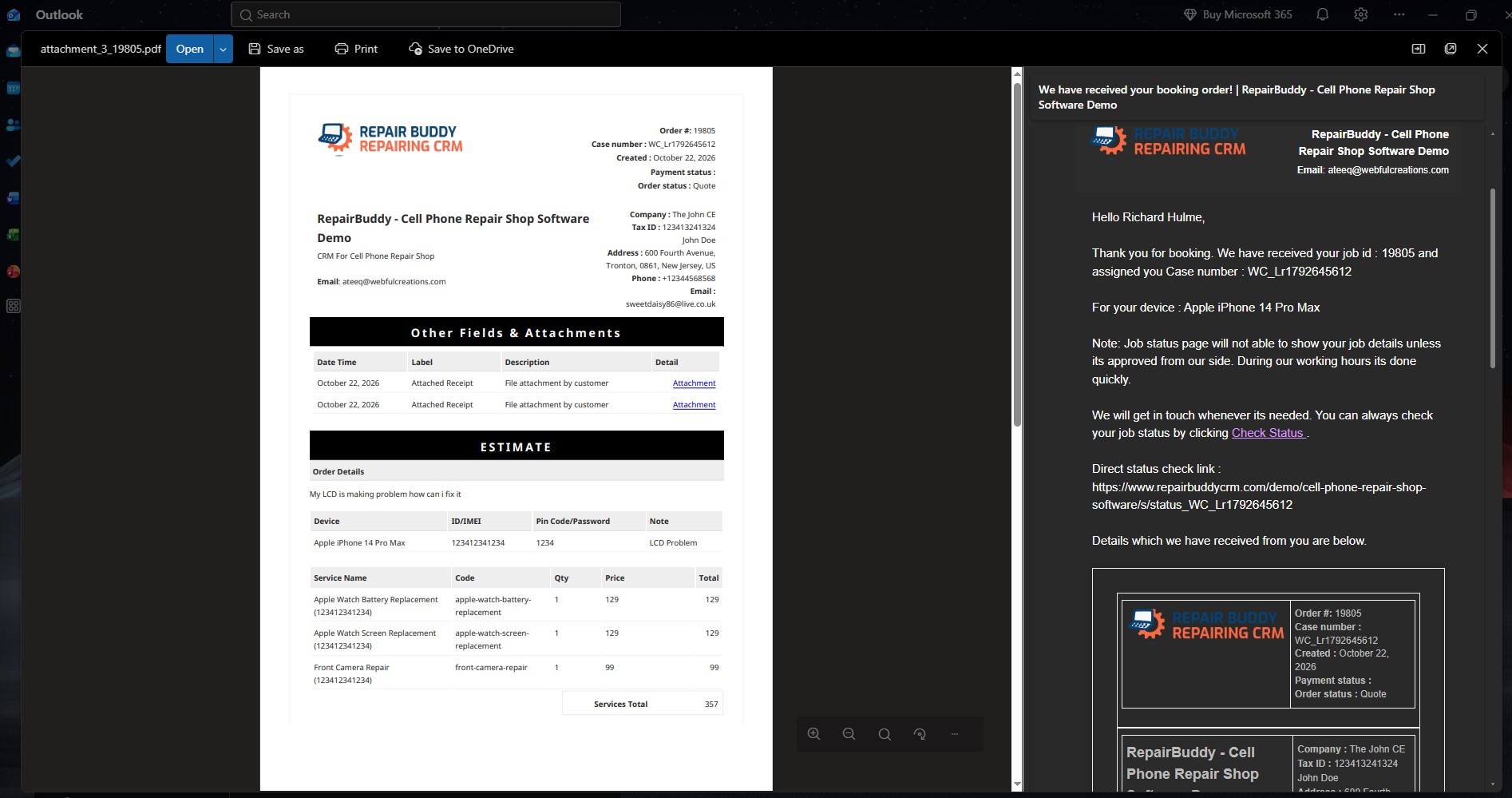
RepairBuddy automotive repair booking confirmation email sent to a customer

04 · Booking communication

Send Booking Confirmations and Workshop Alerts

Keep customers informed after they submit a booking, and notify your team so new requests can be reviewed.

  • Send booking confirmation messages to customers.
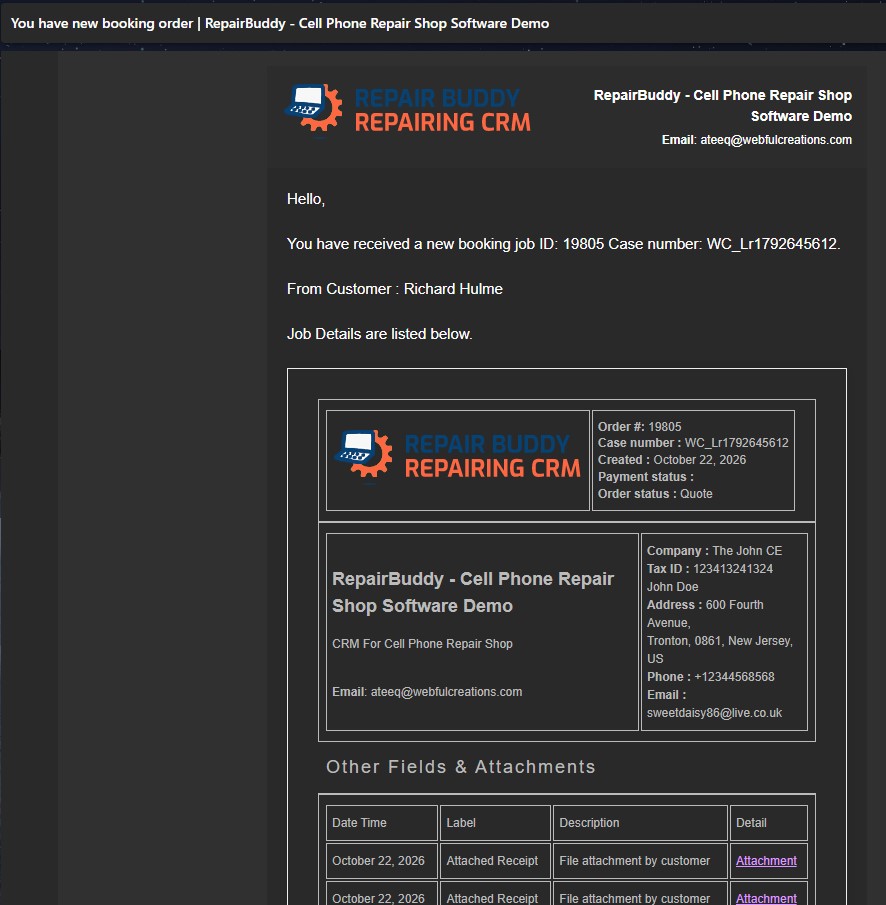
  • Notify administrators about incoming bookings.
  • Use message templates for consistent workshop communication.
RepairBuddy administrator receives a new vehicle repair booking alert

05 · Booking review

Review New Repair Requests from the Dashboard

Bring online bookings into your workshop workflow. Staff can review submitted information, perform an evaluation and prepare an estimate.

  • Keep incoming requests organized for review.
  • Check customer, vehicle and service details.
  • Move suitable requests into the estimate workflow.
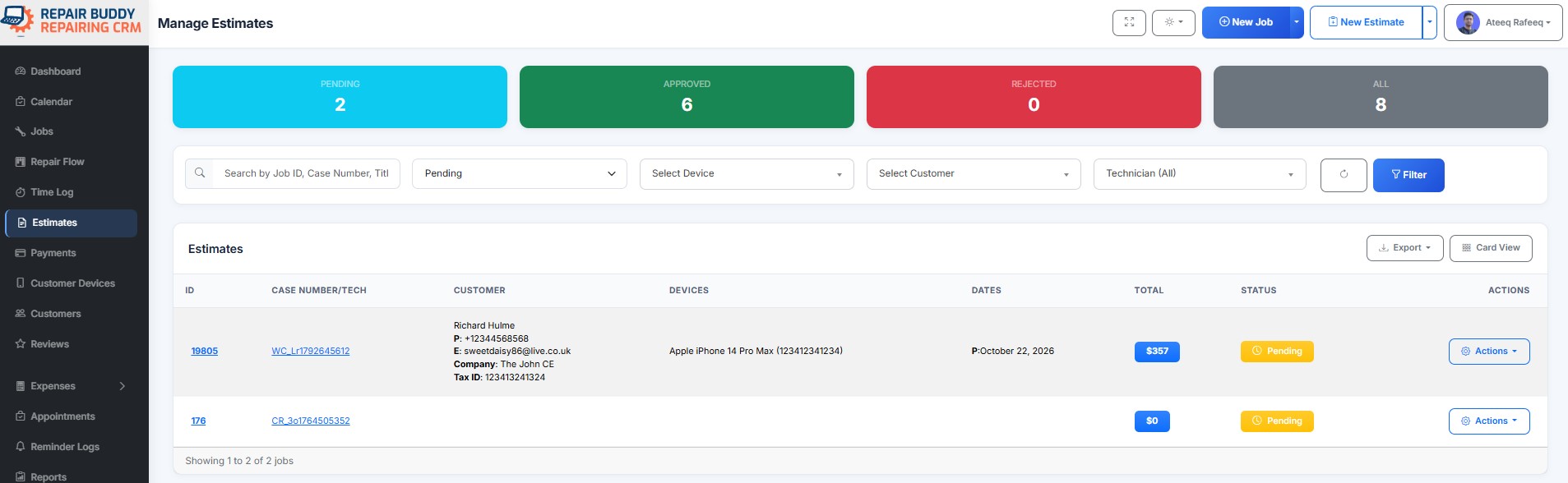
New vehicle repair booking appears as a pending estimate in RepairBuddy

06 · Vehicle intake

Document Vehicle Condition Before Repair Work

Use pre-repair and post-repair evaluation checklists to record vehicle condition and inspection observations. Keep evaluation details with the related repair record.

  • Record condition and inspection checklist items.
  • Print or share evaluation documentation when needed.
  • Compare intake and post-repair checks.
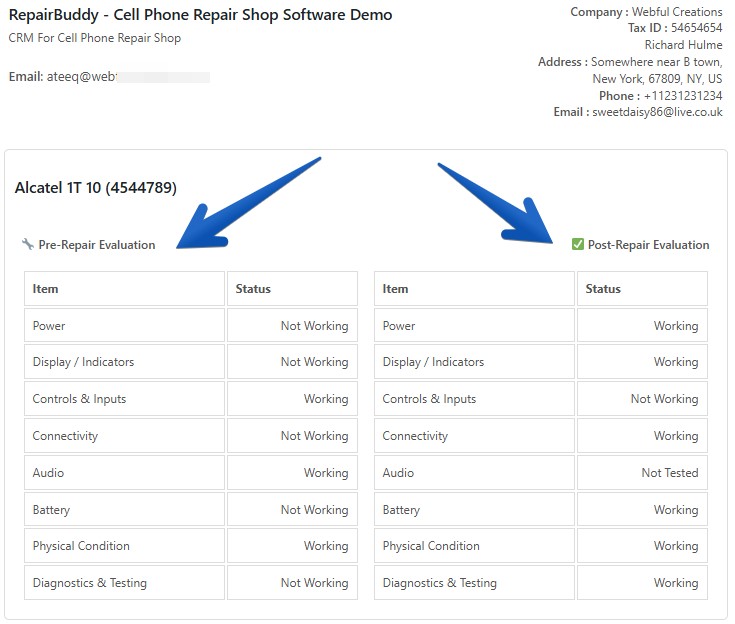
Printable pre-repair and post-repair vehicle evaluation checklist in RepairBuddy

07 · Inspection records

Use Pre-Repair and Post-Repair Evaluation Checklists

Give technicians a consistent way to record vehicle condition and inspection results before work begins and before handover.

  • Support a consistent vehicle inspection process.
  • Keep evaluation information connected to the repair job.
  • Print evaluation records for customer handover.
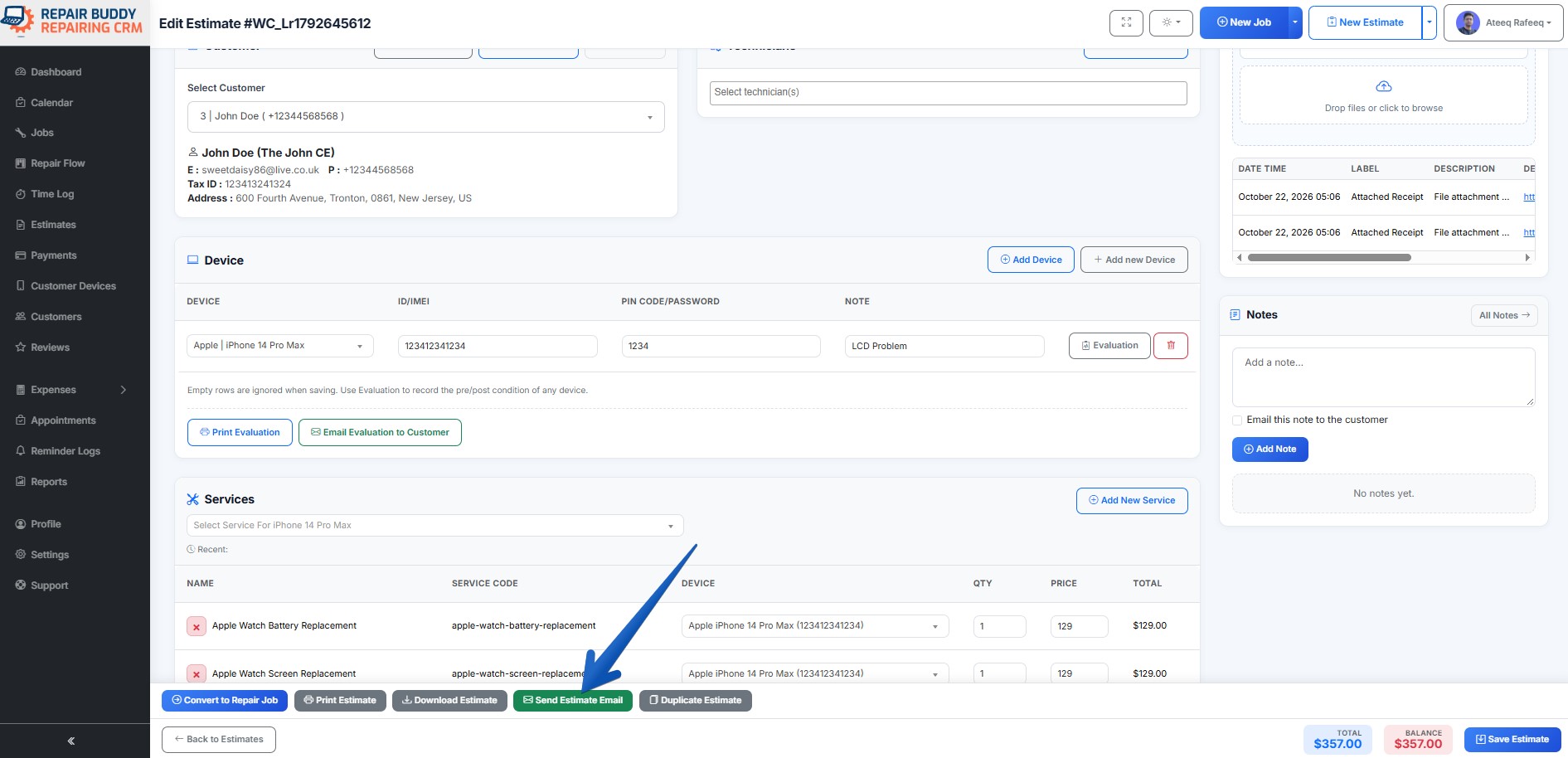
RepairBuddy estimate with automotive services, parts and extras sent to a customer for approval

08 · Estimates and approvals

Create Itemized Auto Repair Estimates and Get Customer Approval

Prepare estimates based on the requested work. Add labor services, replacement parts and extras, then send the estimate to the customer to approve or reject.

  • Build estimates with services, parts and additional line items.
  • Send estimates for online approval or rejection.
  • Keep estimate decisions linked to the customer and repair workflow.
Explore repair estimates and quotations →
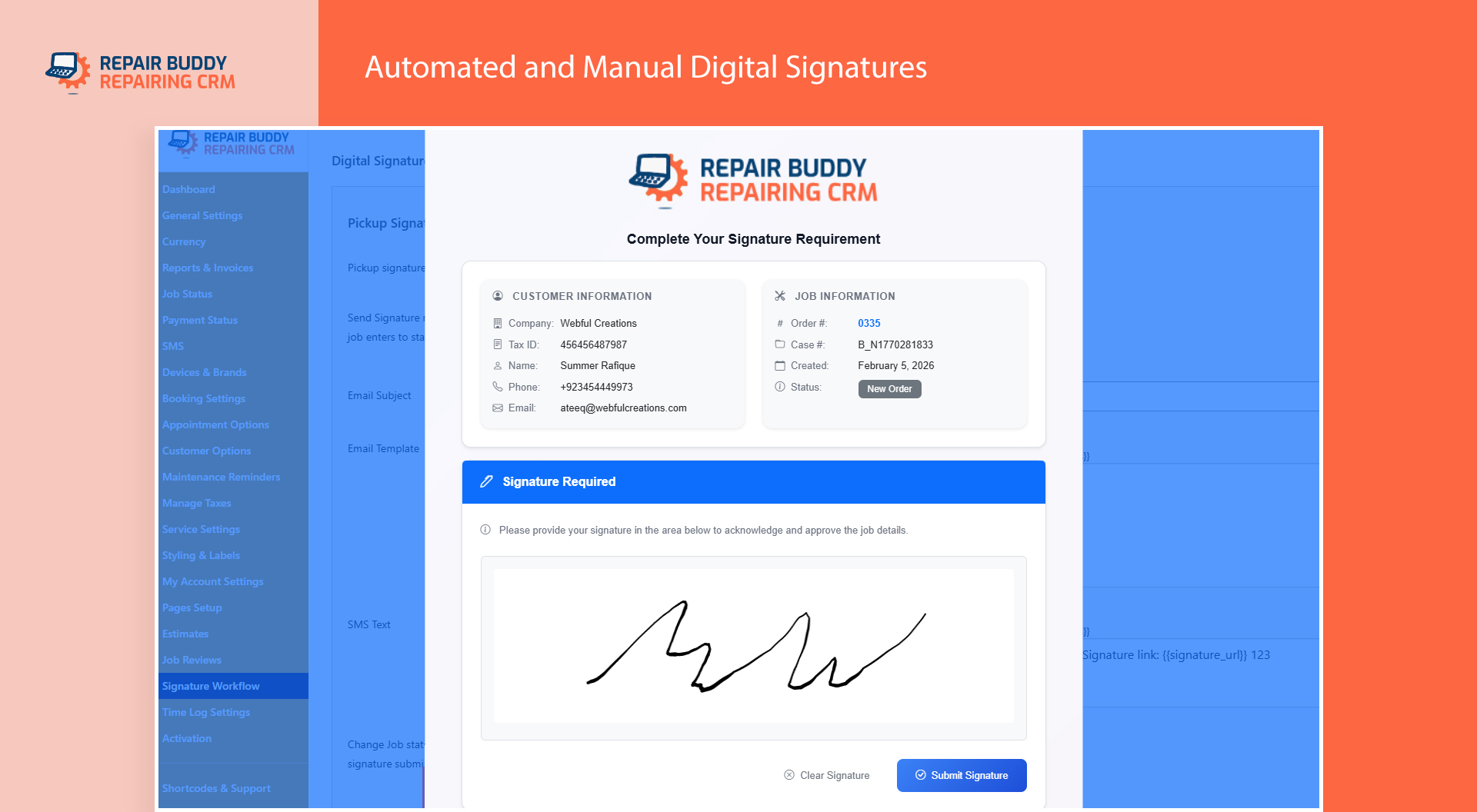
RepairBuddy digital signature workflow for repair authorization documents

09 · Digital signatures

Request Customer Signatures at the Right Stage

When your process requires customer authorization, request a digital signature for the relevant document or configured workflow stage.

  • Collect signatures for supported authorization documents.
  • Keep signature records connected to the job.
  • Configure signature requests for appropriate job statuses.
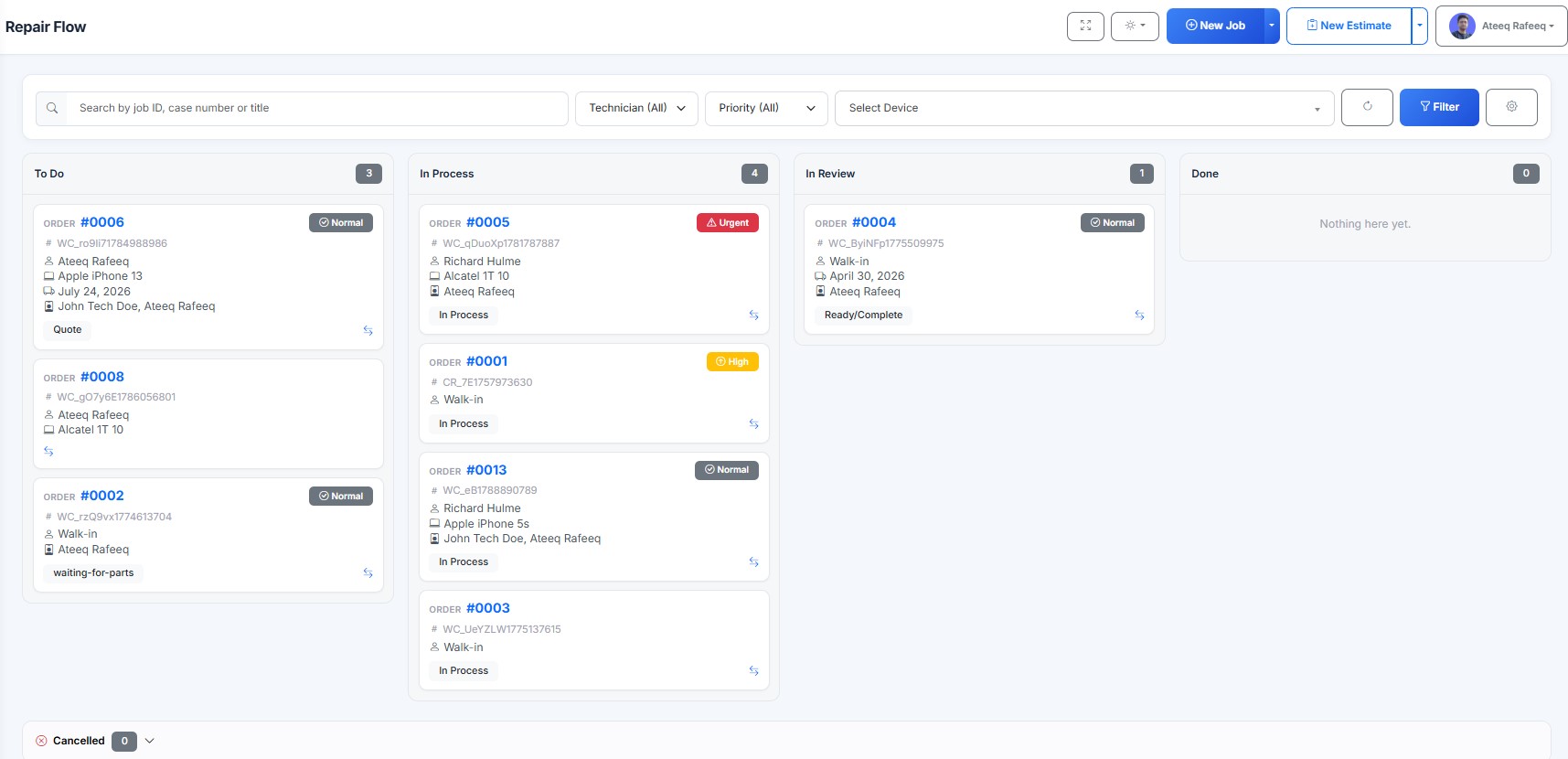
RepairBuddy repair flow board for managing automotive jobs by status

10 · Job workflow

Manage Auto Repair Jobs with a Visual Job Board

Track approved repair work through your workshop's stages and help your team coordinate active, waiting and completed jobs.

  • Organize repair jobs by configurable status or stage.
  • Keep job details, notes, parts and payments in one record.
  • Review repair history as work progresses.
Explore repair job management →
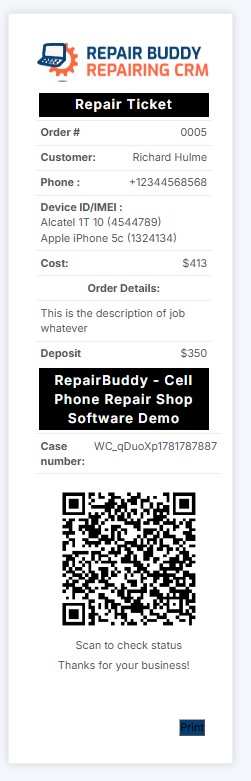
Printed RepairBuddy vehicle repair ticket provided to a customer for online job tracking

11 · Repair tickets

Give Customers a Repair Ticket for Online Job Tracking

Provide a repair ticket with details customers need to identify their job and check progress online. QR-enabled ticket workflows can make the status page easier to reach.

  • Print repair tickets for customer handover.
  • Help customers access the online job-status checker.
  • Reduce repeated status enquiries with self-service tracking.
Explore the online repair status checker →
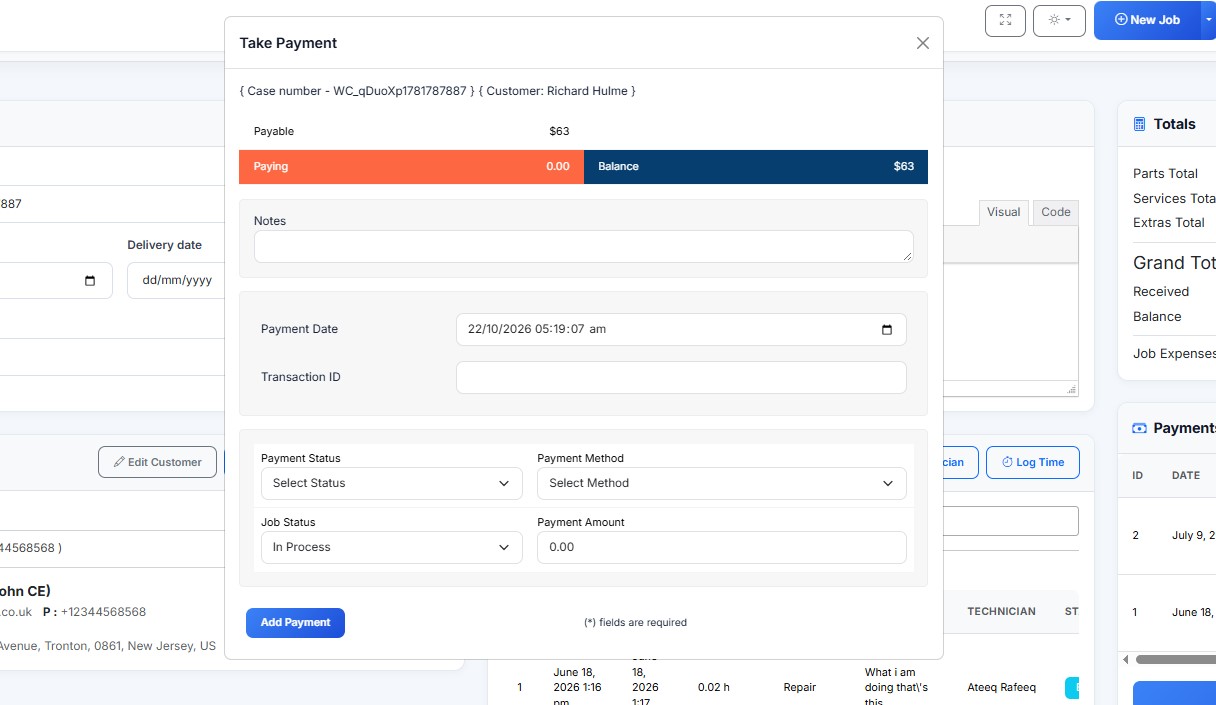
Recording an upfront payment or deposit against an automotive repair job in RepairBuddy

12 · Payments

Record Deposits, Partial Payments and Final Payments

Keep payment records associated with the repair job. Record upfront deposits, track partial payments and review outstanding balances.

  • Record payments against repair jobs.
  • Support deposit and partial-payment workflows.
  • Keep payment history available with the job record.
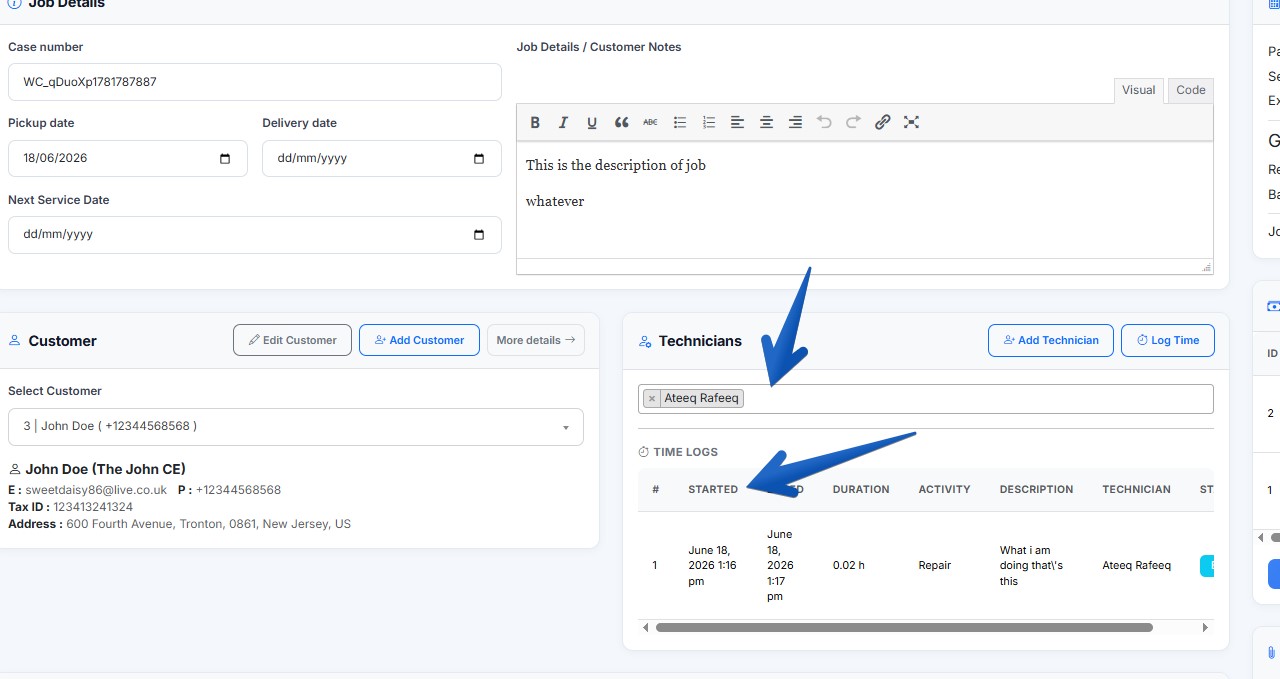
Assigning an auto repair job to technicians and tracking their work in RepairBuddy

13 · Technician management

Assign Repair Jobs and Track Technician Work

Assign jobs to one or more technicians to coordinate responsibilities. When time tracking is enabled, technicians can log time against repair work.

  • Assign jobs to the relevant technician or technicians.
  • Coordinate responsibilities and job progress.
  • Review recorded labor time.
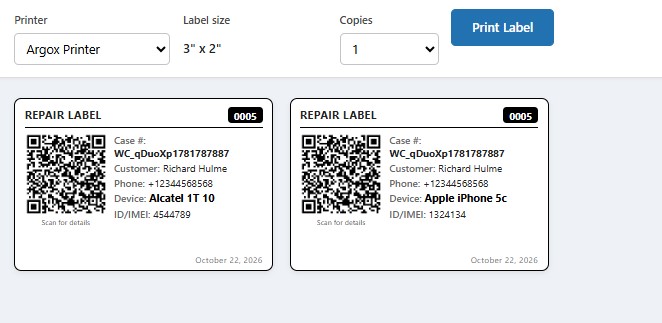
RepairBuddy printed vehicle repair labels and next-service reminder tags

14 · Repeat service

Print Next-Service Tags and Bring Customers Back

When a next-service date is recorded, print a reminder tag for vehicle handover. Configure service reminders to encourage future maintenance visits.

  • Print service reminder labels with relevant vehicle or job information.
  • Use QR codes where supported by your tag setup.
  • Encourage repeat visits for scheduled maintenance.
Explore automated maintenance reminders →
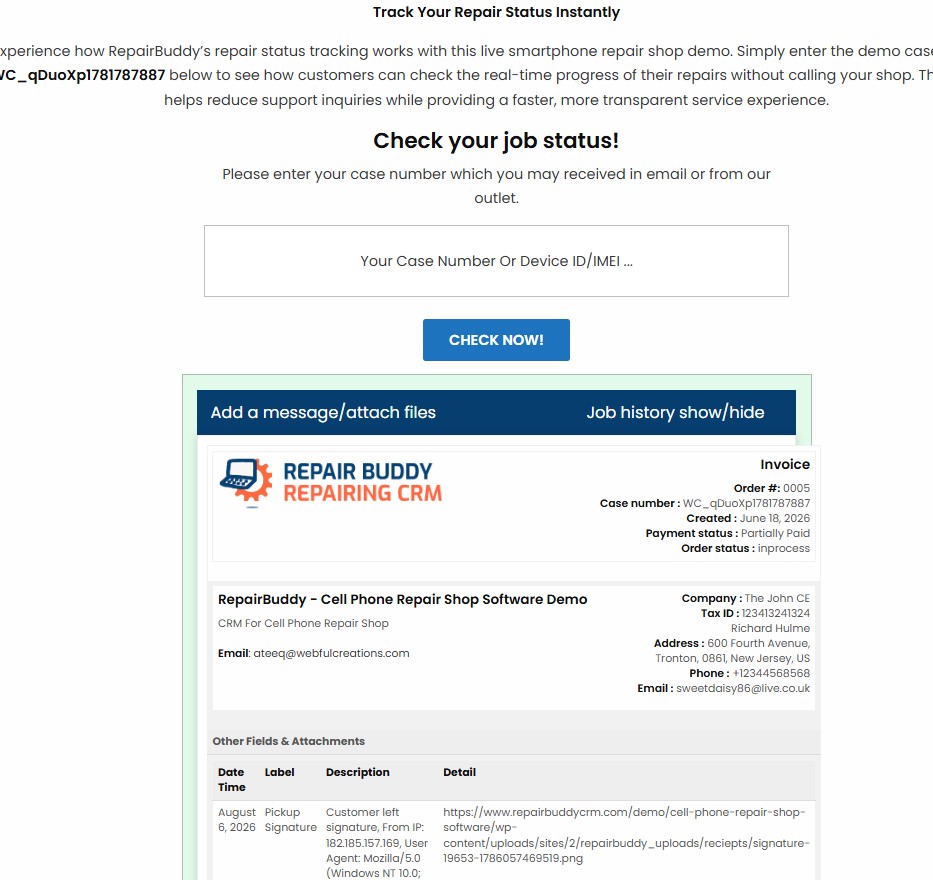
Customer checks vehicle repair status online and sends a message through RepairBuddy

15 · Customer communication

Let Customers Check Repair Status and Message Your Team

Give customers an online way to check job progress. Where messaging is enabled, customers can also send messages related to their repair job.

  • Offer online repair status lookup.
  • Keep job-related communication in context.
  • Use status updates to improve transparency.
See online job status features →
RepairBuddy customer portal for viewing vehicle repair estimates, jobs, appointments and history

16 · Customer portal

Give Automotive Customers Their Own Online Portal

Let customers return to their account to access supported repair information without contacting the workshop for every update.

  • Access estimates, jobs and appointments.
  • Review repair history and relevant payment information.
  • Access supported signature requests and feedback features.
Explore the customer portal →
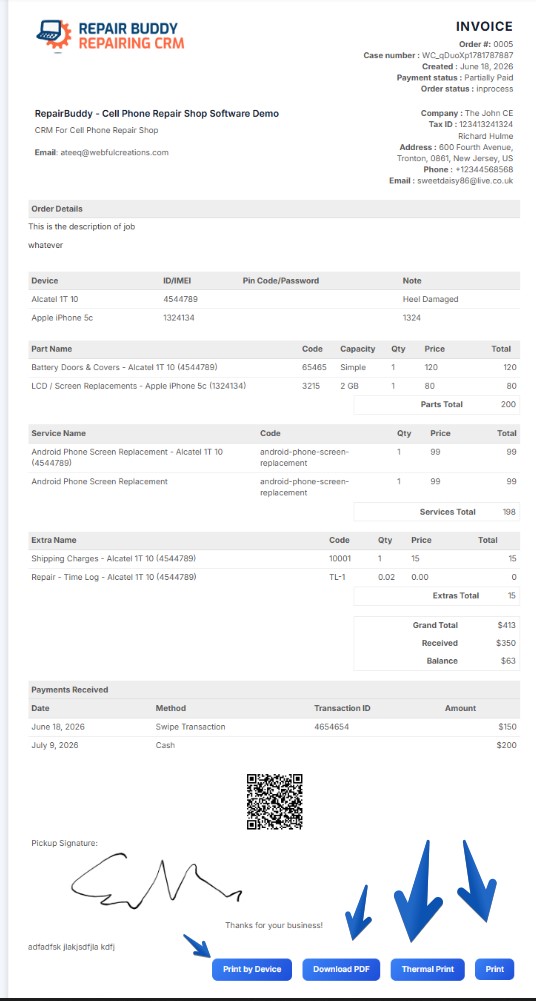
RepairBuddy automotive repair invoice ready to print and provide to the customer

17 · Invoicing

Print Professional Auto Repair Invoices and Receipts

Prepare invoice documents for customers and workshop records. Supported formats include thermal receipts and layouts organized around items or vehicles, depending on configuration.

  • Generate and print repair invoices.
  • Choose supported formats for your workflow and printer.
  • Keep invoice and payment information associated with the job.
Explore repair job invoices →
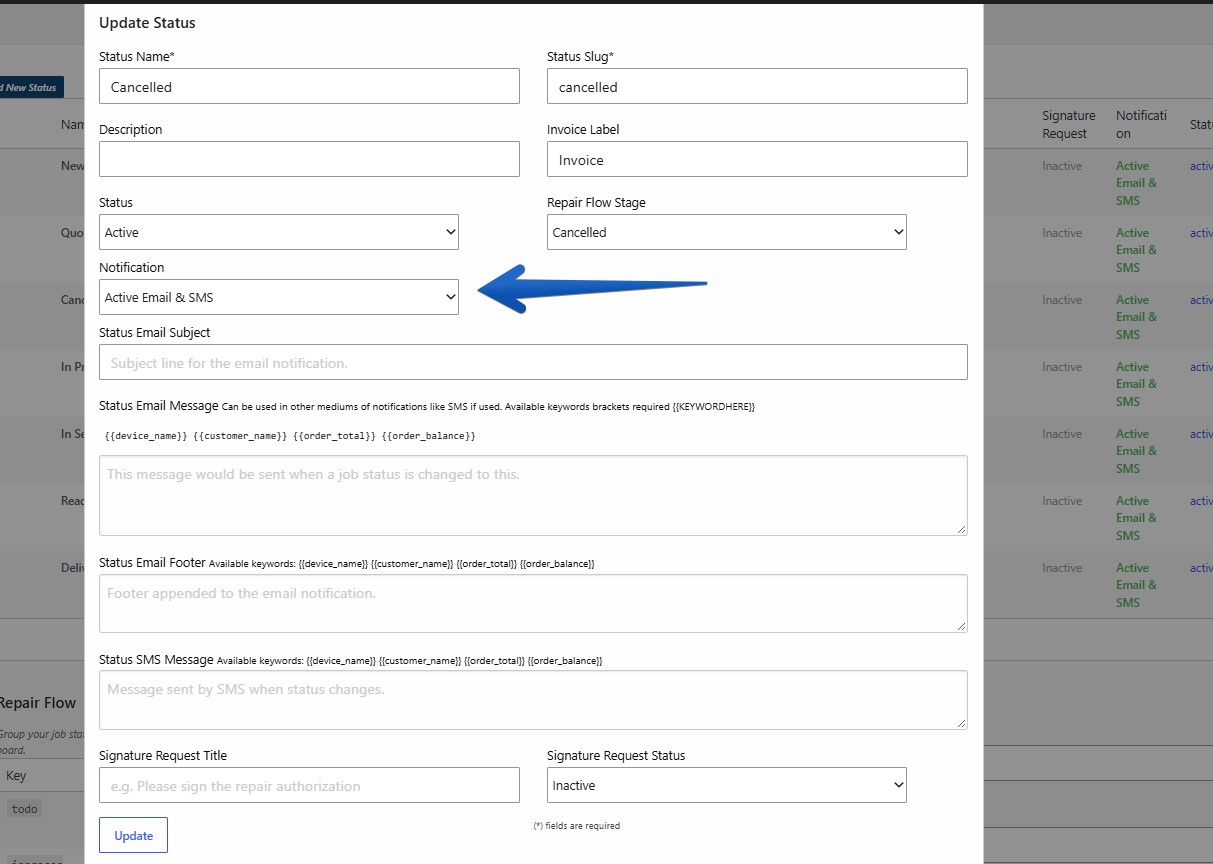
RepairBuddy automated email and SMS notifications configured for automotive repair job status changes

18 · Automated status updates

Customize Job Stages and Keep Customers Informed

Configure repair job statuses to match your workshop process. Set supported email or SMS notifications for individual statuses and customize the message content.

  • Create workflow stages your workshop uses.
  • Configure email and SMS notifications per supported status.
  • Trigger signature requests at selected stages where configured.
Explore repair notifications →
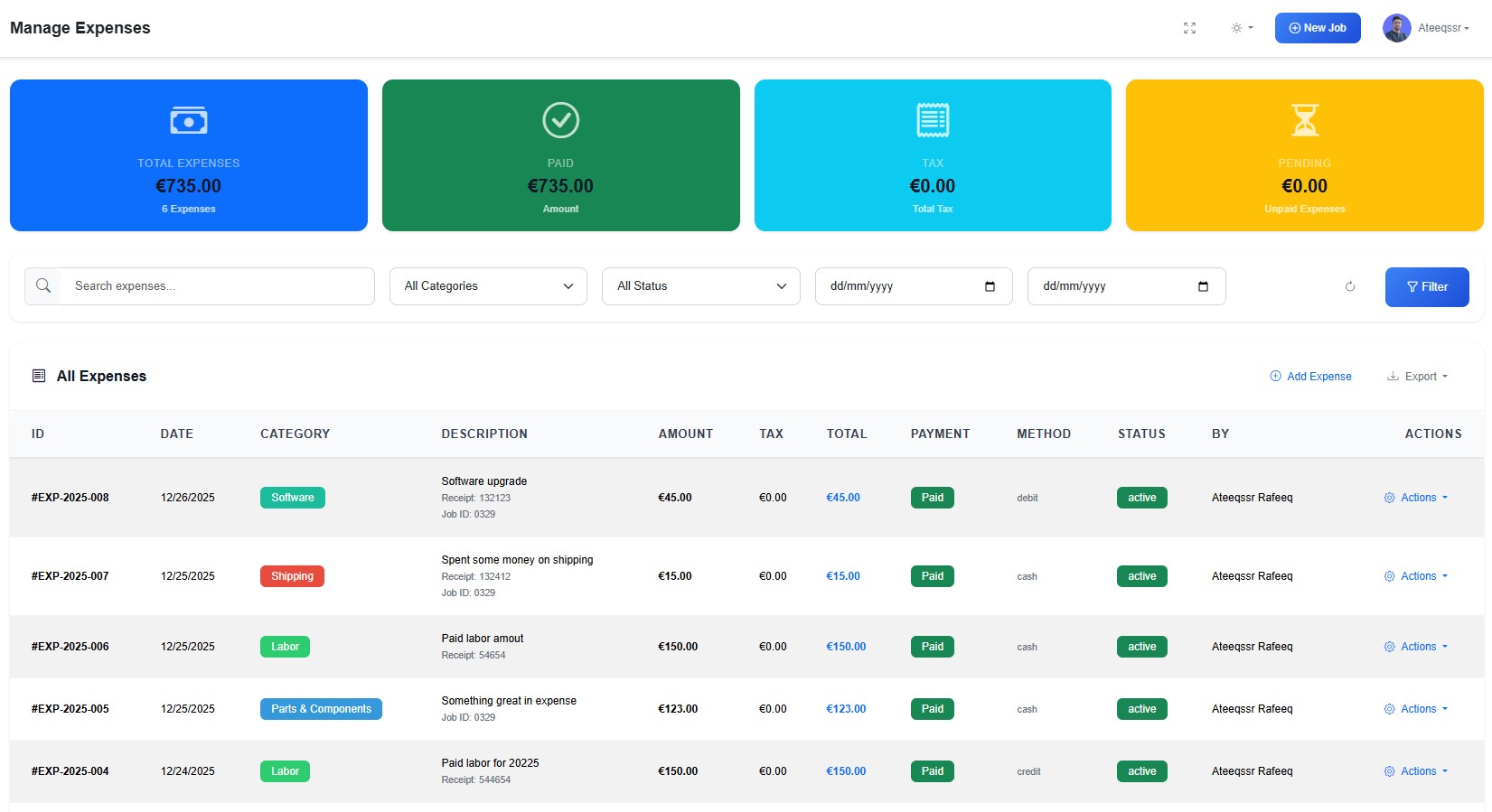
RepairBuddy expense management for job-related automotive parts and workshop costs

19 · Expense tracking

Track Job-Related Costs and General Workshop Expenses

Record expenses connected to a specific repair job—such as a part purchased for a vehicle—or keep general workshop expenses organized.

  • Record expenses against a job where appropriate.
  • Organize general workshop expenses.
  • Use expense information in supported financial reports.
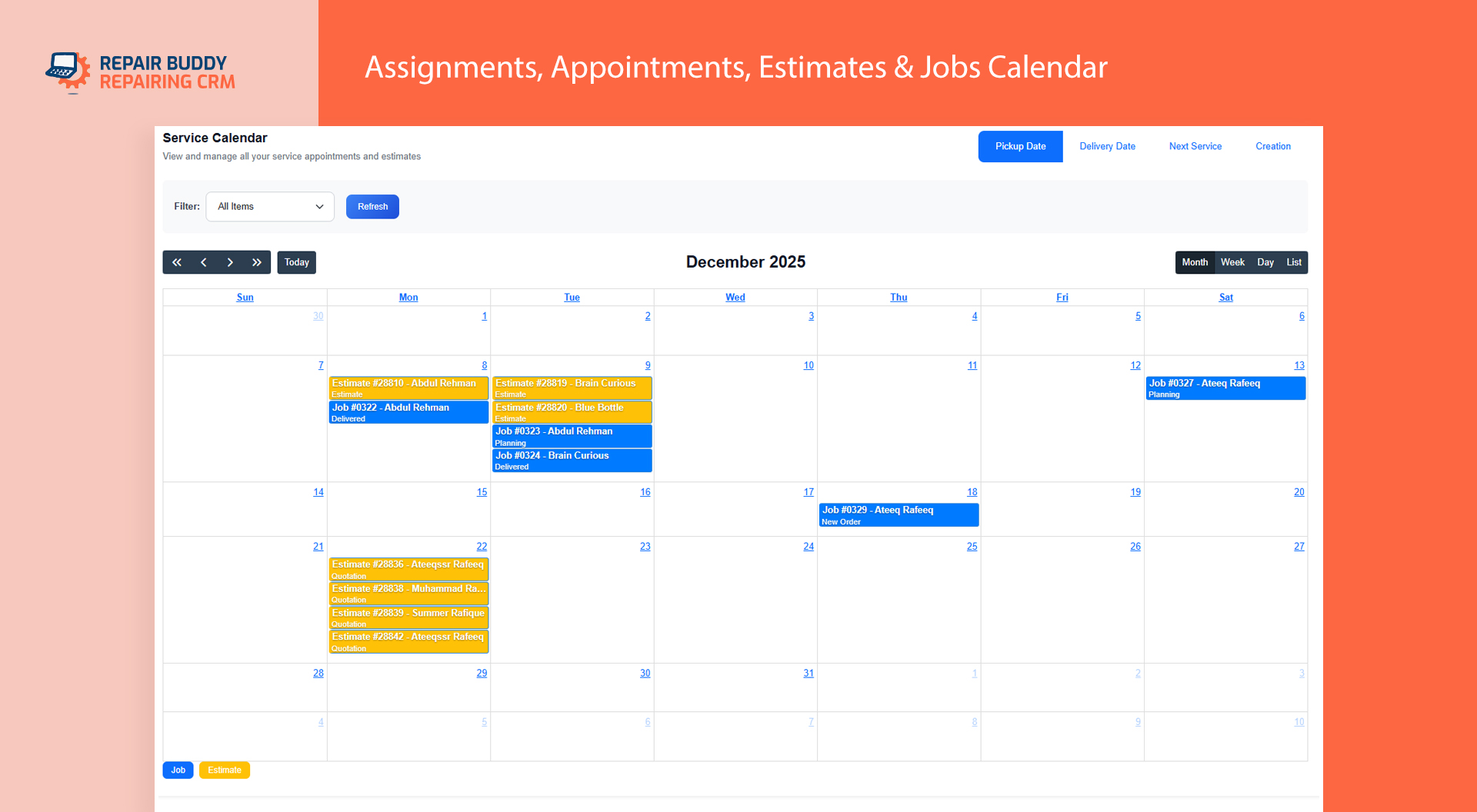
RepairBuddy technician assignment calendar for estimates, appointments and automotive repair jobs

20 · Workshop calendar

Coordinate Appointments and Technician Assignments

Use the assignments calendar to help administrators, store managers and technicians review scheduled work and responsibilities in one place.

  • Review assigned estimates, jobs or appointments.
  • Help the team understand upcoming responsibilities.
  • Support a more organized daily workshop schedule.
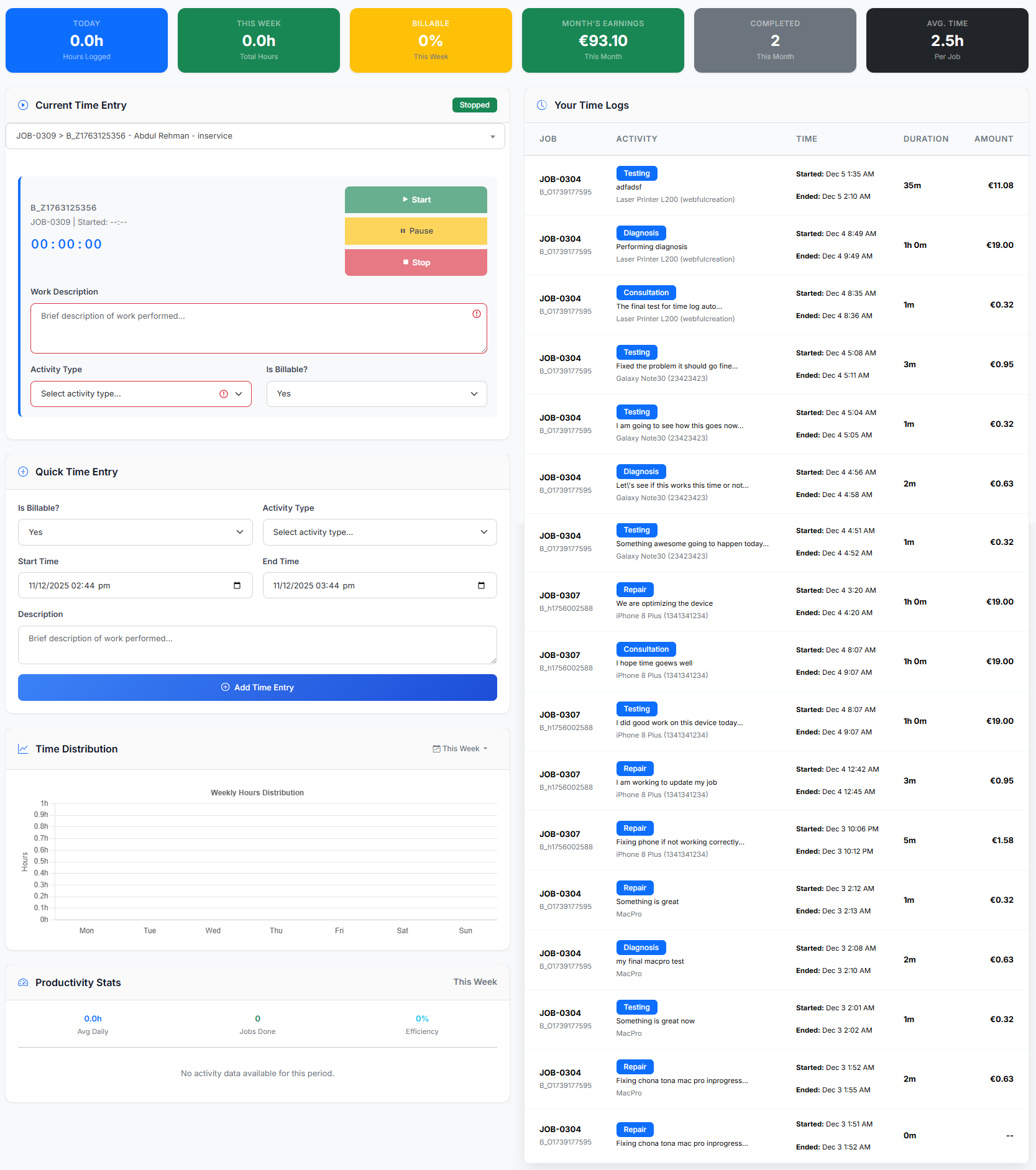
RepairBuddy time tracking software for automotive repair technicians and workshop labor logs

21 · Time tracking

Record Technician Time Against Repair Work

When enabled, server-side time tracking is designed to continue recording time if the technician changes devices or their device goes to sleep.

  • Keep recorded time linked to the relevant work.
  • Review technician hours alongside job details.
  • Understand recorded labor and workload.
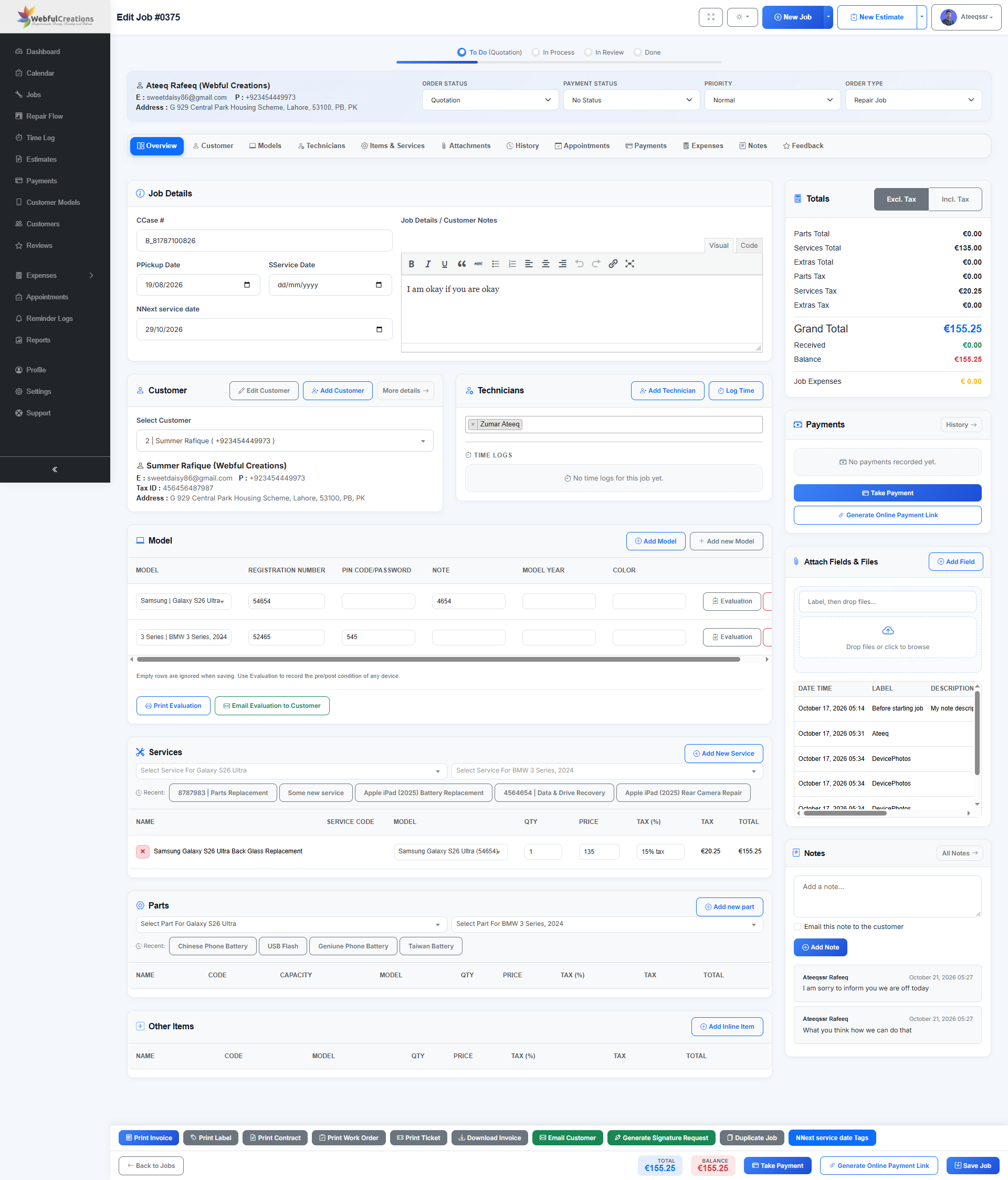
RepairBuddy comprehensive repair job management screen with services, parts, notes, payments and job history

22 · Complete job records

Keep Repair Details, Parts, Notes and History Together

Manage the details of each repair from its job record, including service items, parts, vehicle details, payments, attachments, customer notes, feedback requests and history where configured.

  • Keep important repair information in one job record.
  • Review notes and history as work progresses.
  • Support handovers between front-desk staff and technicians.
See repair job management features →
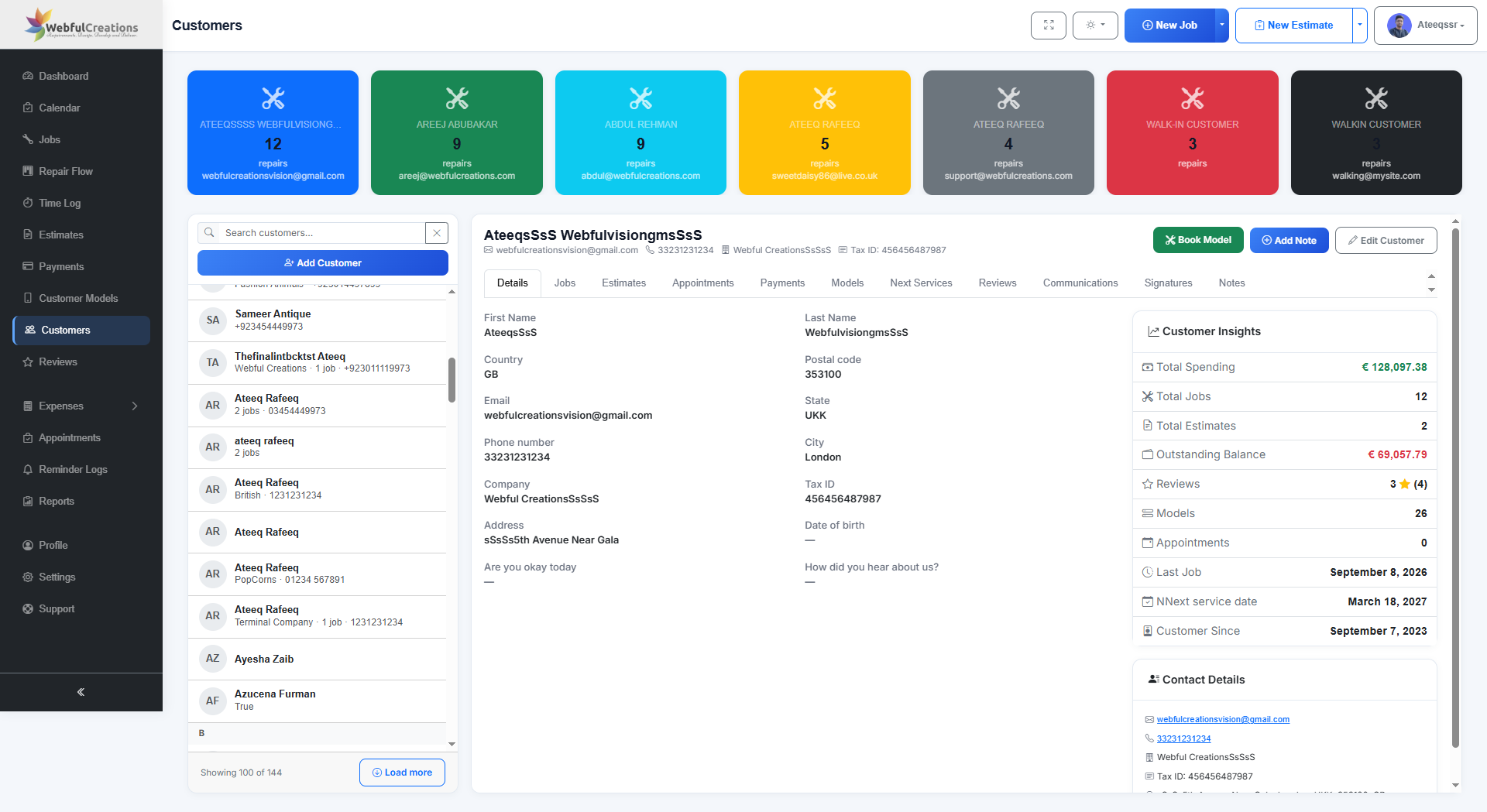
RepairBuddy customer relationship management screen showing customer insights and repair history

23 · Customer relationship management

Understand Each Customer and Their Vehicle Service History

Find customer records and review their relationship with your workshop, including related jobs, estimates, appointments, payments, vehicles, service reminders, reviews, communications, signatures and notes.

  • Search and open customer records more easily.
  • Review related repair and estimate history.
  • Support follow-up and service continuity.

Workshop performance

Powerful Auto Repair Shop Reports and Analytics

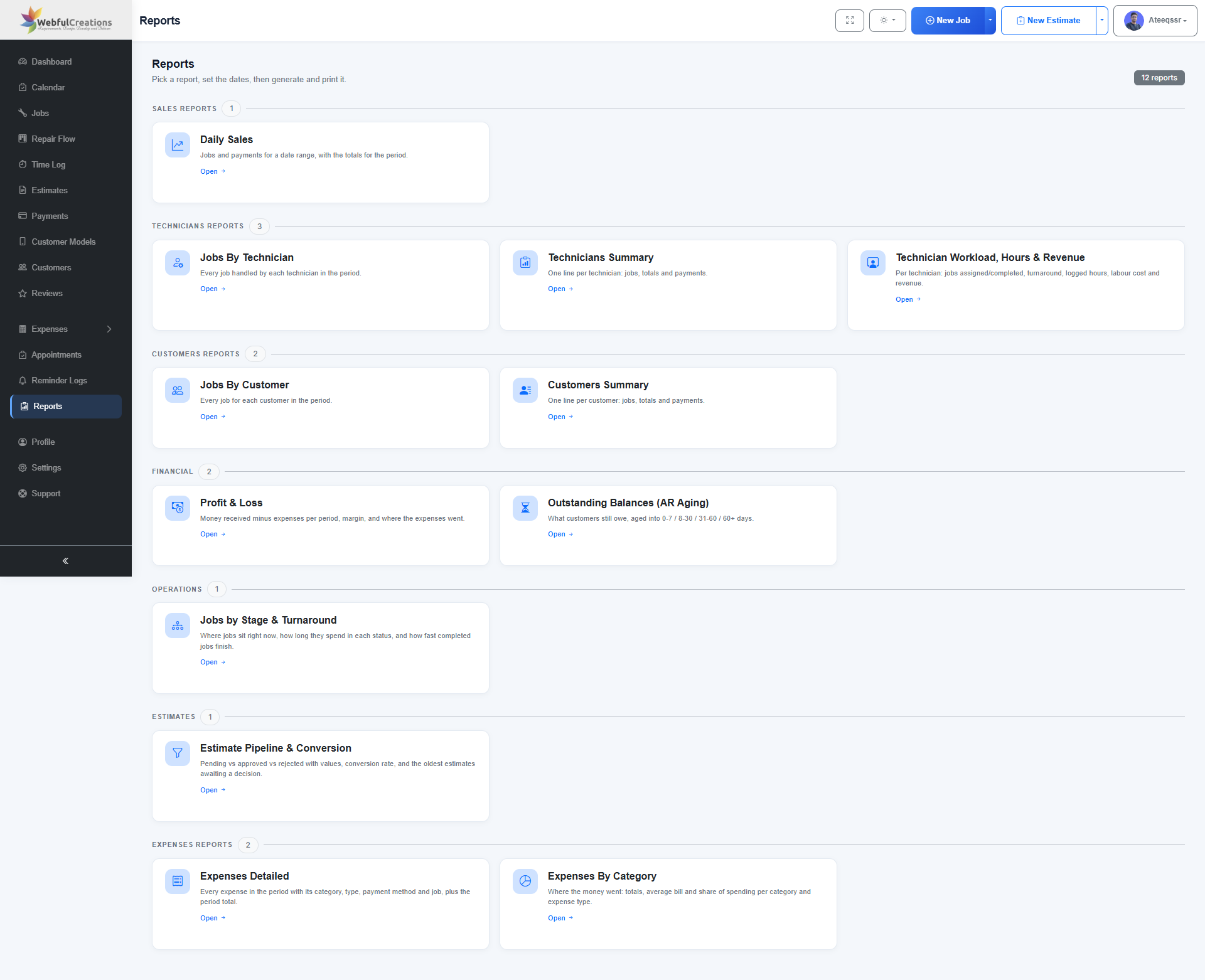
RepairBuddy includes 12 reports to help workshop owners review sales, technician workload, customers, expenses, outstanding balances, estimate conversion and job turnaround.

RepairBuddy reports dashboard for auto repair shop sales, technicians, customers, finances and operations
Daily SalesJobs, payments and totals for a selected date range.
Jobs by TechnicianReview jobs handled by each technician.
Technicians SummaryCompare jobs, totals and payments.
Workload, Hours & RevenueReview assignments, completed work, hours and revenue.
Jobs by CustomerSee customer job activity for a selected period.
Customers SummaryReview customer jobs, totals and payments.
Profit & LossCompare money received with recorded expenses.
Outstanding BalancesReview unpaid balances by age.
Job Stage & TurnaroundUnderstand job status and turnaround time.
Estimate PipelineReview pending, approved and rejected estimates.
Detailed ExpensesInspect expense entries, categories and related jobs.
Expenses by CategoryUnderstand workshop spending by category.

Choose a report, set the date range, then generate and print it. Reports depend on the information recorded in your RepairBuddy system.

Explore reports and analytics →
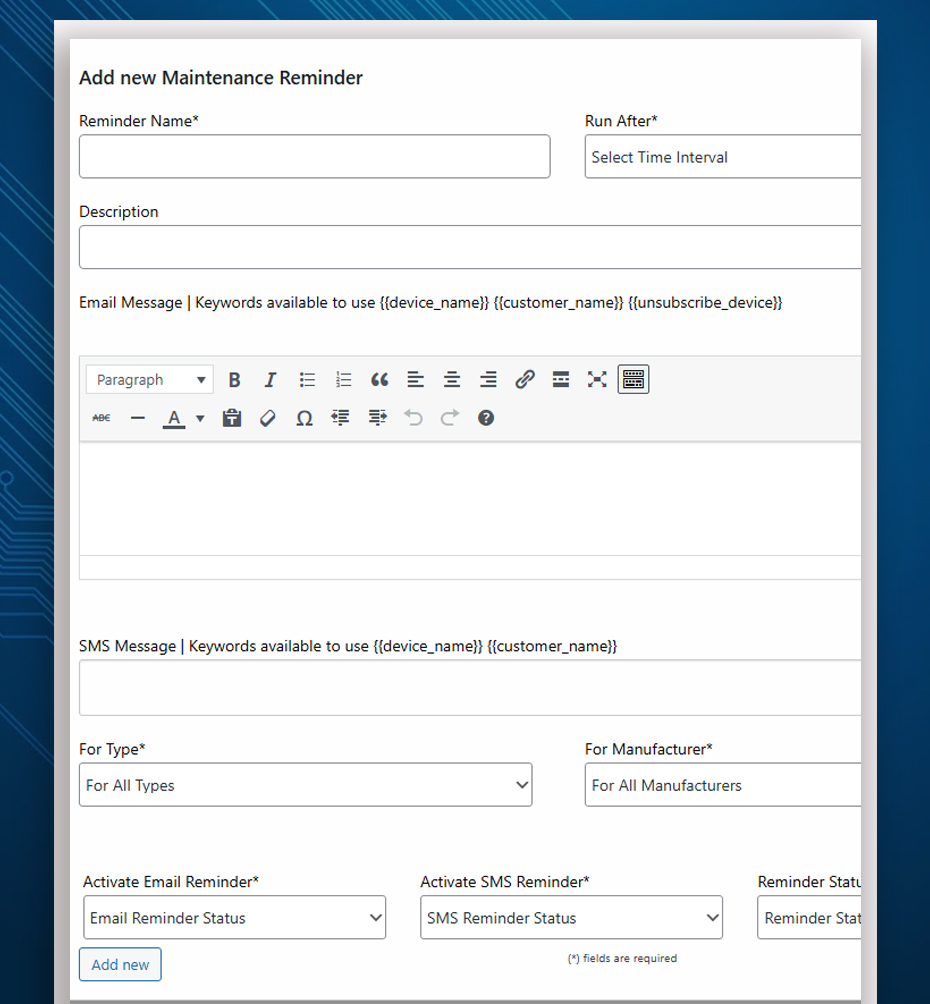
RepairBuddy maintenance reminders for scheduled vehicle servicing and customer follow-up

Customer retention

Automotive Maintenance Reminders and Service Intervals

Help customers remember upcoming maintenance and encourage repeat visits. Record next-service dates and use supported reminder options for oil changes, inspections and scheduled maintenance.

  • Set next-service dates as part of your repair workflow.
  • Send configured email or SMS service reminders.
  • Tailor service options to your workshop setup.
Learn about automated maintenance reminders →
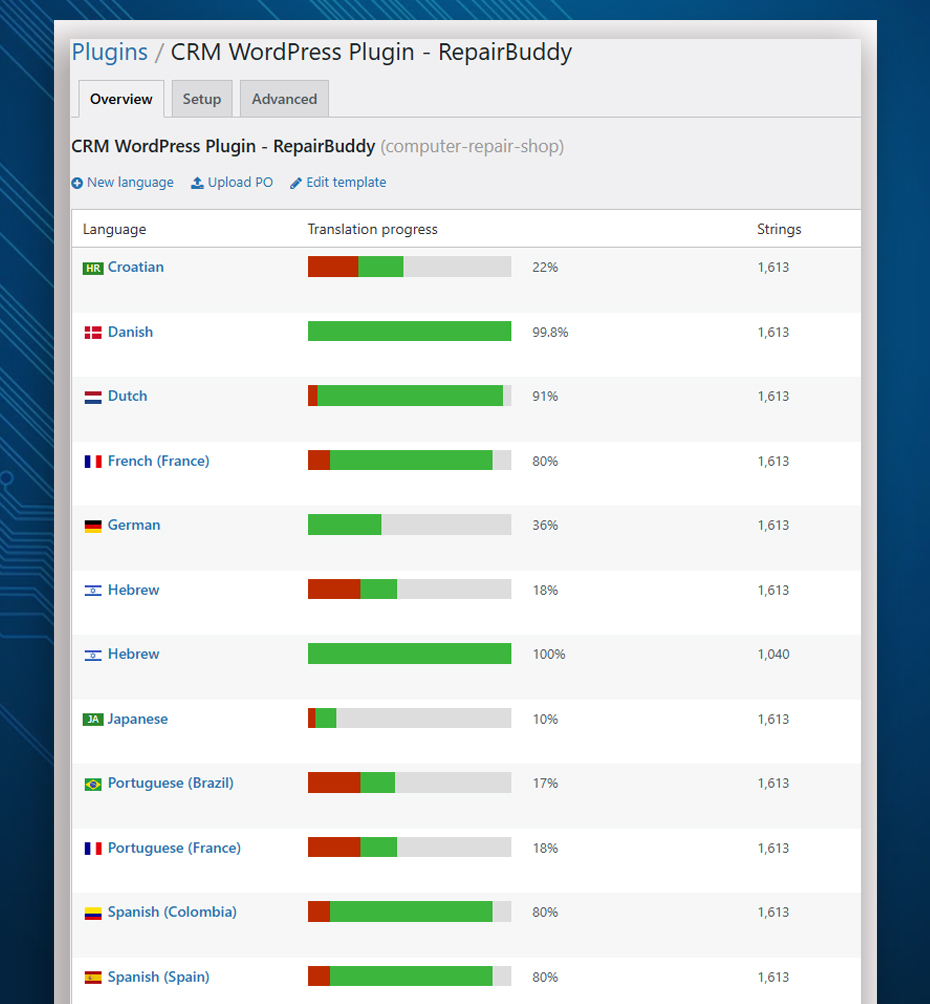
RepairBuddy customizable and multilingual interface for automotive repair workshops

Flexible setup

Customizable and Multilingual Repair Shop Software

Adapt RepairBuddy terminology to suit your automotive workshop. Customize supported labels so booking forms and repair records use familiar vehicle-service language.

  • Change labels such as “Device” to “Vehicle” where appropriate.
  • Use vehicle-related wording such as VIN or registration number in relevant fields.
  • Translate supported interface text using tools such as Loco Translate and WPML.
Explore customization and translation →

One connected system

More Than Car Repair Booking Software

Connect customer intake, workshop operations, payments and follow-up instead of managing every step in separate tools.

Vehicle Booking & Appointments

Accept online repair requests and manage appointment details from your website.

Estimates & Approvals

Prepare itemized estimates and collect customer decisions before work proceeds.

Technician Work Orders

Assign repair jobs, record time and keep job notes available to the team.

Invoices & Payments

Organize invoice documents, deposits, partial payments and outstanding balances.

Customer Portal & CRM

Give customers access to supported job information and help staff understand customer history.

Service Reminders & Reviews

Support follow-up after a job and encourage customers to return for maintenance.

See How RepairBuddy Works for an Auto Repair Shop

Explore vehicle booking, estimate handling, job management, customer status tracking and the customer portal.

Open the Live Demo →

Common questions

Auto Repair Shop Software FAQs

What is auto repair shop software?

Auto repair shop software helps workshops organize vehicle bookings, estimates, repair jobs, technician assignments, customer communication, invoices and service follow-ups. RepairBuddy provides these workflows through a WordPress plugin, with cloud options also available.

Can customers book car repairs online?

Yes. RepairBuddy supports configurable online booking forms so customers can submit repair requests and provide vehicle and service information through your website.

Can I send estimates to customers for approval?

RepairBuddy lets your team prepare estimates with relevant services, parts and extras, then send them to customers for online approval or rejection.

Can I assign jobs to technicians and track time?

You can assign repair jobs to technicians and use time-tracking features when enabled to record time associated with repair work.

Does RepairBuddy support customer job tracking?

RepairBuddy provides an online job-status checker and customer portal features that help customers access supported repair information and communicate about their jobs.

Can I print invoices and service reminder tags?

RepairBuddy supports repair invoice printing and service reminder tag workflows. Available formats and options depend on your configuration and enabled features.

Does RepairBuddy include reports for workshop owners?

Yes. RepairBuddy includes 12 reports covering sales, technicians, customers, financial activity, job stages, estimate conversion and expenses. Reports use information recorded in your system.

Can I customize RepairBuddy for an automotive workshop?

You can customize supported labels and terminology to fit your workflow and translate supported interface text using compatible translation tools.

Take the next step

Bring Your Auto Repair Workflow Together with RepairBuddy

Explore the live demo or compare pricing to find the RepairBuddy setup that fits your automotive repair business.

RepairBuddy is software that helps repair businesses manage the services they offer; it does not provide vehicle repair services itself.