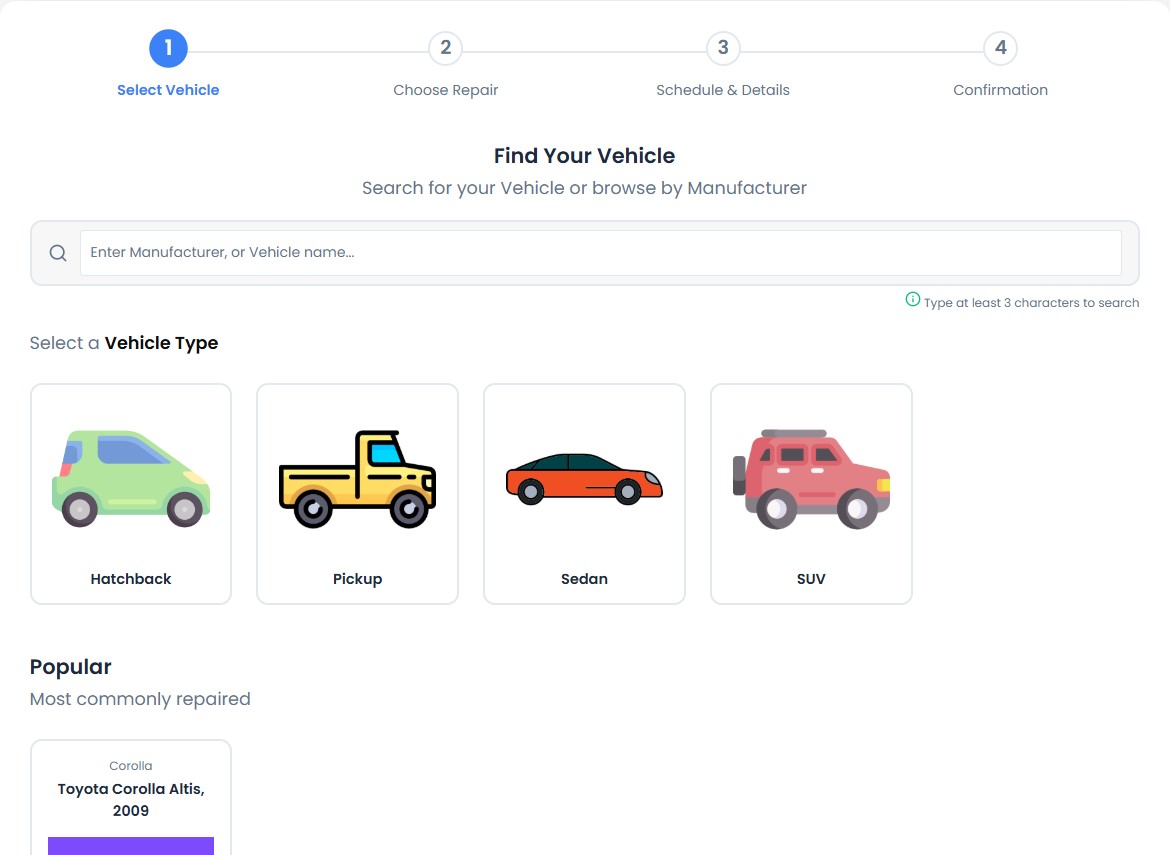
Step 1 · Repair type
Choose what needs repair
Configure types for laptops, desktops, smartphones, tablets, vehicles, appliances and other items your business accepts.
All-in-One Repair Shop Software — Choose WordPress or Cloud

Give customers a convenient way to book repairs online, choose devices and services, and provide the details your team needs. Choose RepairBuddy Cloud for a hosted solution, or the RepairBuddy WordPress plugin to run repair management through your own WordPress website.
These screenshots are from the actual RepairBuddy platform—not concept designs—so you can see how customers move through the booking form. Select an image to open it full-size.
Configure types for laptops, desktops, smartphones, tablets, vehicles, appliances and other items your business accepts.
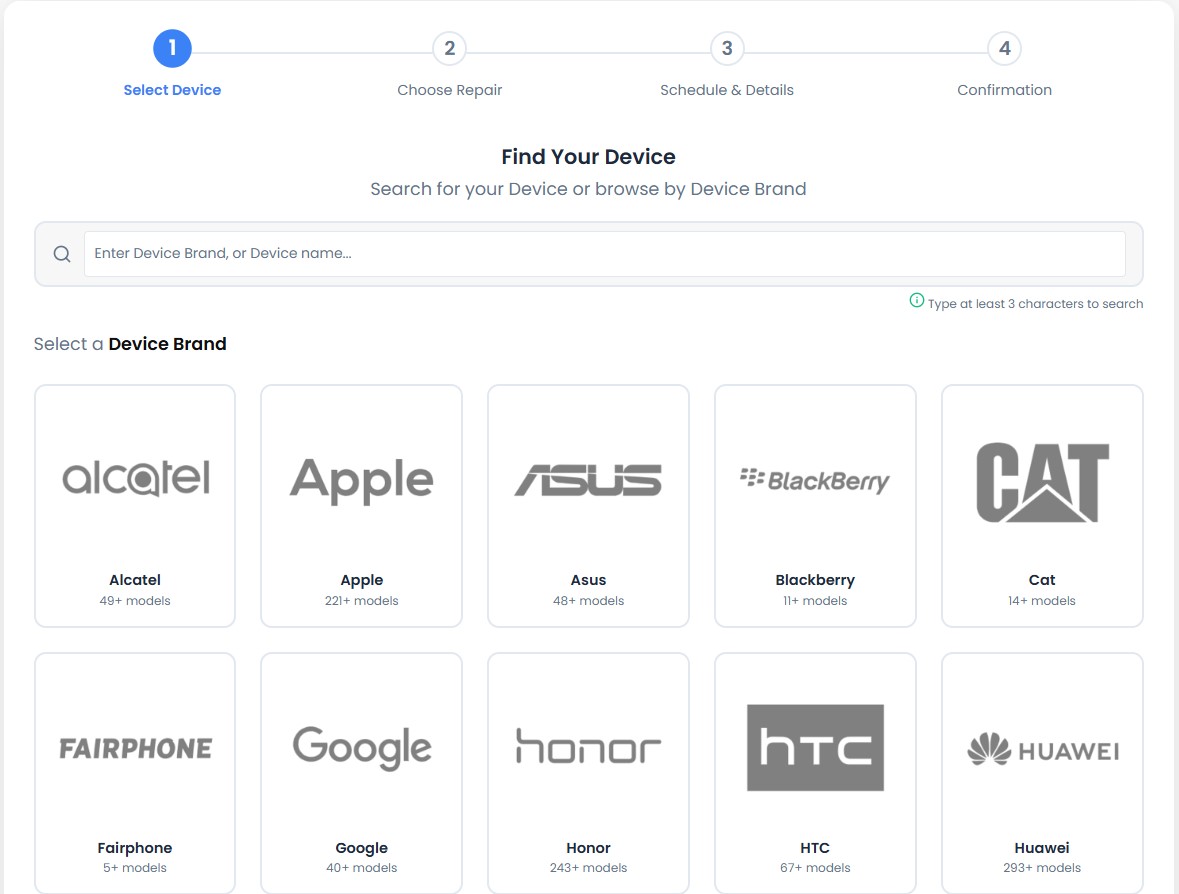
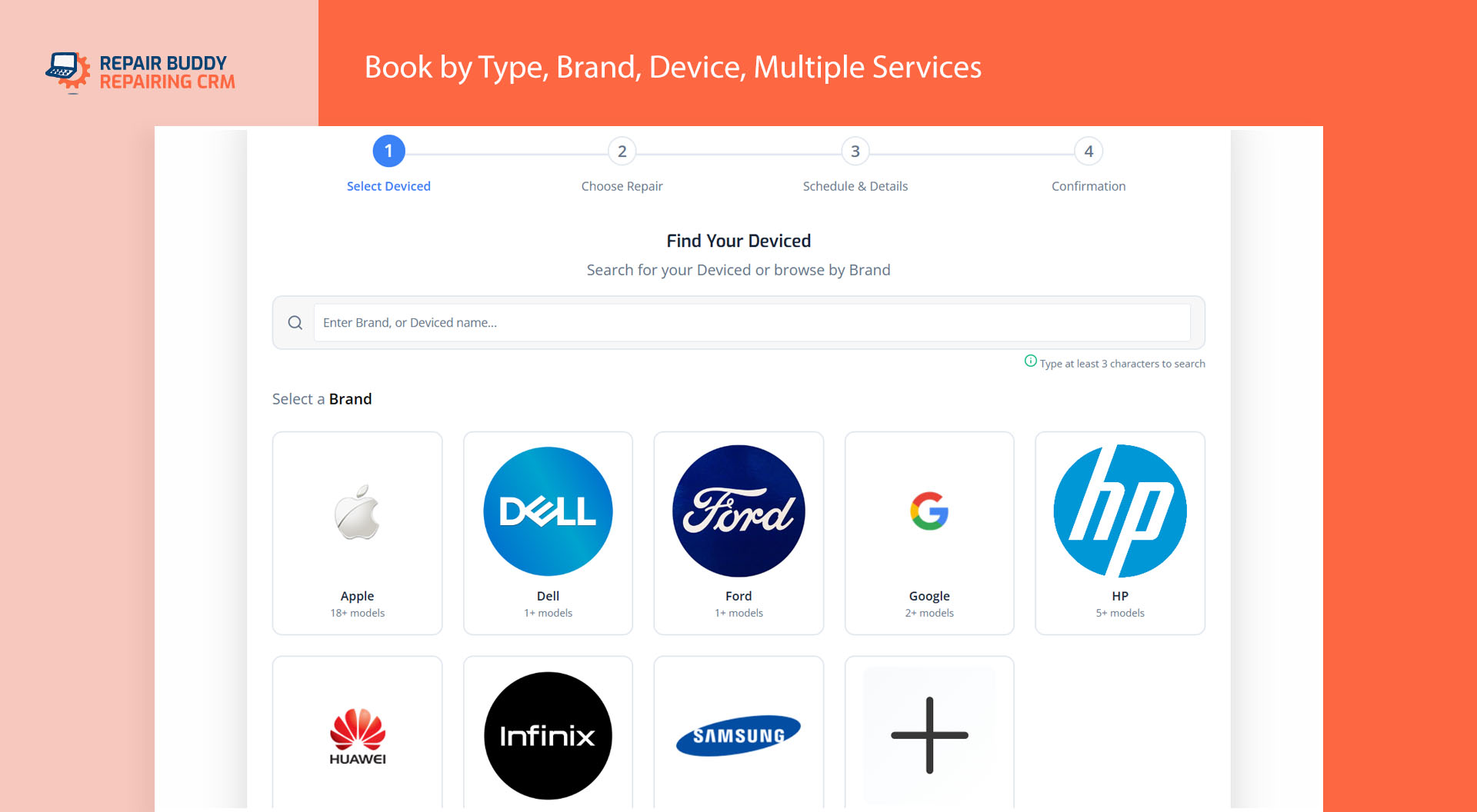
Set up brands and nested sub-brands or series. Customers can enter a brand manually when it is not listed.
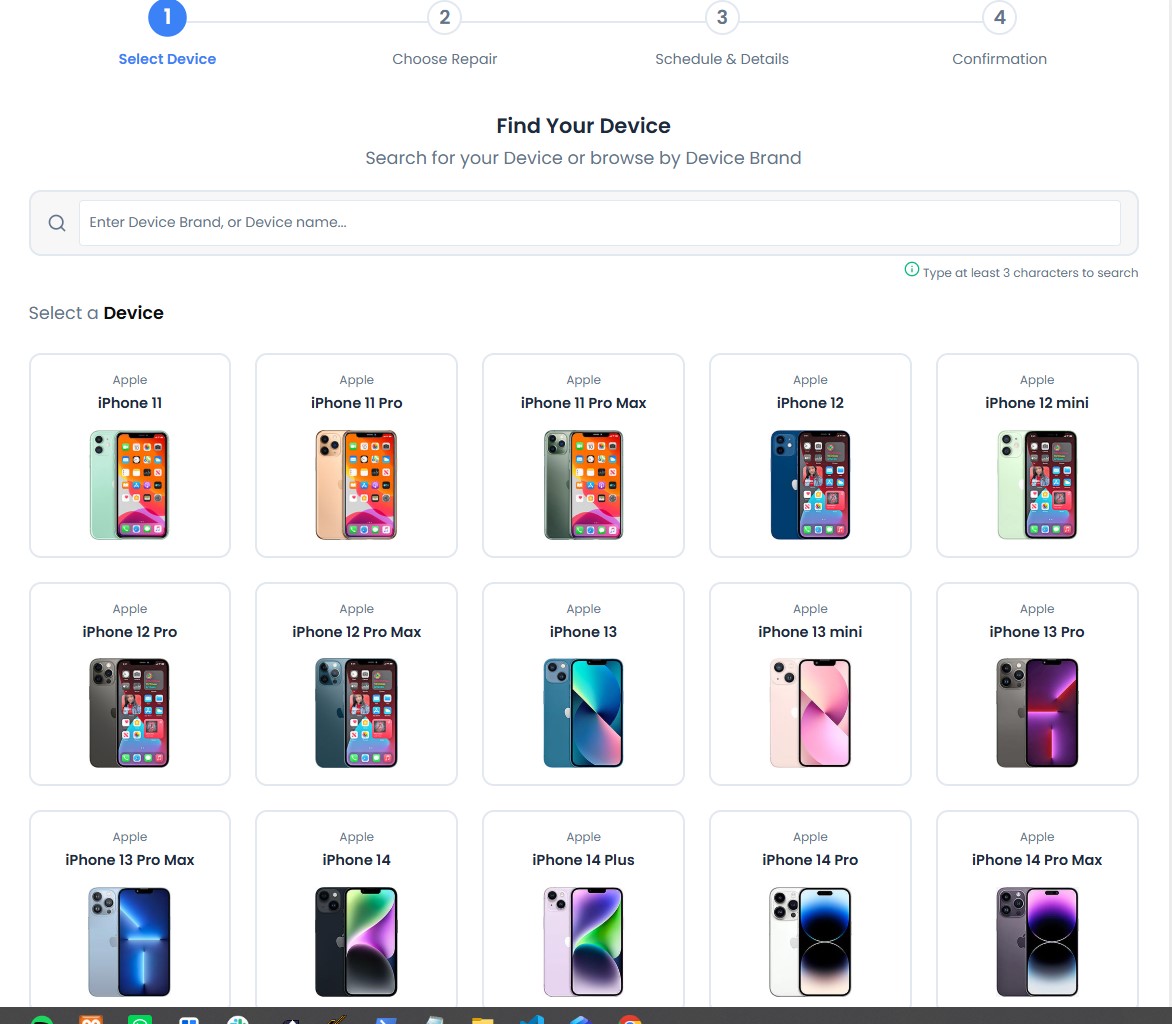
Customers choose a model or use your manual-entry option if their device is not listed.
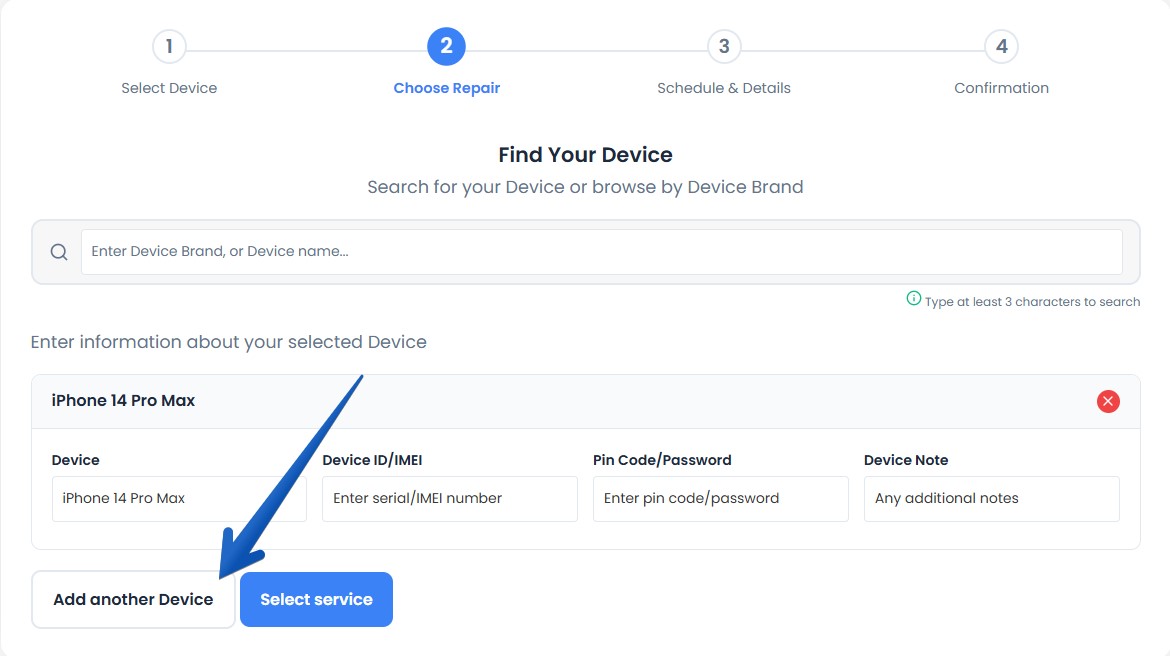
Collect the custom information your workflow requires and let customers add another device to the same booking.
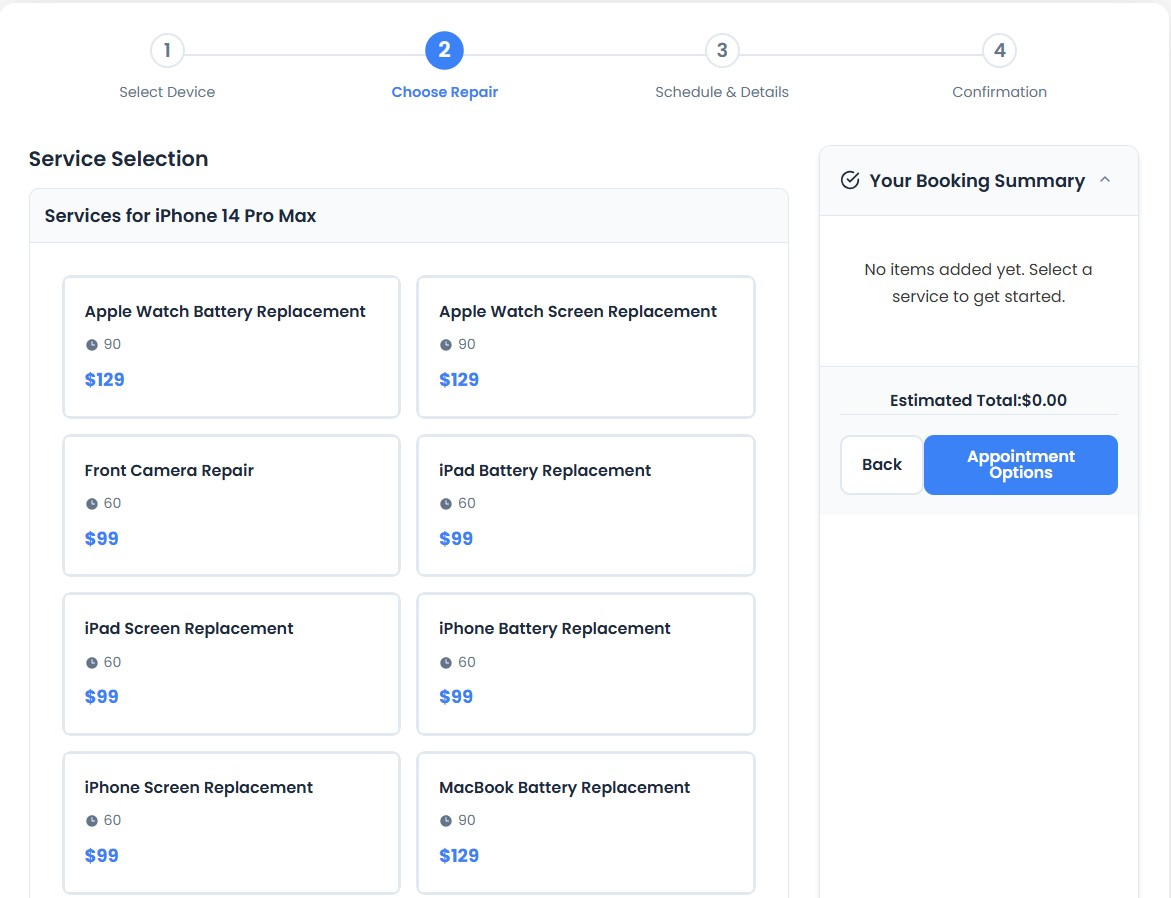
List services or group them under categories such as screen, battery or power. Customers can describe a service not listed.
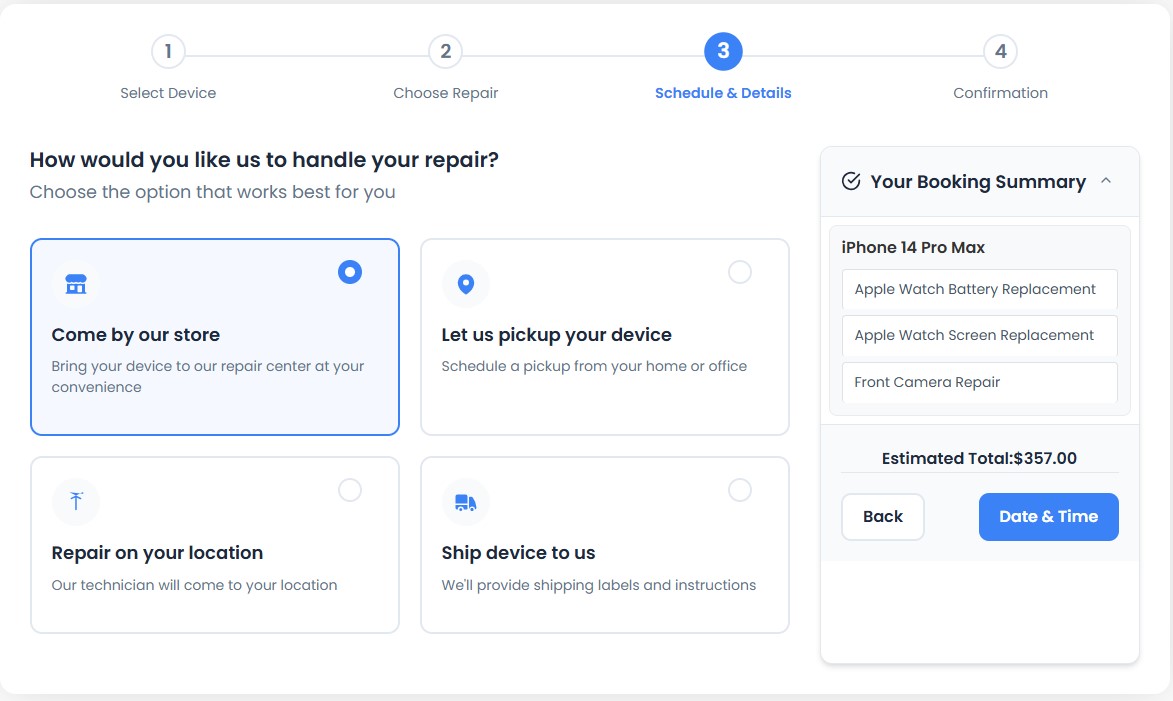
Offer relevant options such as visiting your shop, ship-in repair, pickup or a technician visit.
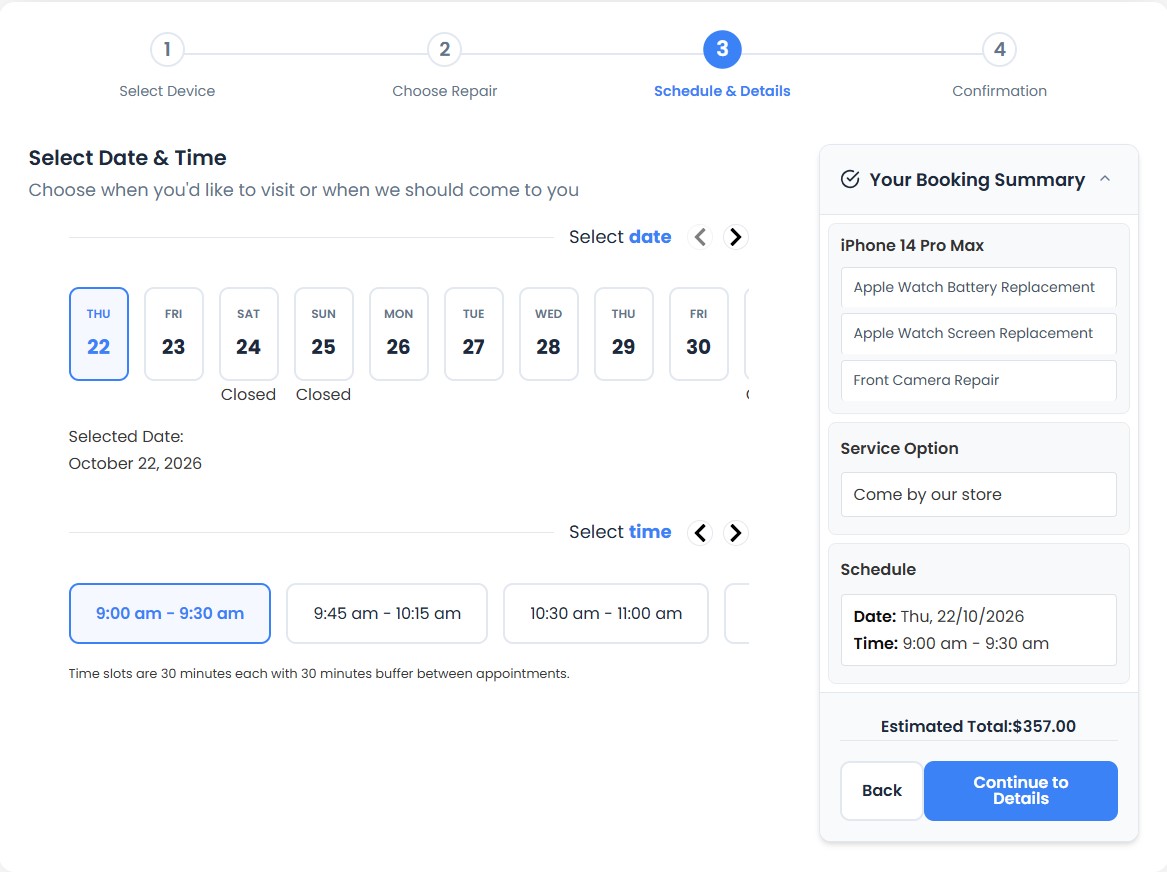
For shop visits or on-site repairs, customers can choose a date and time based on configured availability.
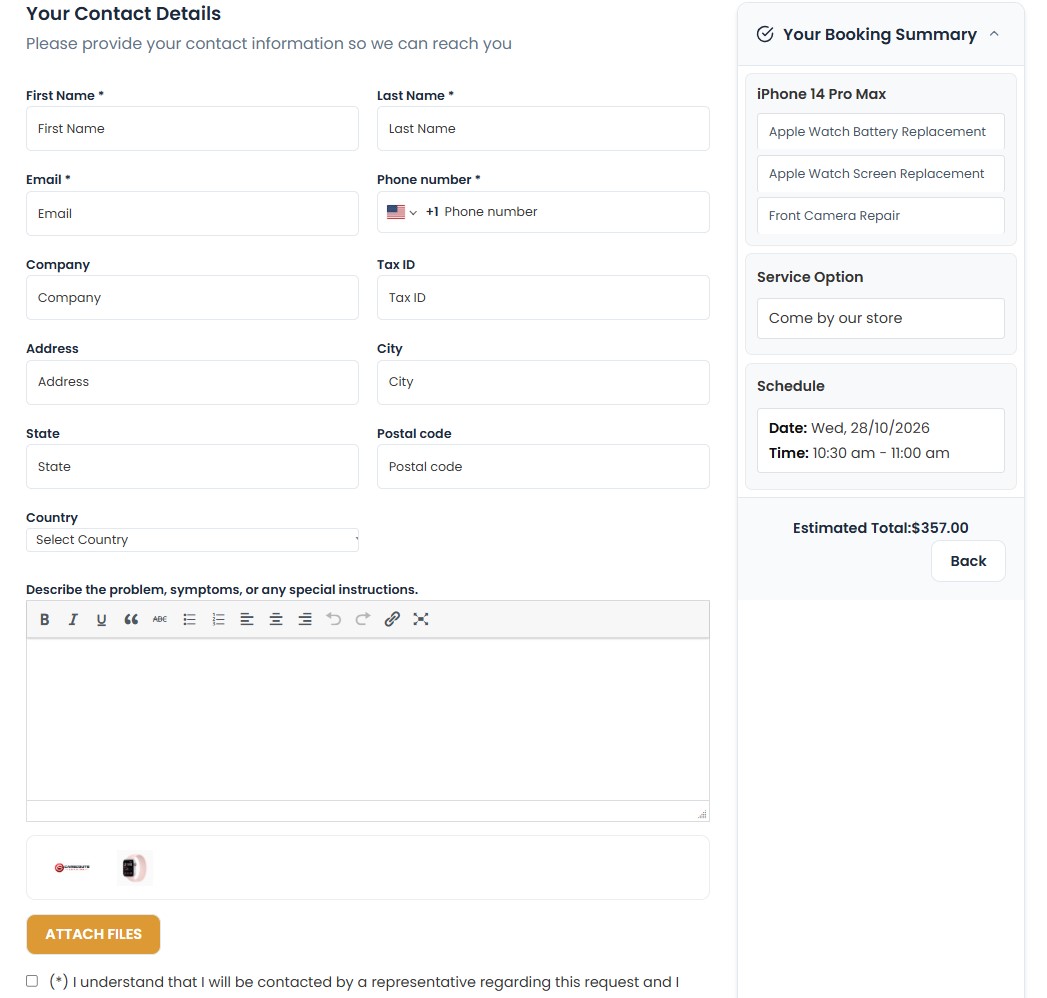
Collect the customer information your team needs, with configurable fields for your process.
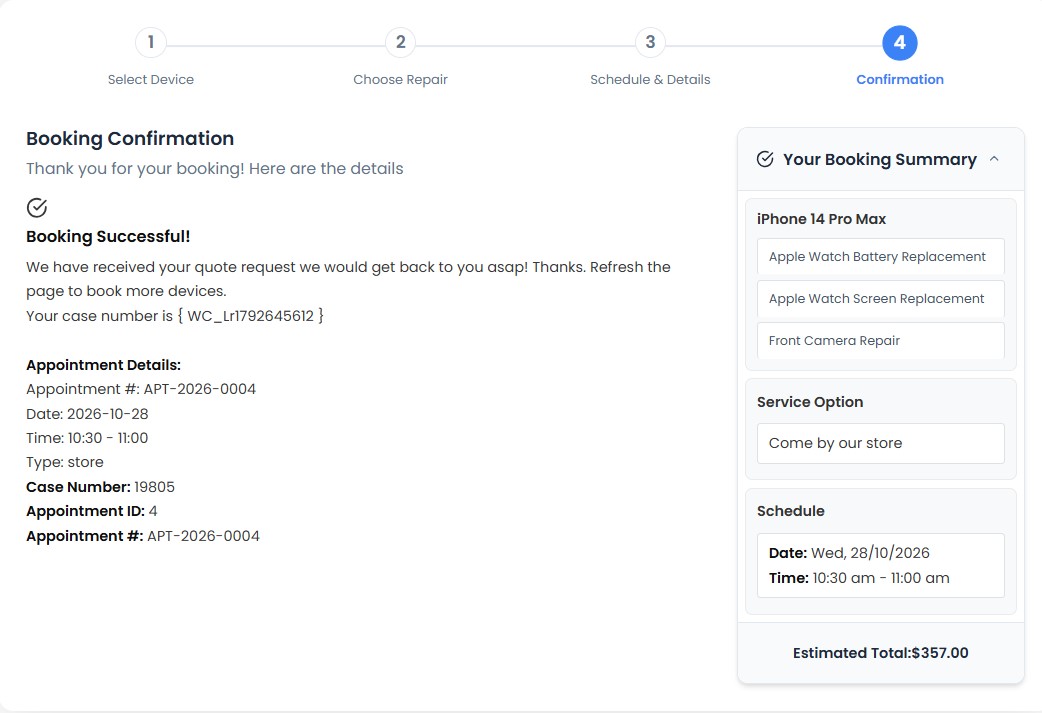
After submission, customers see a confirmation screen with their booking and appointment details.
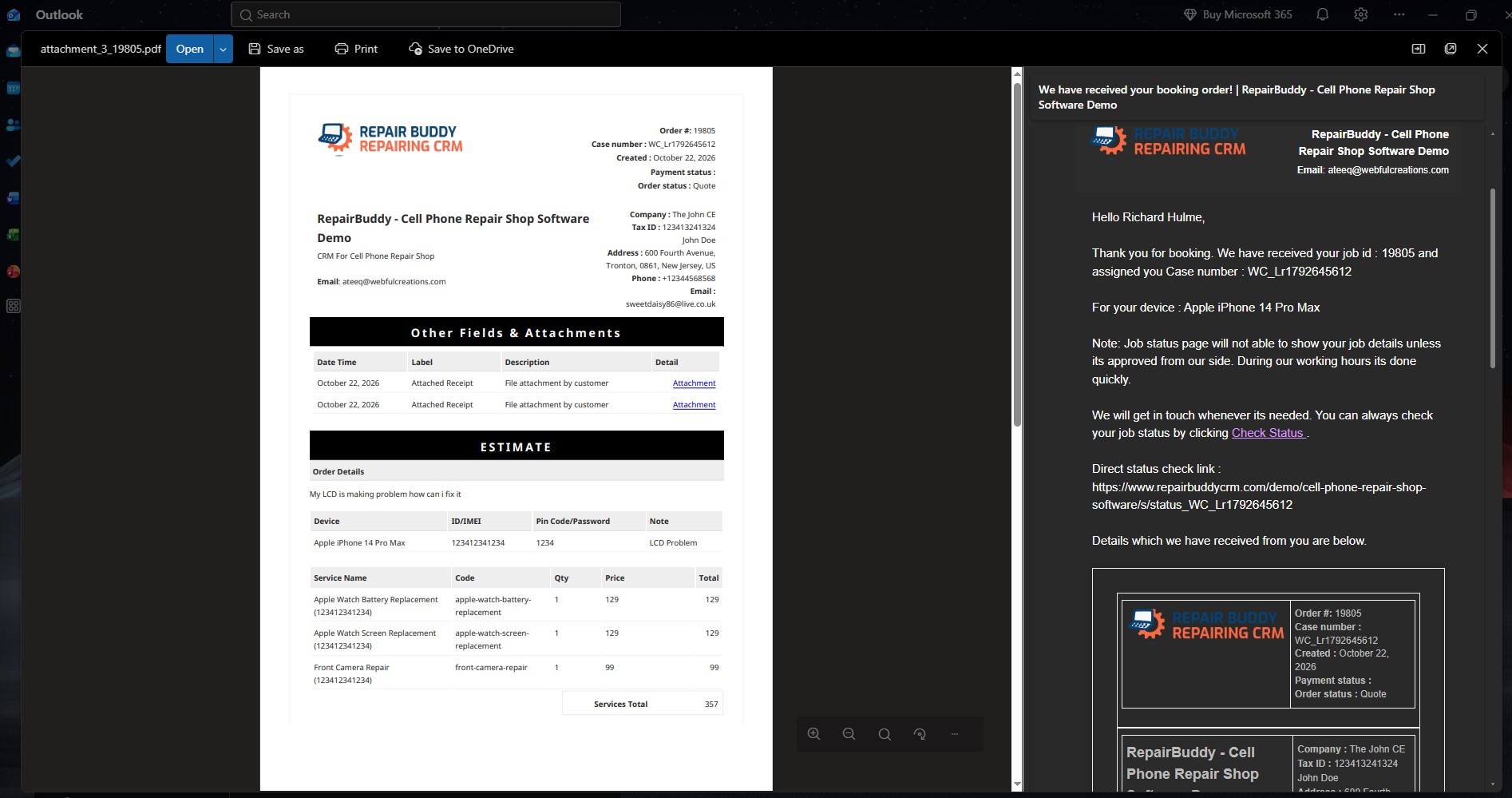
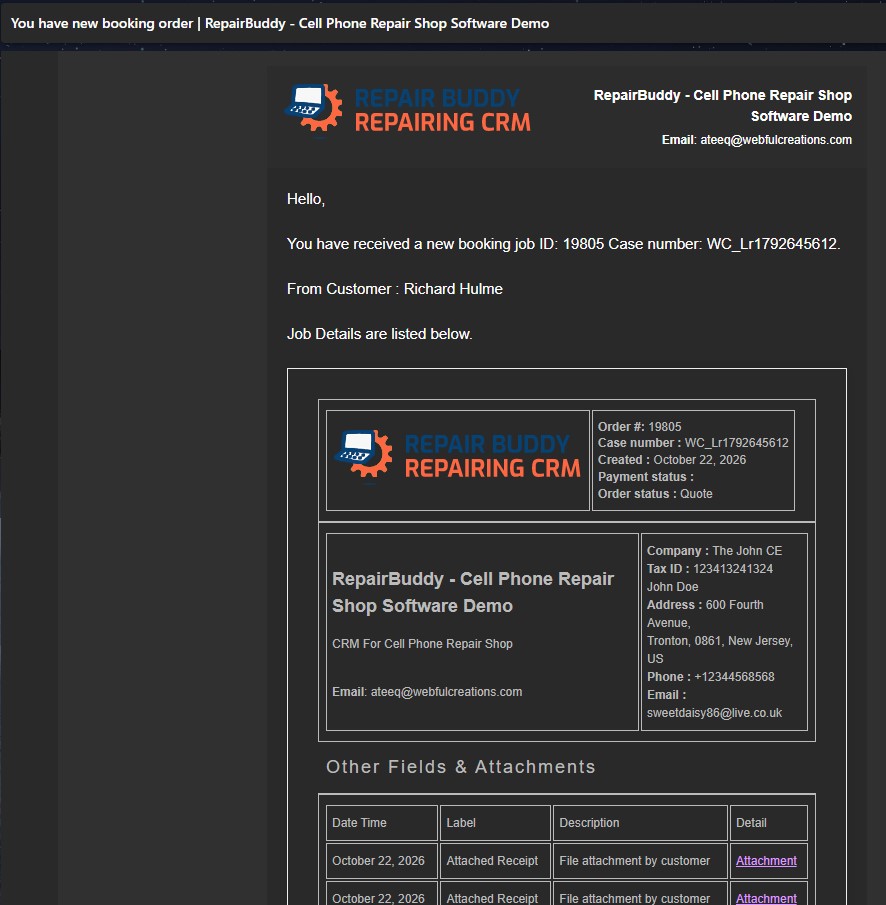
Customers receive a booking confirmation email. Templates can be customized for your business and language.
The repair booking experience can be part of either RepairBuddy setup. Choose the platform that best fits how you want to run your business—there is no need to use both.
Prefer a hosted repair shop management system without setting up your own WordPress website? Explore the cloud option for managing repair bookings and your repair workflow online.
Already run a WordPress website—or want to own and control your website platform? Install the RepairBuddy plugin to add repair booking, estimates, jobs and customer tools to your site.
A general contact form collects a message. A repair booking system collects the details your team needs to review a request, prepare an estimate and move the repair into your workflow.
Customers choose a repair type, brand and model, with an “Other” option for items not in your catalog.
Customers can add more than one device and select services for each in the same request.
Show services individually or group them into categories such as screen, battery or power services.
Offer options such as in-store visits, on-site service, pickup or ship-in/mail-in repair.
Configure fields for IMEI, serial number, VIN, odometer reading, condition or other details you need.
For appointment-based services, customers can choose a date and time according to your booking setup.
Repair jobs need different information. A phone may need an IMEI; a computer may need a serial number; a vehicle may require a VIN or odometer reading. Configure booking fields around the work your business does.
A booking is the start—not the end. Your team can review the request, check the required work, add parts and labor, and send an estimate for approval.
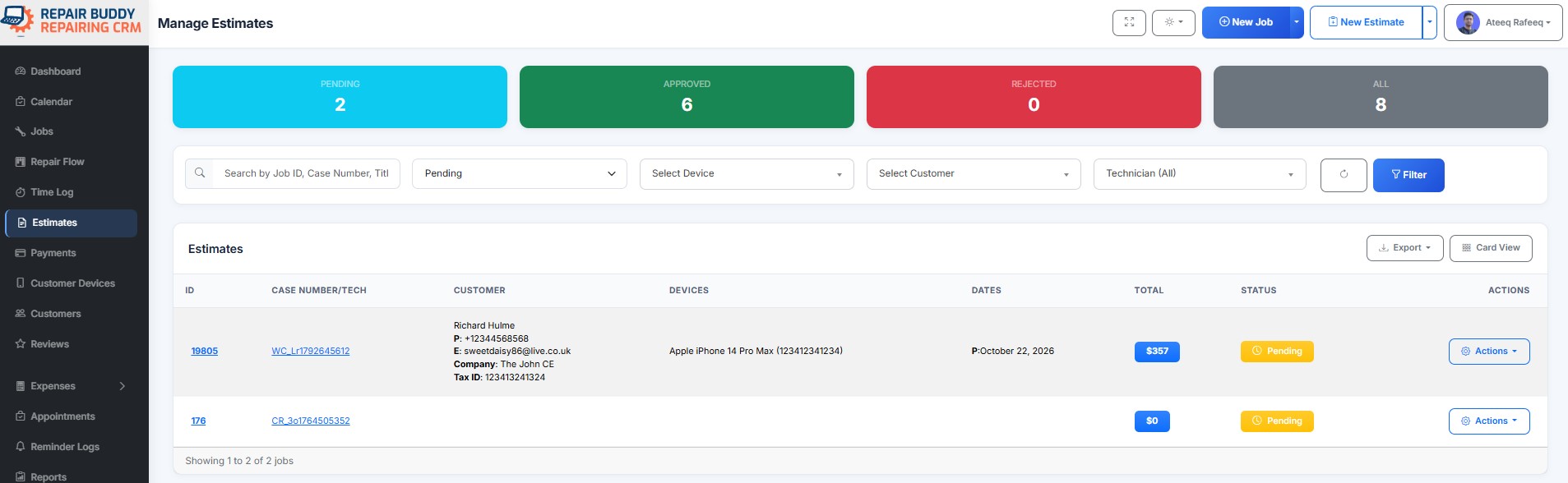
Connect intake with the tools your team uses to manage repairs, communicate updates and document work.
Receive an administrator notification when a new booking is submitted.
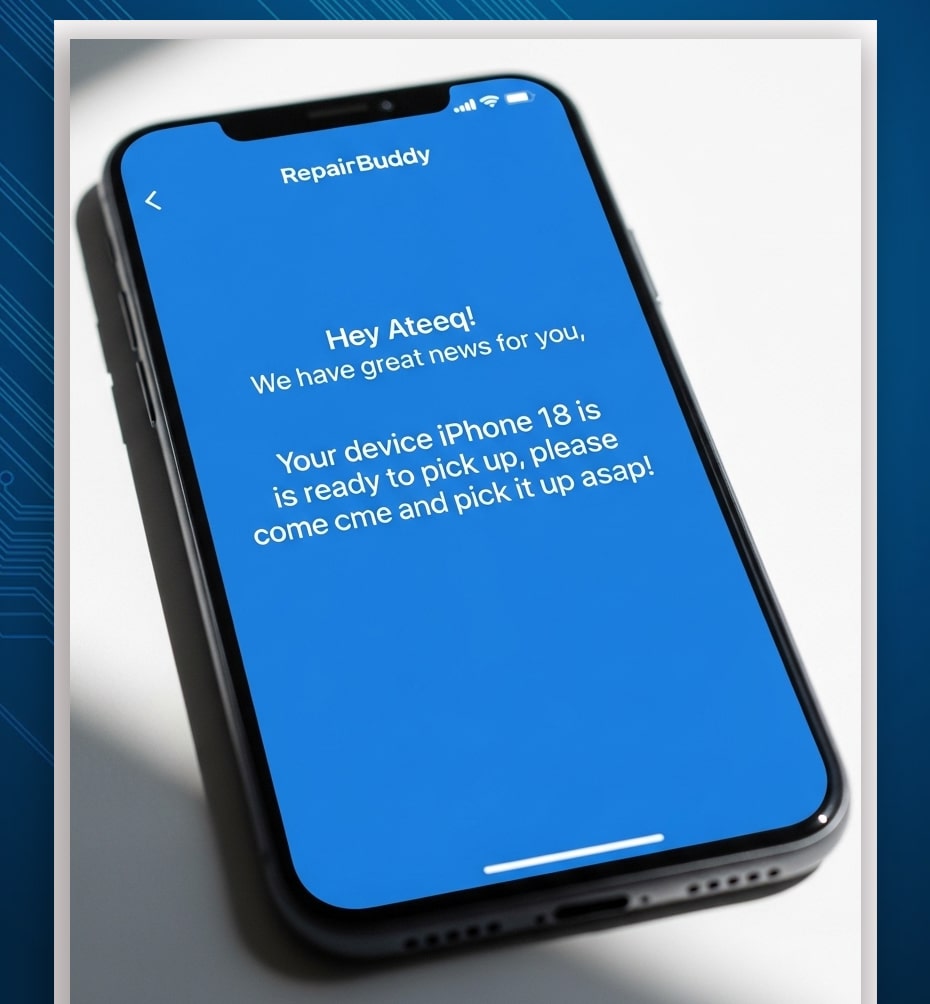
Send booking confirmations and configured job-status updates. Notification content can be customized.
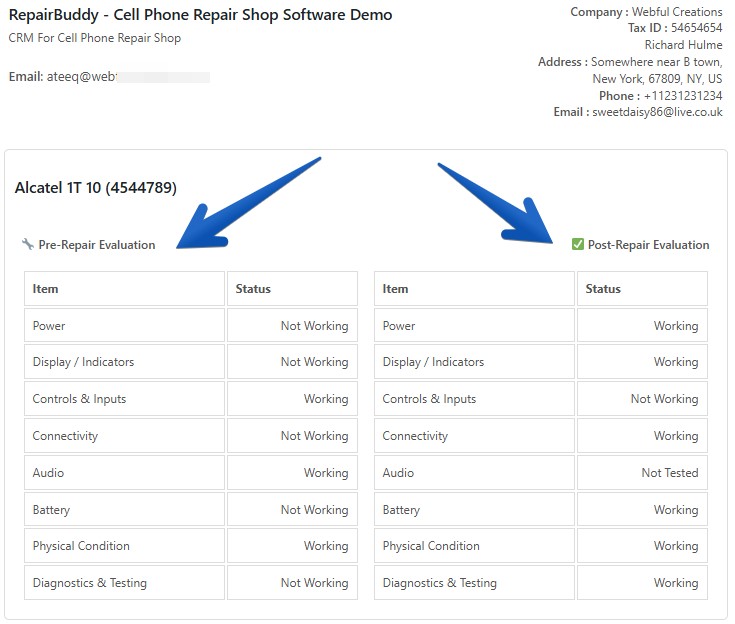
Record device condition before and after repair for a clearer handover.
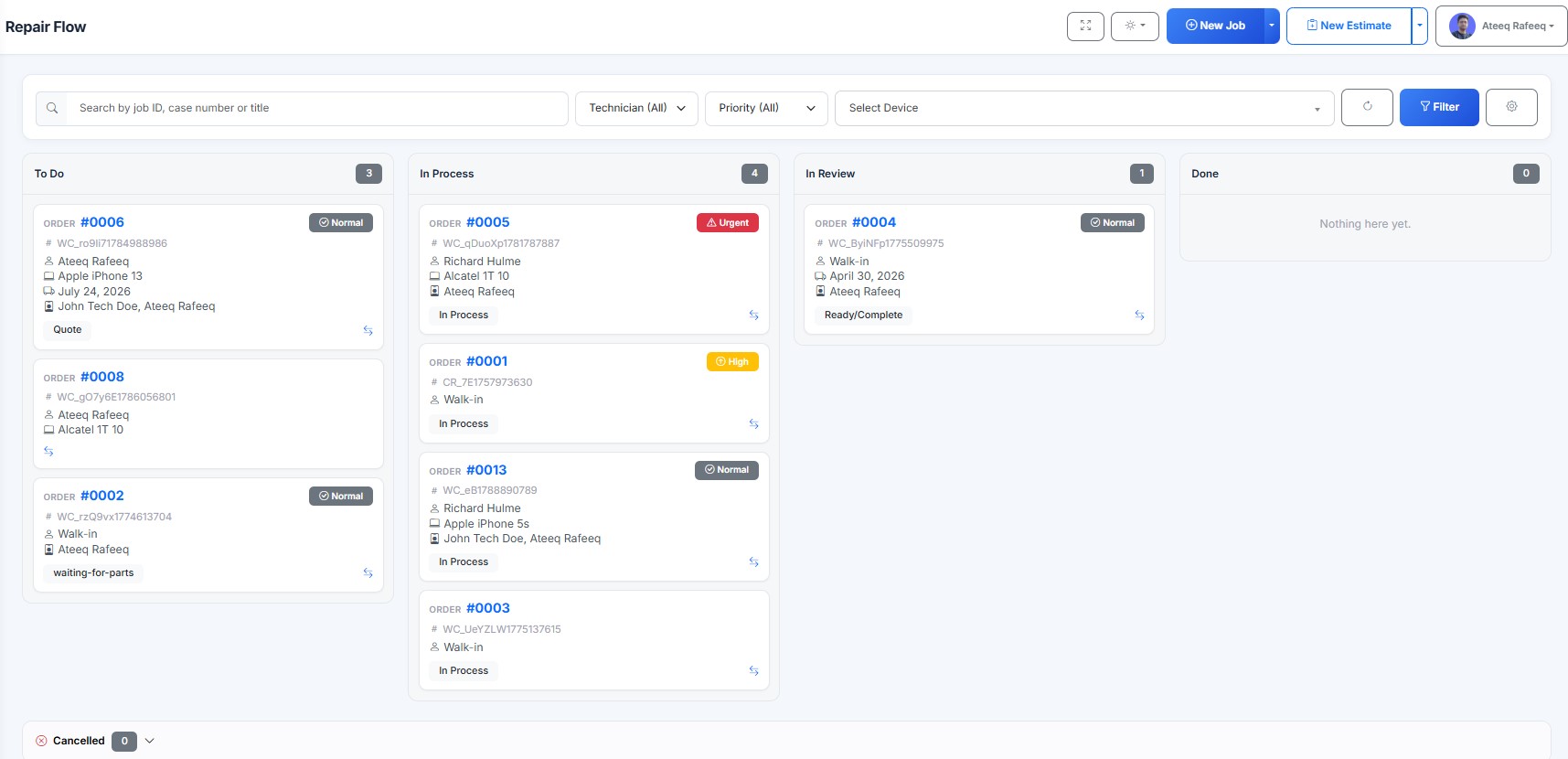
Organize jobs across configured stages such as new, in process, review and done.
Let customers check repair progress using the repair ticket or QR-code workflow.
Give customers access to supported estimates, jobs, appointments, history and signature requests.
RepairBuddy connects online repair booking to practical shop-management tools. These additional real screenshots show what happens after the initial request.
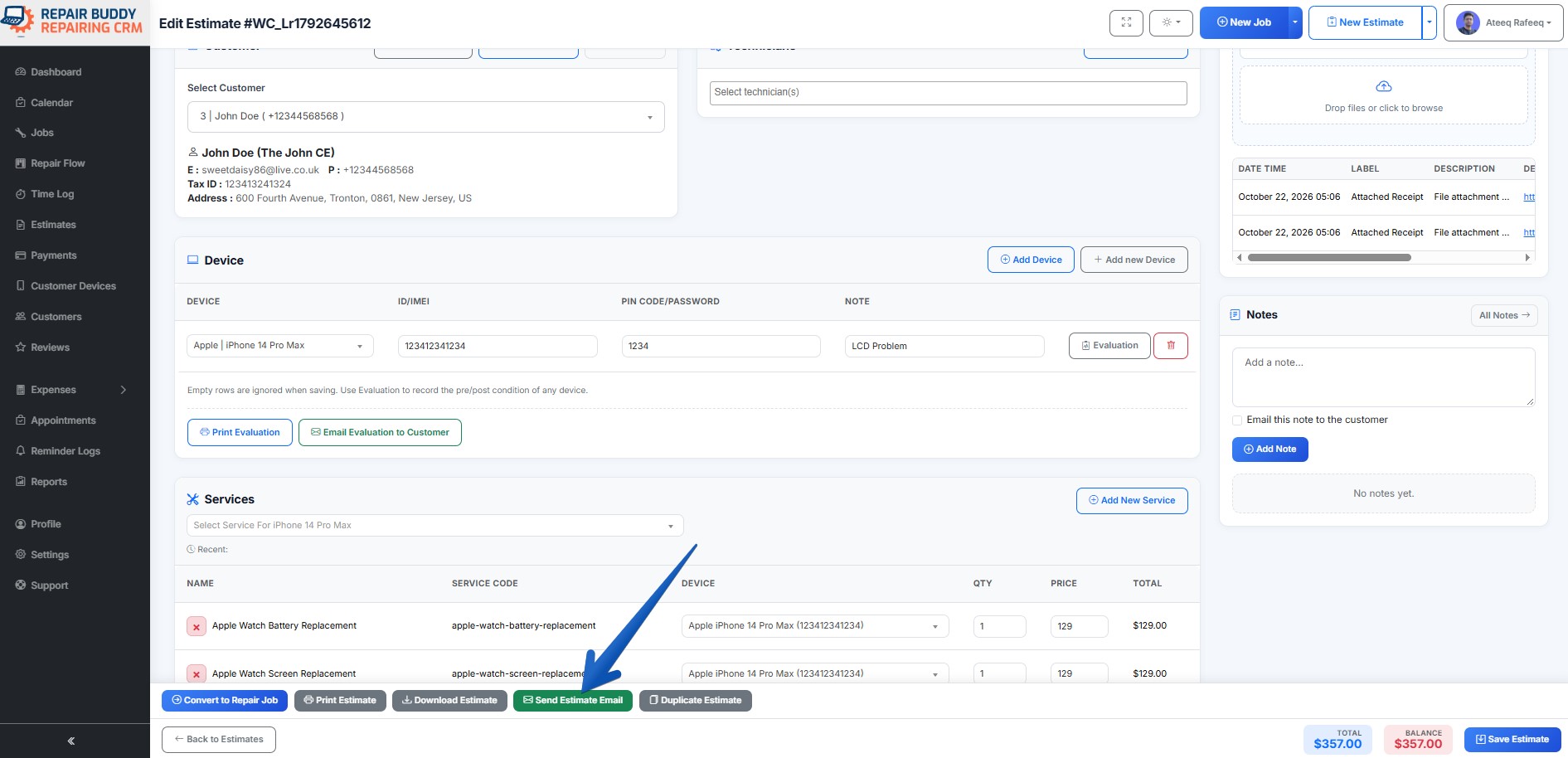
Review the booking, add the work and parts required, then send a detailed estimate for customer approval.
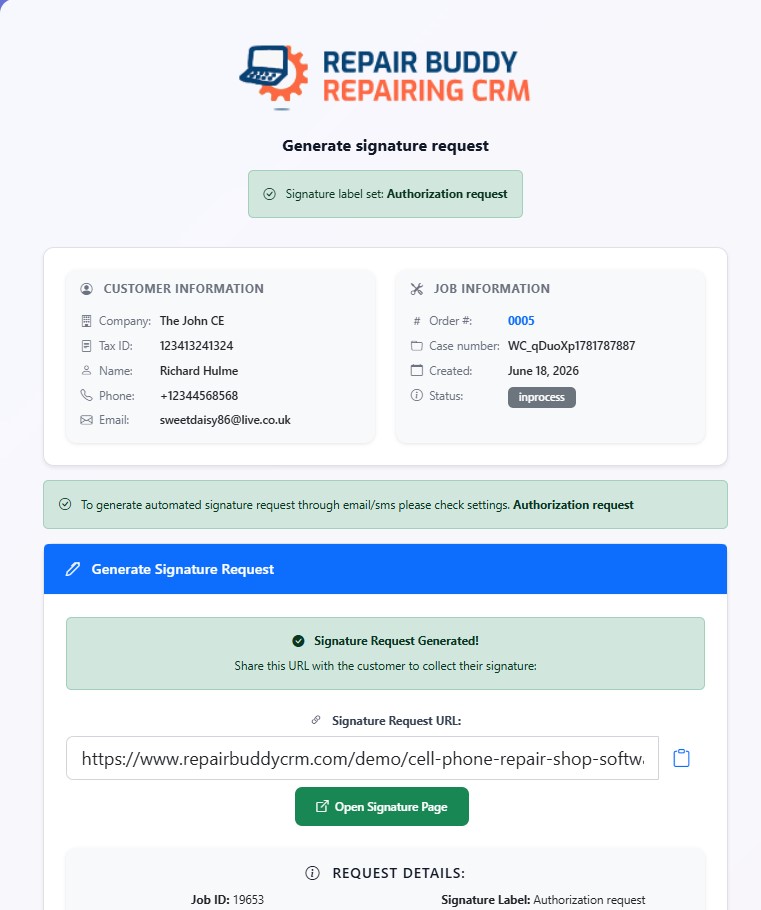
Send a signature request manually or configure supported job-status triggers to request authorization at the right point in the workflow.
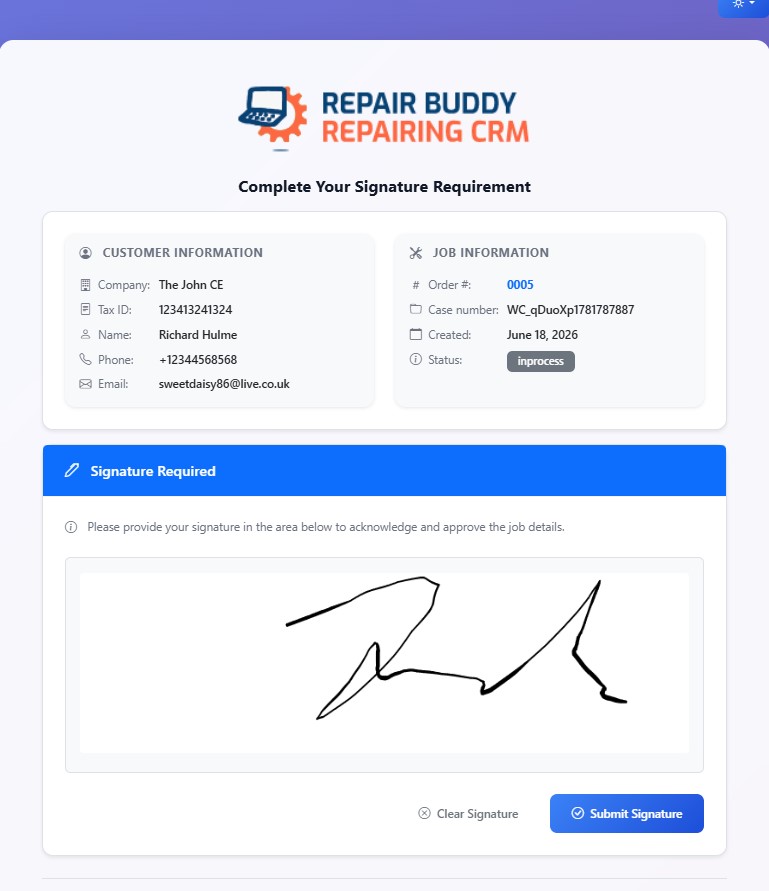
Customers complete the signature step online, helping document approval before the repair proceeds.
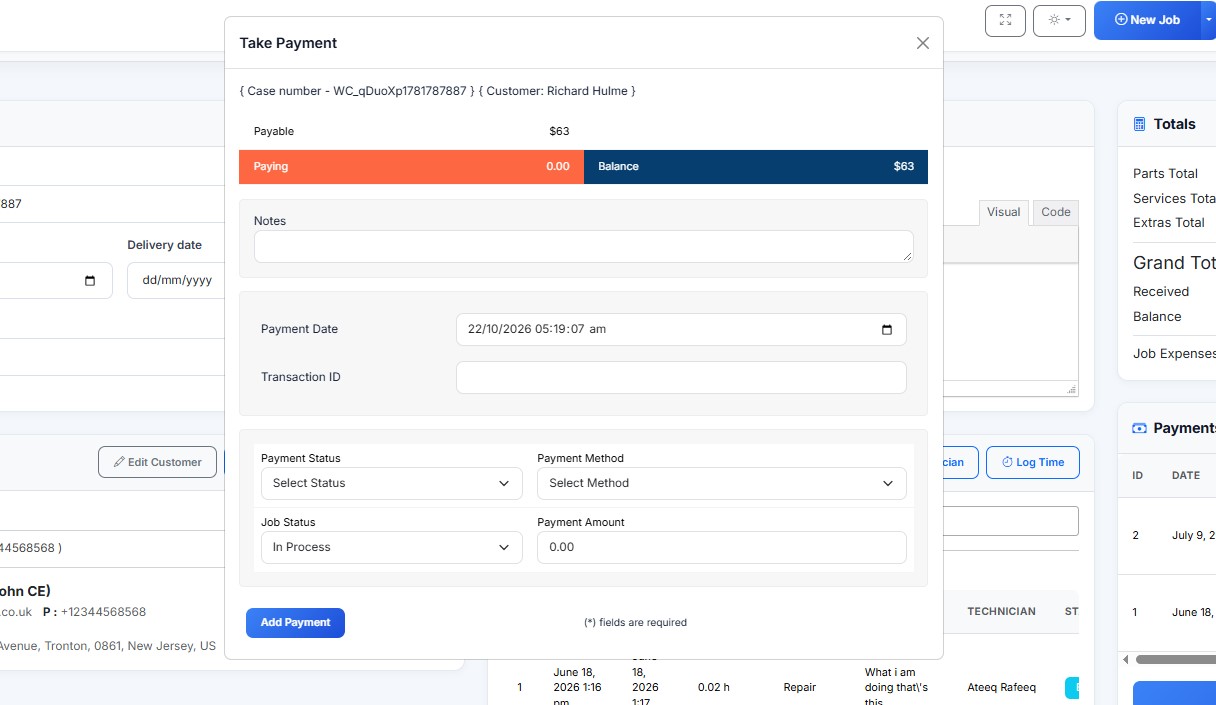
Record online or offline payments, including upfront, partial or full payments according to your business process.
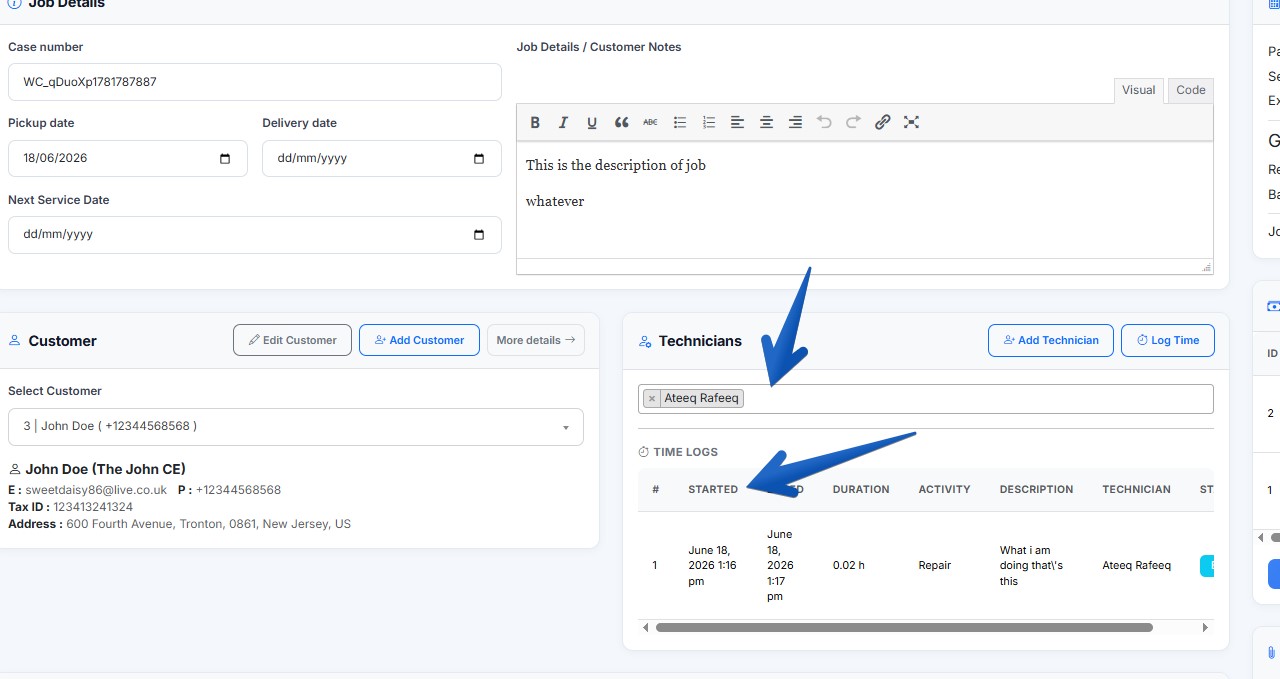
Assign work to a technician, provide their work order and track time spent on the repair.
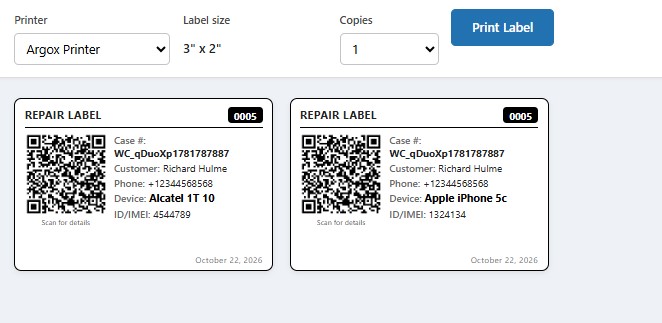
Print repair labels for device identification and next-service tags to help customers remember when maintenance is due.
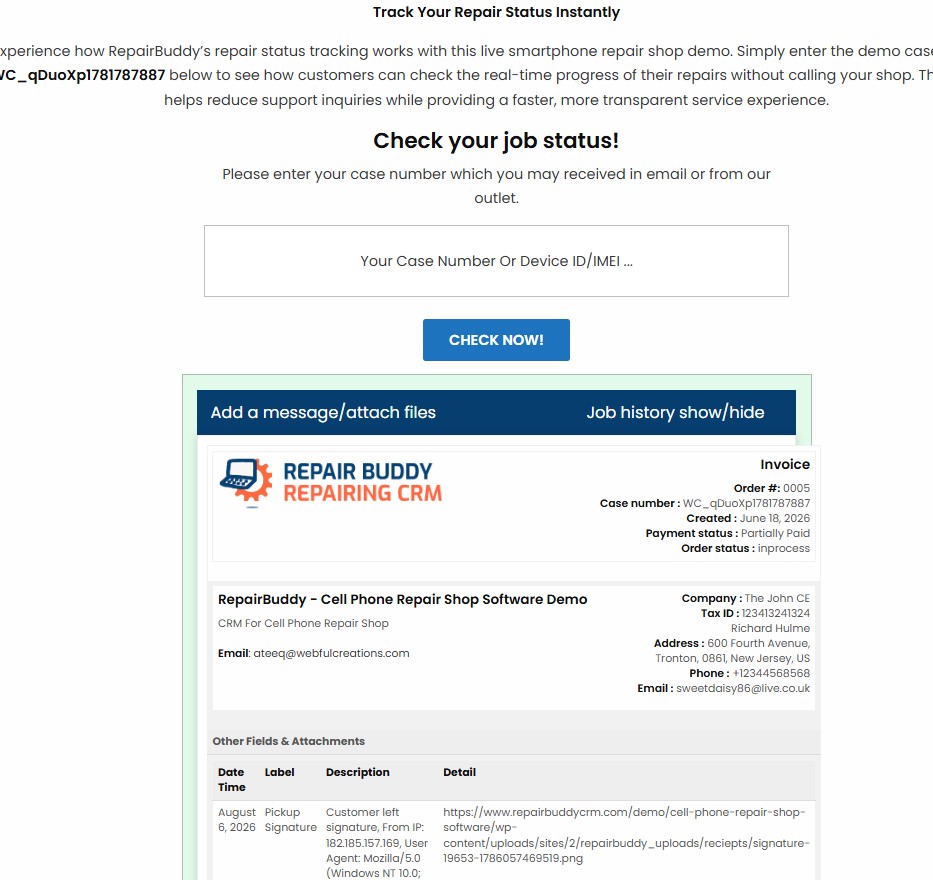
Customers can use the repair ticket or supported online status checker to check their job status.
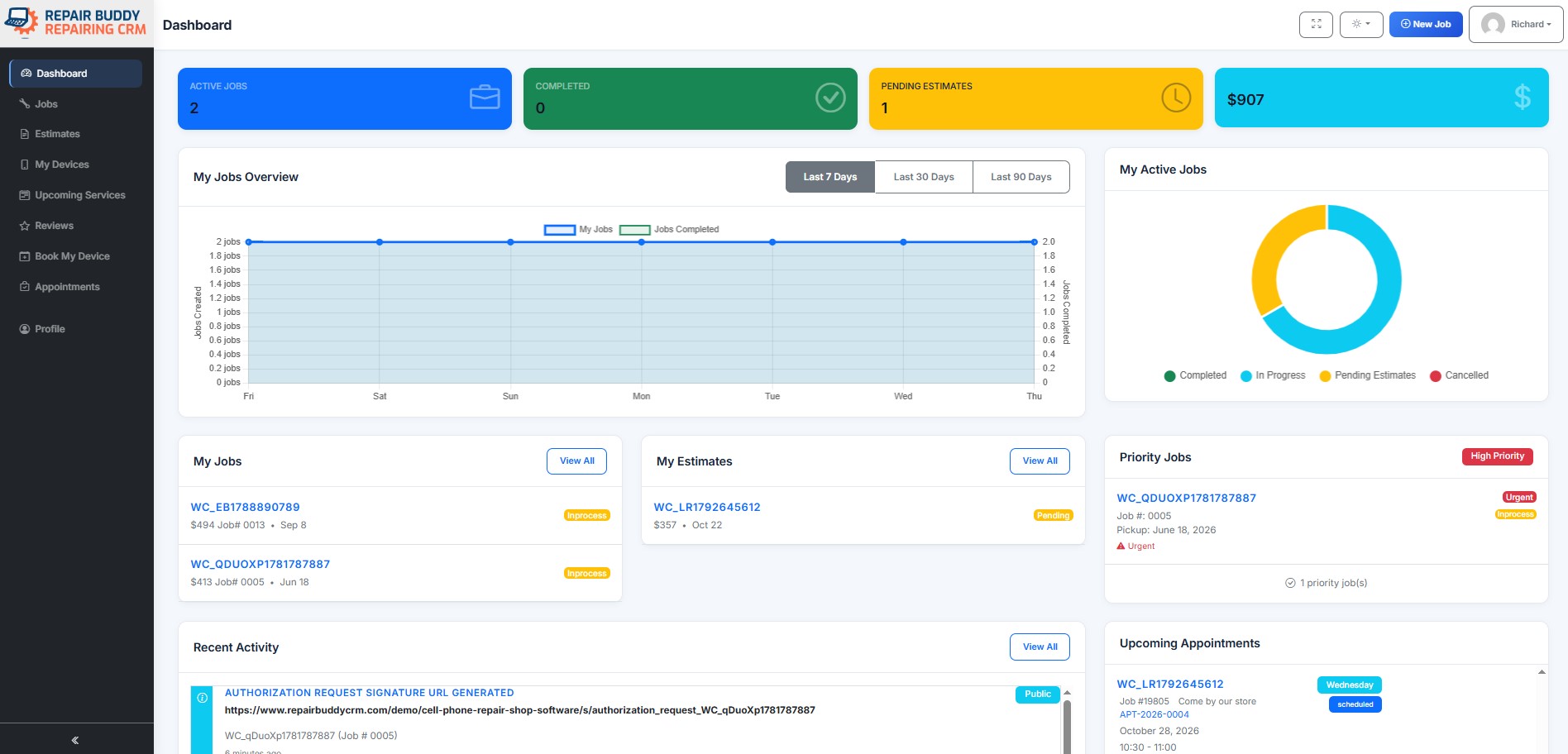
Customers can access supported estimates, jobs, appointments, job history and signature requests from their portal.
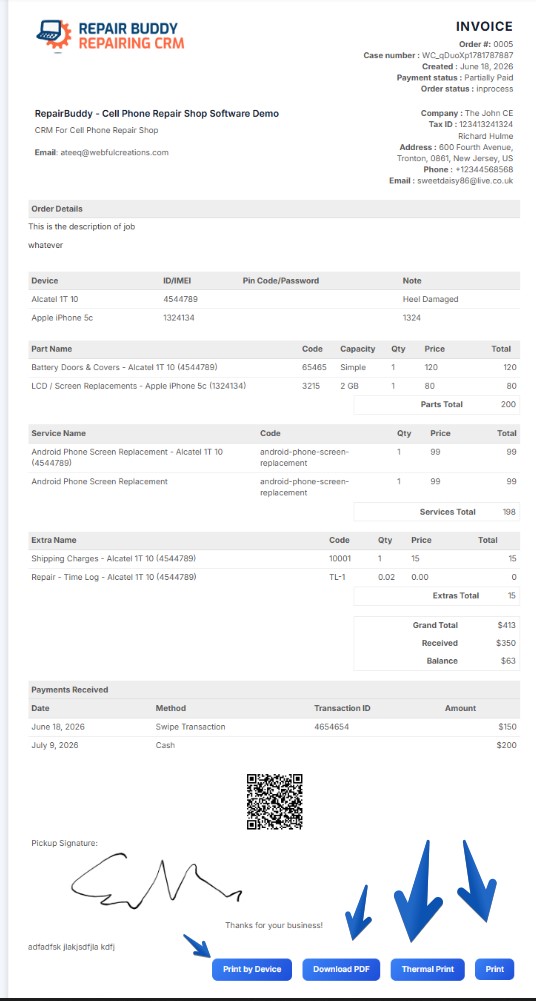
Choose invoice formats to suit your shop, including item-based, device-based and thermal invoice layouts.
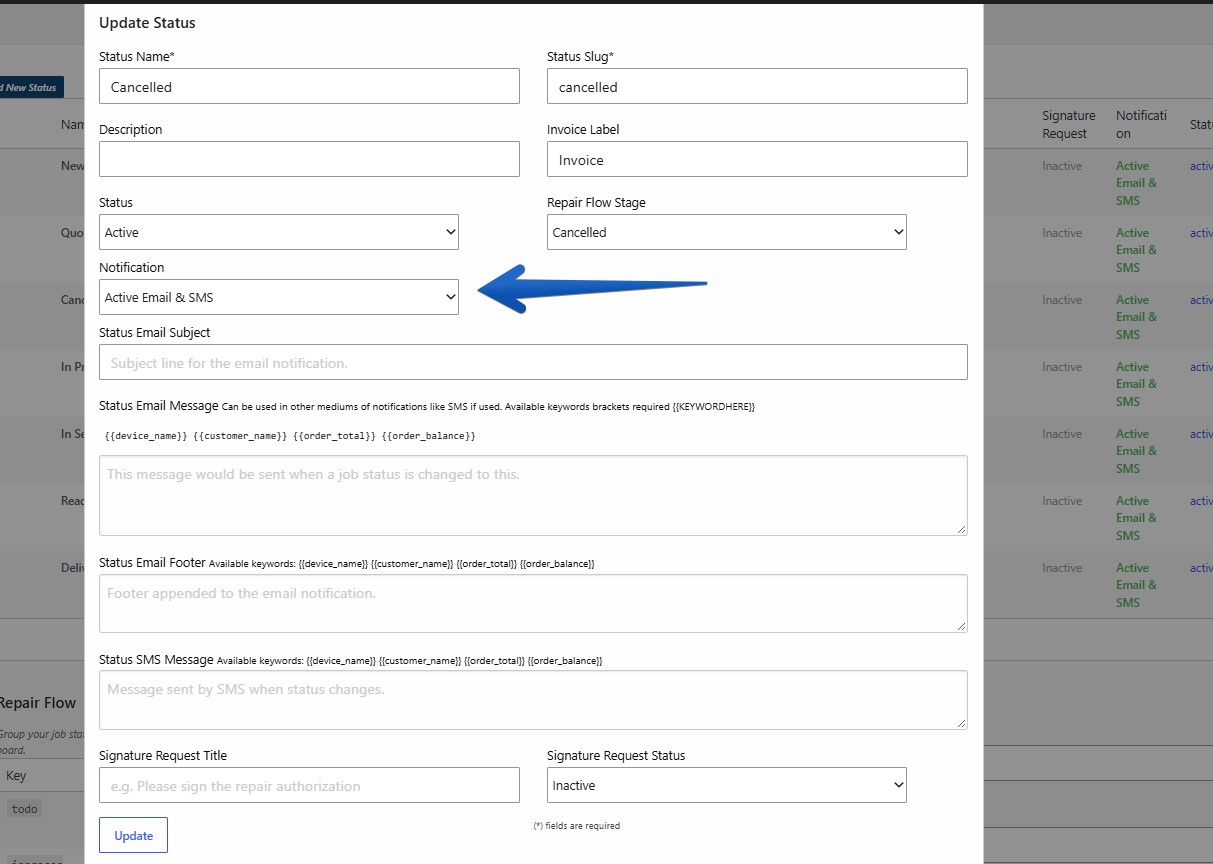
Send configured SMS and email notifications when a repair job moves to a new status, such as in process or waiting for parts.
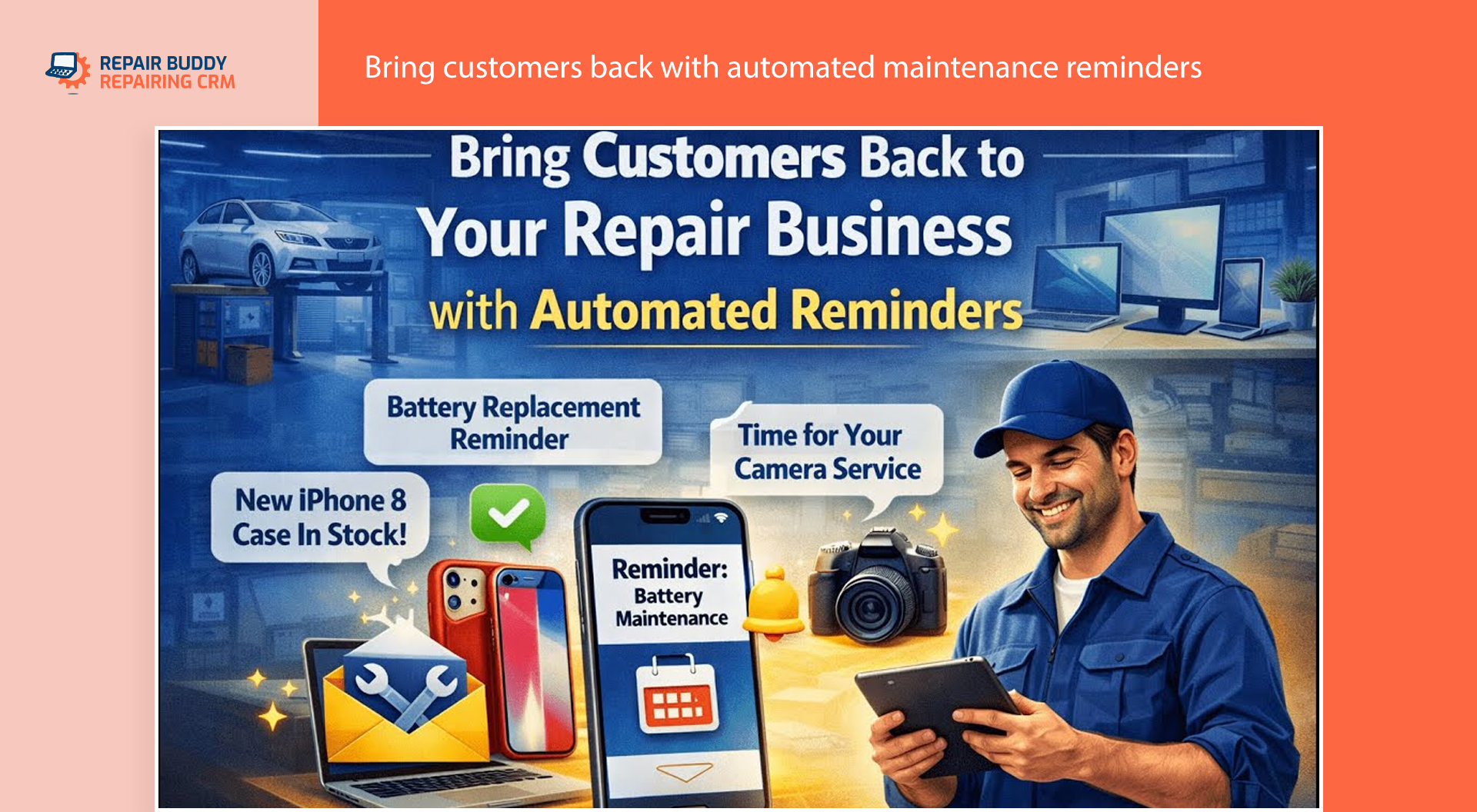
Use maintenance and next-service reminders to encourage customers to return when their equipment needs attention.
Watch the booking walkthrough to see how customers submit a request and how the process continues inside RepairBuddy.
Configure repair types, brands, devices, services and intake fields around the work your business accepts.
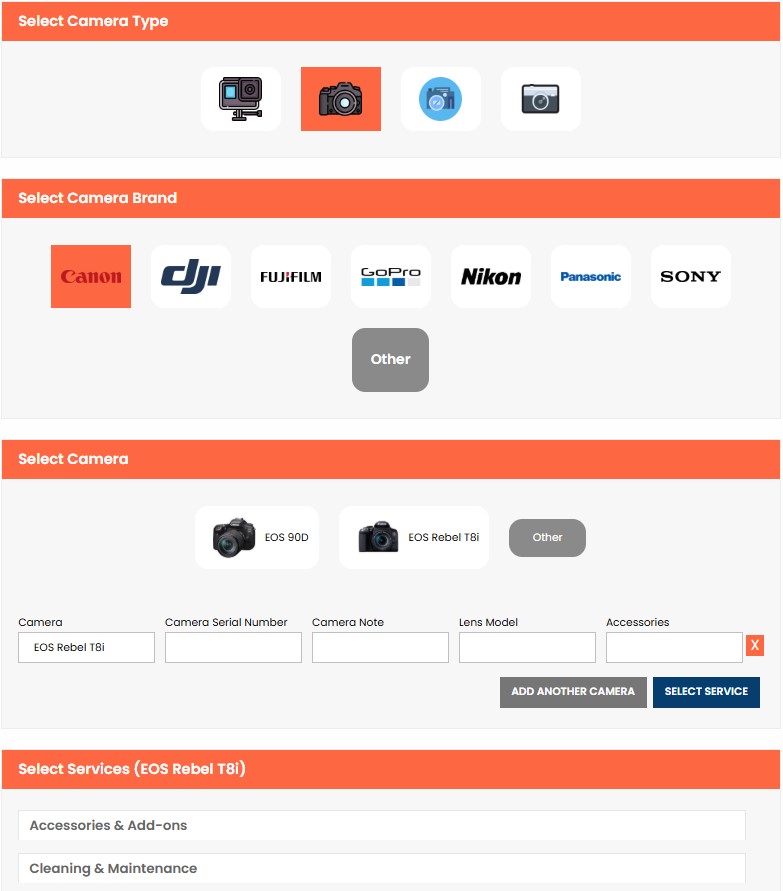
From cell phone repair booking and computer repair booking to appliance repair requests, configure relevant repair types, services and custom fields. Appointment scheduling fits visits and on-site work, while ship-in workflows may not need a time slot.
RepairBuddy is repair shop management software available as a cloud-hosted solution or a self-hosted WordPress plugin.
Yes. RepairBuddy includes a repair booking form for WordPress. For appointment-based work, customers can choose a date and time according to your booking setup and availability.
Yes. Customers can add multiple devices and choose services for each within the same booking request.
Yes. Configure customer and device fields for details such as IMEI, serial number, VIN, odometer reading, condition or other custom information.
You can configure relevant options such as visiting your shop, ship-in/mail-in repair, pickup or on-site service. Options should match the work your business accepts.
Yes. Services can be listed individually or grouped into categories such as screen, battery or power services.
Your team can review the request, prepare an estimate with parts and labor, send it to the customer, and continue into job management when the estimate is approved.
Gravity Forms is a general-purpose form builder. RepairBuddy is designed around repair-shop workflows, including device and service selection, multiple devices, repair intake details, estimates and the transition from an approved estimate into a repair job. Compare the workflows you need before choosing a solution.
RepairBuddy can be configured for different repair businesses by setting up relevant repair types, manufacturers, models, services and custom fields.
Replace a basic contact form with a structured repair booking process—and give your team a clearer starting point for estimates, repair jobs and customer updates.