Truck repair CRM · WordPress · Cloud options

Truck Repair Shop Software for Busy Workshops & Fleets

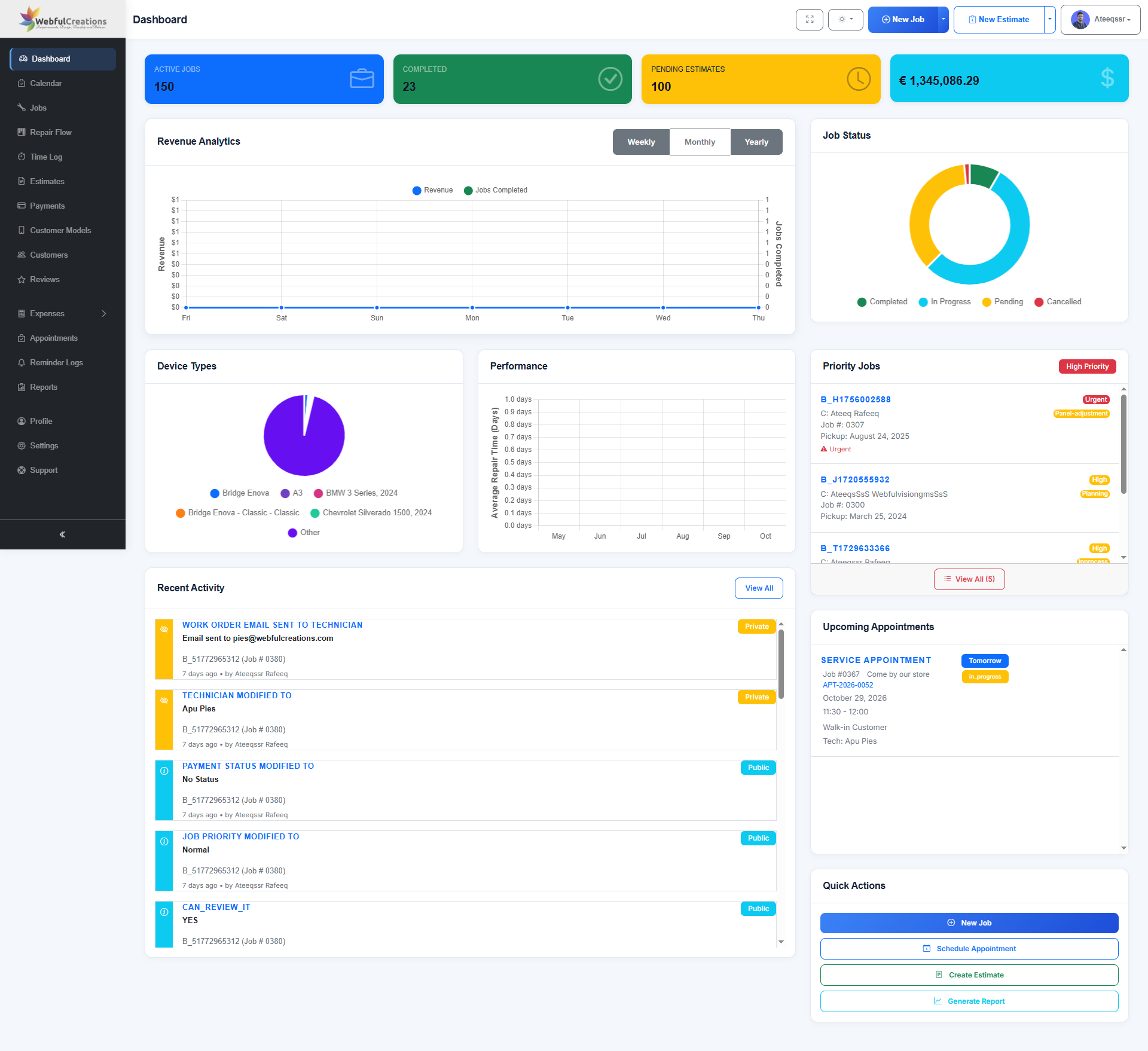
RepairBuddy truck repair shop software helps commercial vehicle workshops organize repair requests, estimates, customer approvals, technician work orders, invoices and follow-up in one connected workflow.

Designed for truck garages, diesel service centers and businesses that maintain commercial vehicles, RepairBuddy helps your team manage each repair from intake and inspection through authorization, workshop progress, billing and the next service visit.

Truck repair intakeWork orders and approvalsCustomer and job history
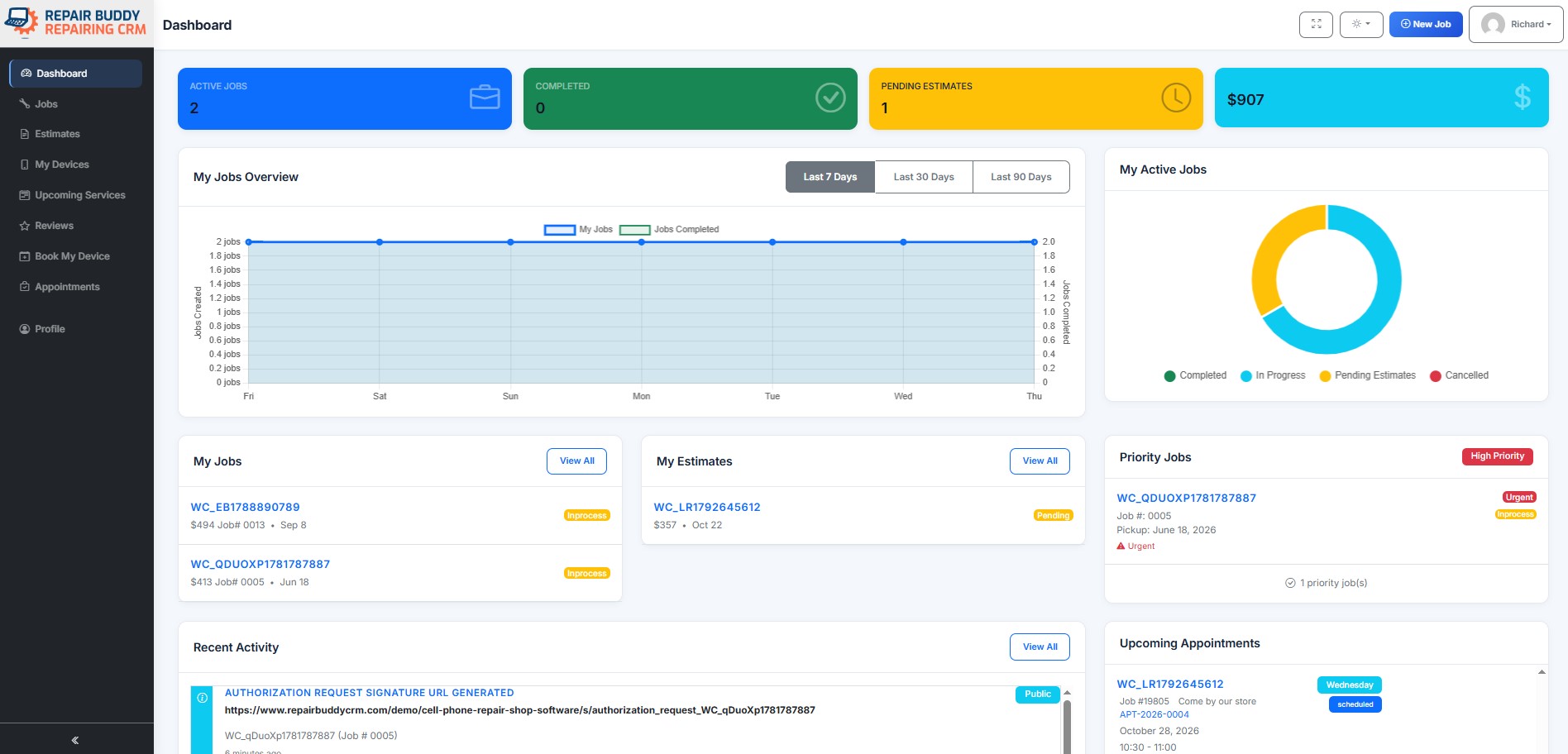
RepairBuddy truck repair shop management dashboard for jobs, customers and workshop operations
Repair WorkflowFrom request to invoice
Work OrdersAssignments and job notes
Customer PortalSupported self-service access
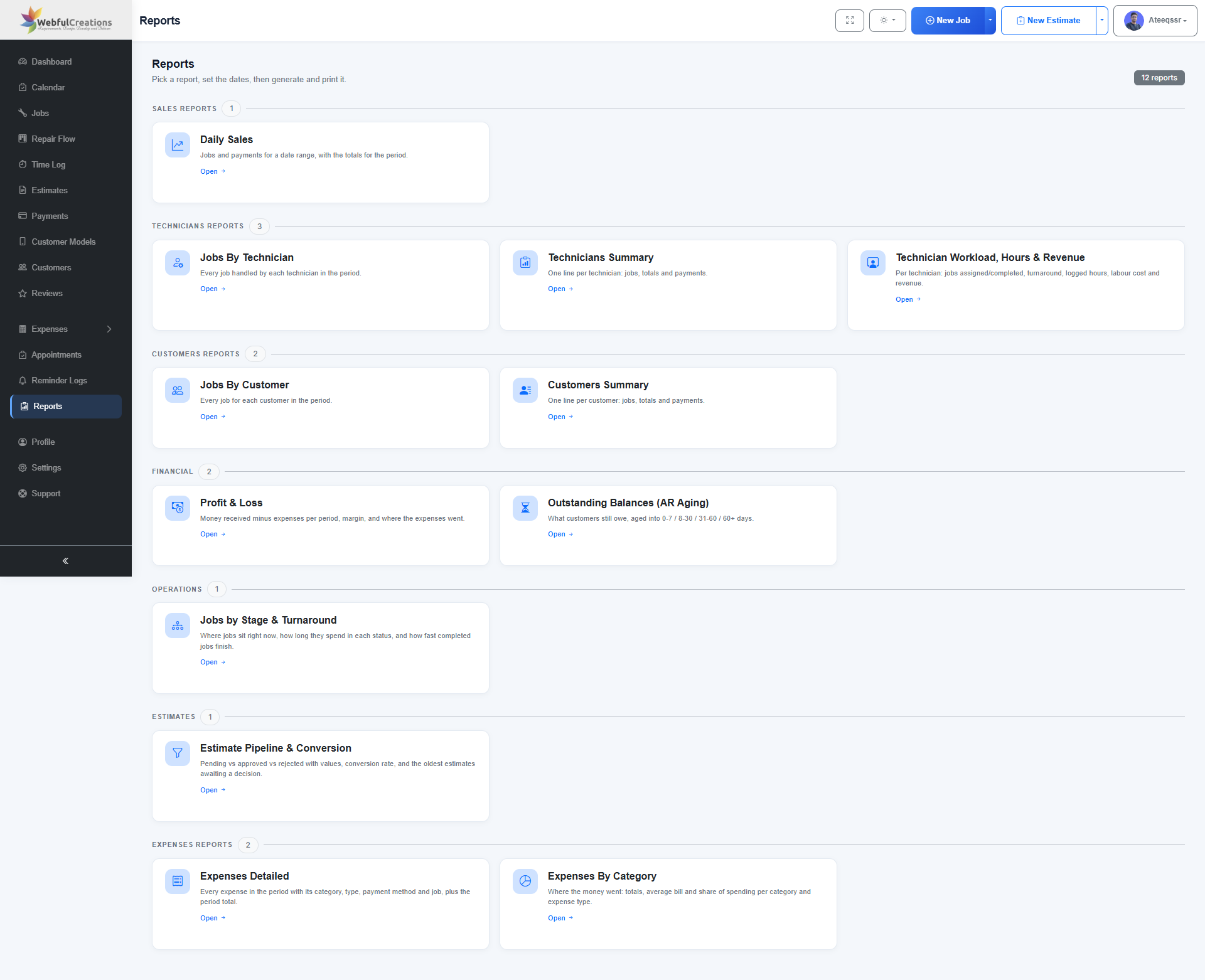
12 ReportsRecorded jobs and business activity

Built for commercial vehicle service

Truck Repair Management Software for Intake, Workshop Jobs and Billing

Heavy-vehicle service teams handle detailed customer requests, inspection notes, labor, parts and approvals. RepairBuddy connects those records so your staff can coordinate repair work without relying on scattered notes and disconnected conversations.

Use configurable booking forms and repair workflows for the truck and commercial vehicle categories your business serves. The software supports workshop administration; your team remains responsible for diagnostics, maintenance and repair work itself.

See the workflow

Explore RepairBuddy Repair Shop Management Tools

Watch the RepairBuddy walkthrough to see how booking, job handling and customer communication can be organized in one system.

Prefer YouTube? Watch the RepairBuddy walkthrough →

A connected truck service process

Manage Each Truck Repair from Request to Completion

Explore the tools that help a truck workshop keep service requests, estimates, technician work, customer updates and billing organized. Click any screenshot to enlarge it and browse the gallery.

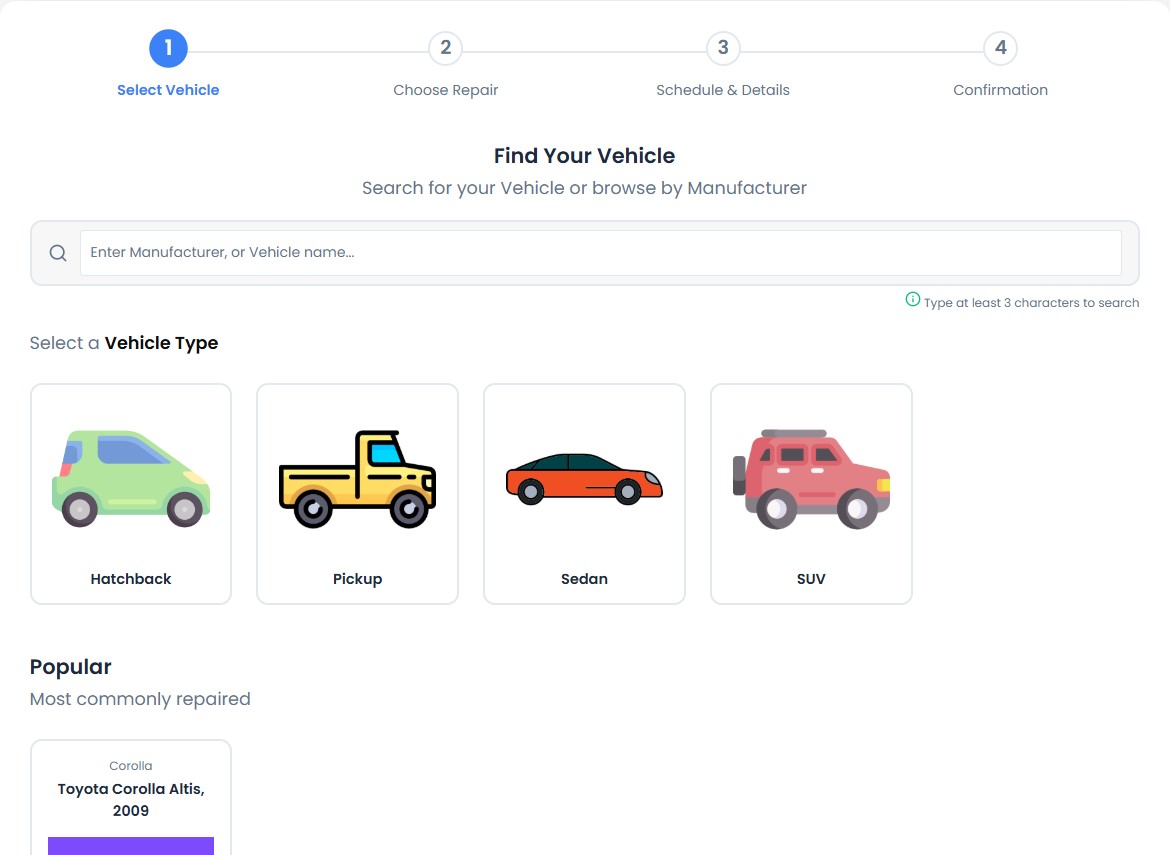
Online truck repair intake in RepairBuddy truck repair shop software

01 · Truck workshop workflow

Online truck repair intake

Let fleet contacts and individual truck owners submit service requests from your website. Configure the form around the vehicle categories your workshop accepts and collect the information your team needs before check-in.

  • Capture truck type, make and model, registration or VIN, mileage and reported symptoms.
  • Use a consistent intake process for light commercial vehicles, delivery trucks and heavy-duty units.
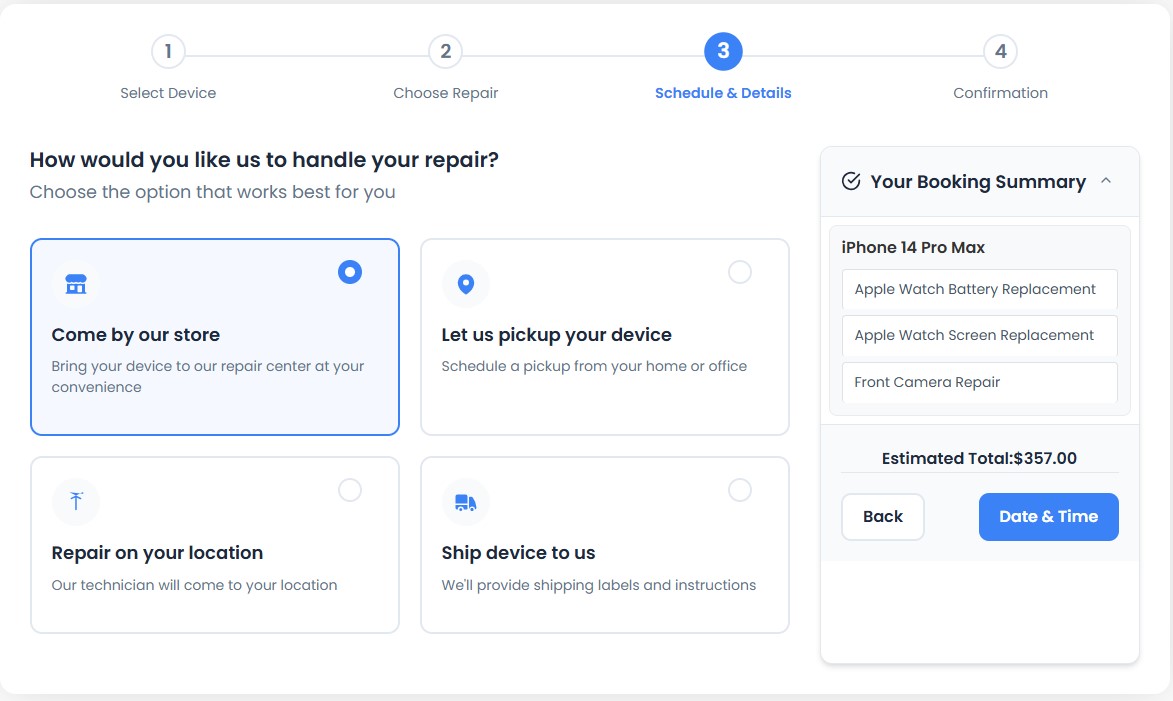
Flexible workshop and service intake in RepairBuddy truck repair shop software

02 · Truck workshop workflow

Flexible workshop and service intake

Offer the booking and handover methods that your business actually provides. Whether vehicles arrive at the shop or you arrange an approved collection or on-site visit, booking details can be organized in one workflow.

  • Present the available service options clearly.
  • Keep customer instructions attached to the repair request.
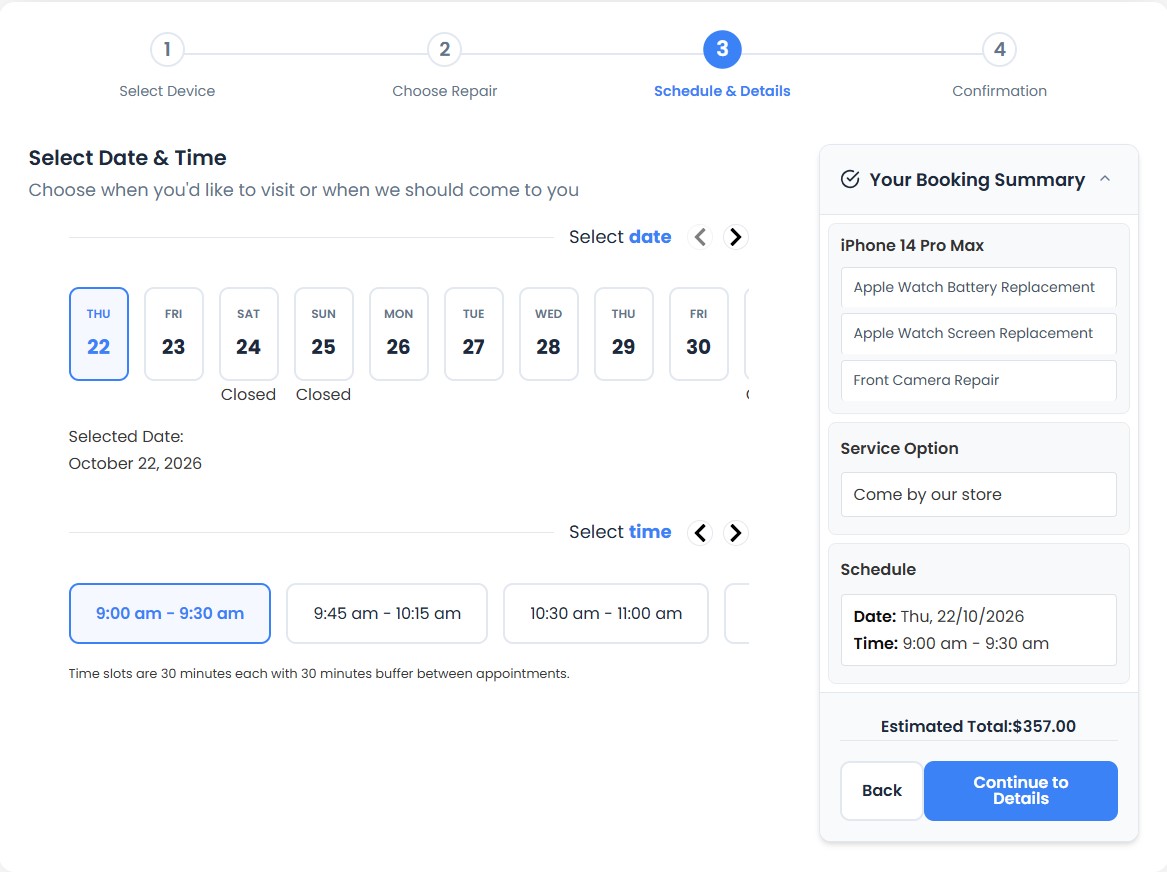
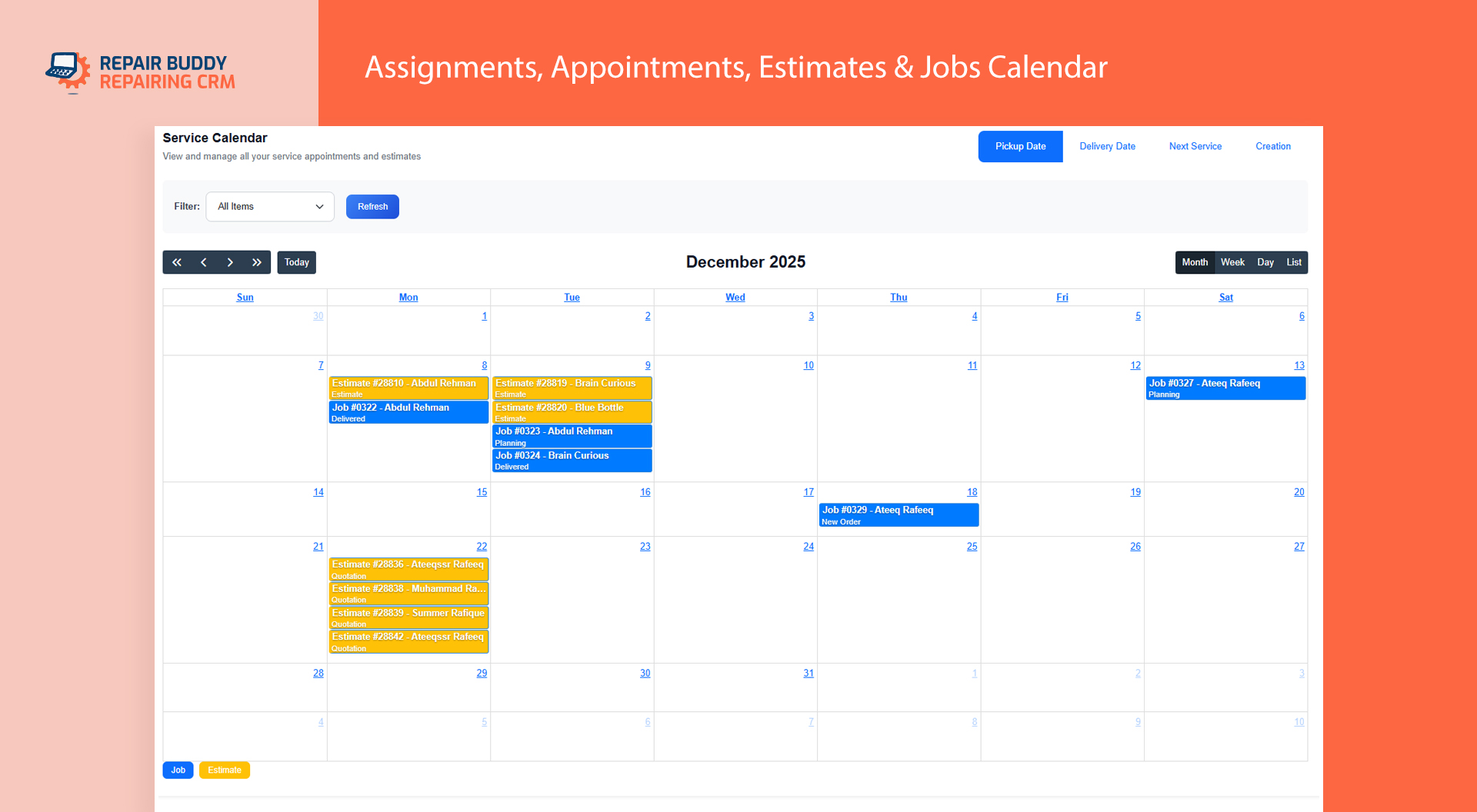
Plan truck service appointments in RepairBuddy truck repair shop software

03 · Truck workshop workflow

Plan truck service appointments

Give customers a way to request a suitable appointment time instead of relying entirely on phone calls. Use booking information to help the service desk plan incoming work and prepare for vehicle arrivals.

  • Collect preferred dates and times.
  • Keep appointment requests linked to the customer and job process.
Confirm service requests automatically in RepairBuddy truck repair shop software

04 · Truck workshop workflow

Confirm service requests automatically

A clear confirmation helps customers and fleet coordinators know their request has been received. Use booking communications to set expectations and reduce uncertainty before a truck arrives.

  • Send booking confirmation messages.
  • Give customers a written reference for their request.
Notify the service desk about new bookings in RepairBuddy truck repair shop software

05 · Truck workshop workflow

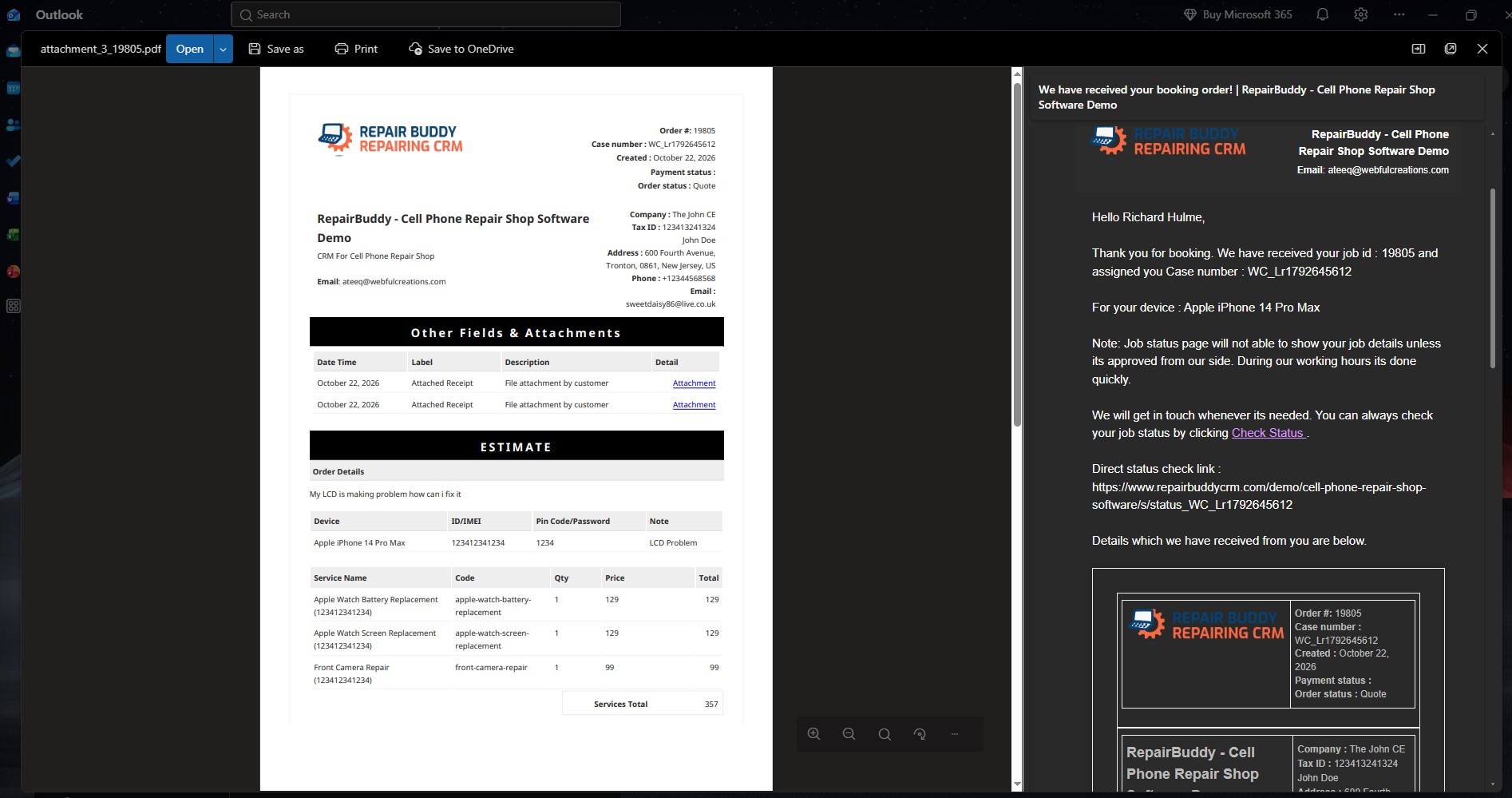
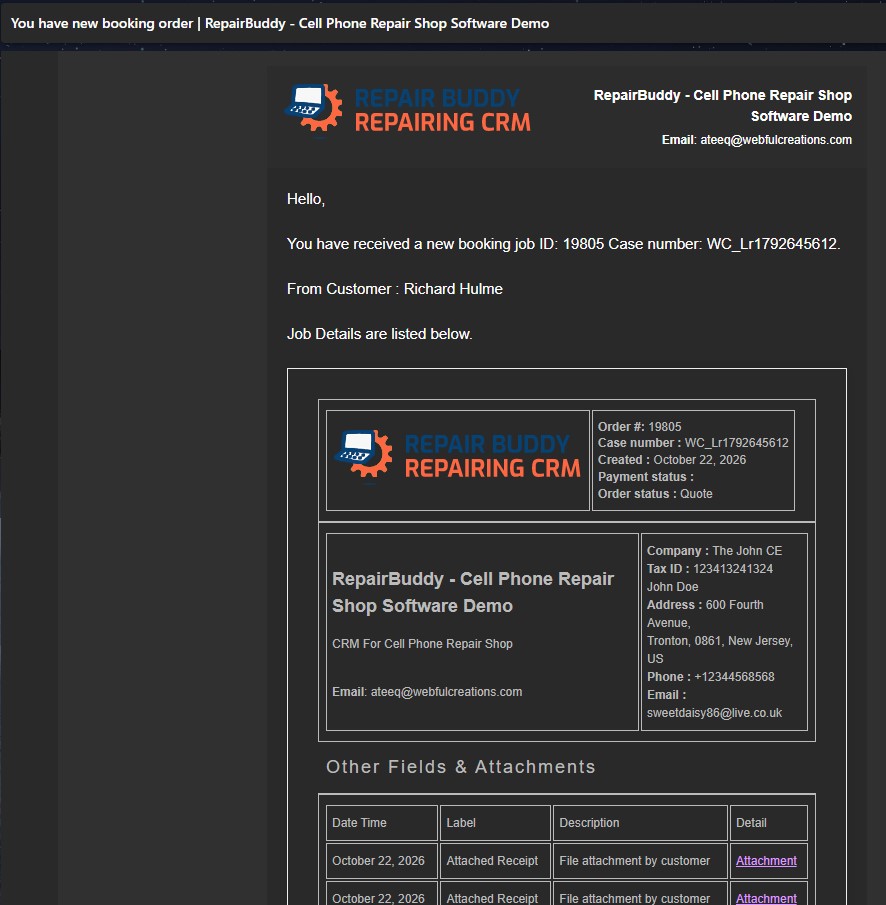
Notify the service desk about new bookings

Keep your team aware of incoming truck service requests so someone can review the details and follow up. Booking alerts can help prevent requests from being overlooked during a busy shift.

  • Receive an administrator booking alert.
  • Review customer and vehicle details before confirming next steps.
Turn intake details into an estimate workflow in RepairBuddy truck repair shop software

06 · Truck workshop workflow

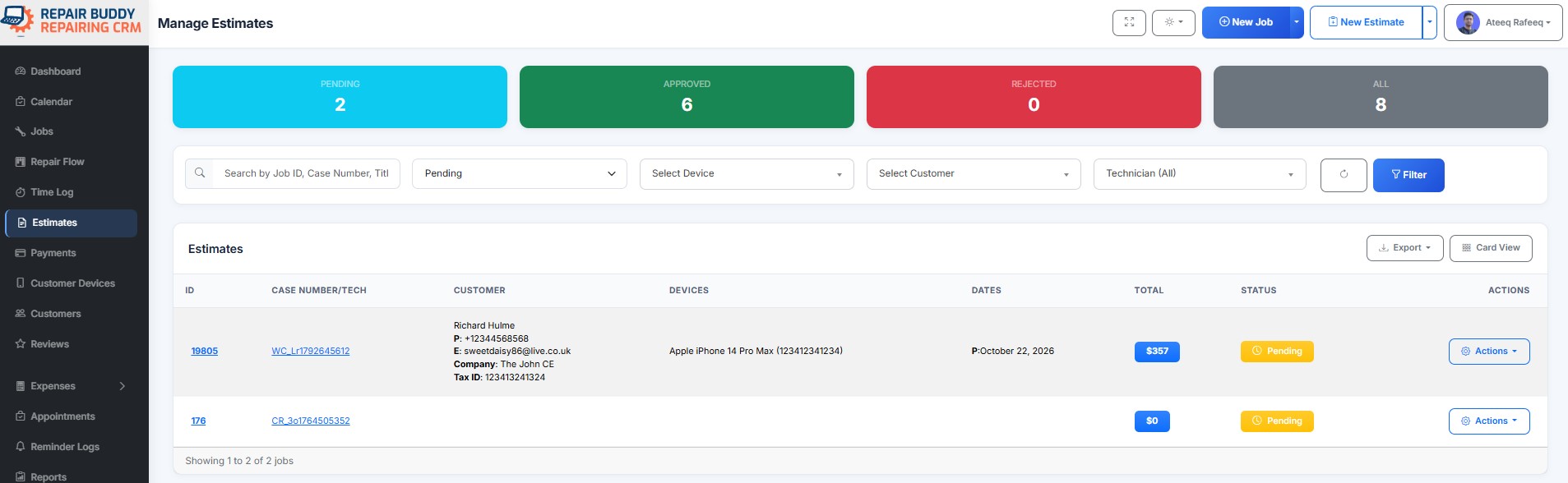
Turn intake details into an estimate workflow

After a request arrives, review the reported problem and prepare an estimate based on the inspection, labor and parts required. Keep the request connected to the estimate process instead of re-entering everything manually.

  • Review the request before quoting.
  • Keep estimates organized for customer or fleet approval.
Document inspections before and after repair in RepairBuddy truck repair shop software

07 · Truck workshop workflow

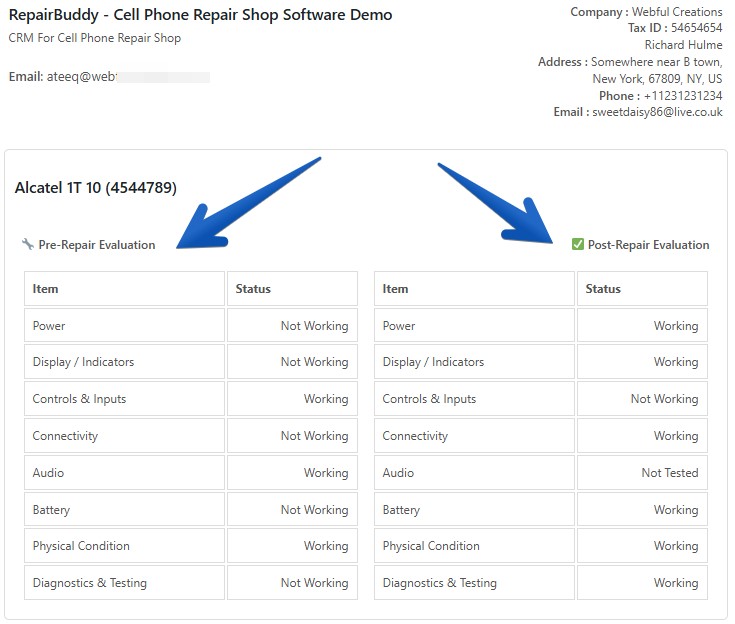
Document inspections before and after repair

Use checklists to create a more consistent record around vehicle intake and job completion. For truck workshops, structured checks can help staff capture observations and document the work performed.

  • Record intake and post-work observations.
  • Use repeatable checklists that fit your workshop process.
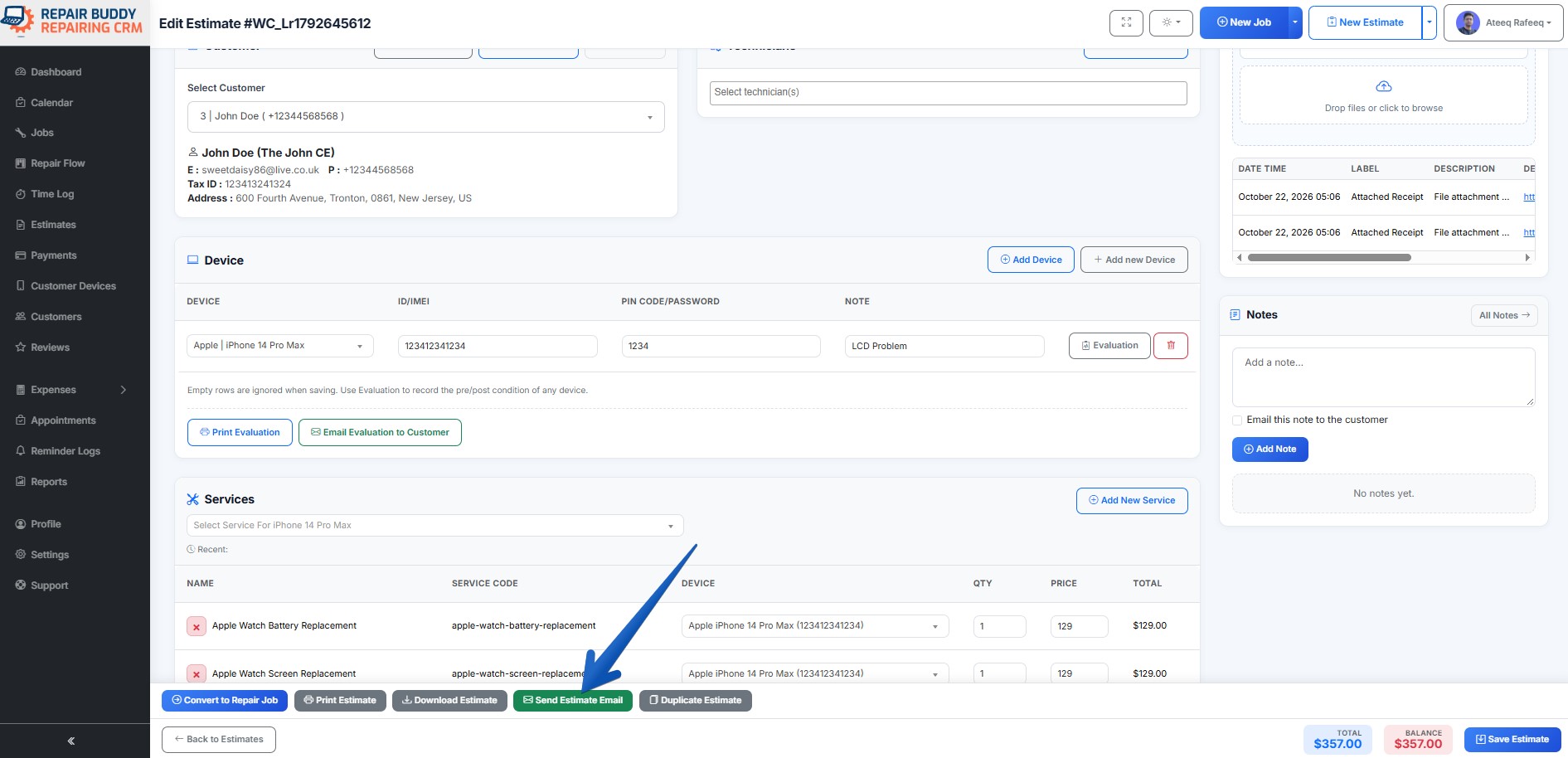
Build detailed truck repair estimates in RepairBuddy truck repair shop software

08 · Truck workshop workflow

Build detailed truck repair estimates

Prepare itemized estimates with the labor services, parts and additional work relevant to the job. Send the estimate for customer review and approval before proceeding with the work covered by it.

  • List labor, parts and additional charges.
  • Track the customer’s estimate decision.
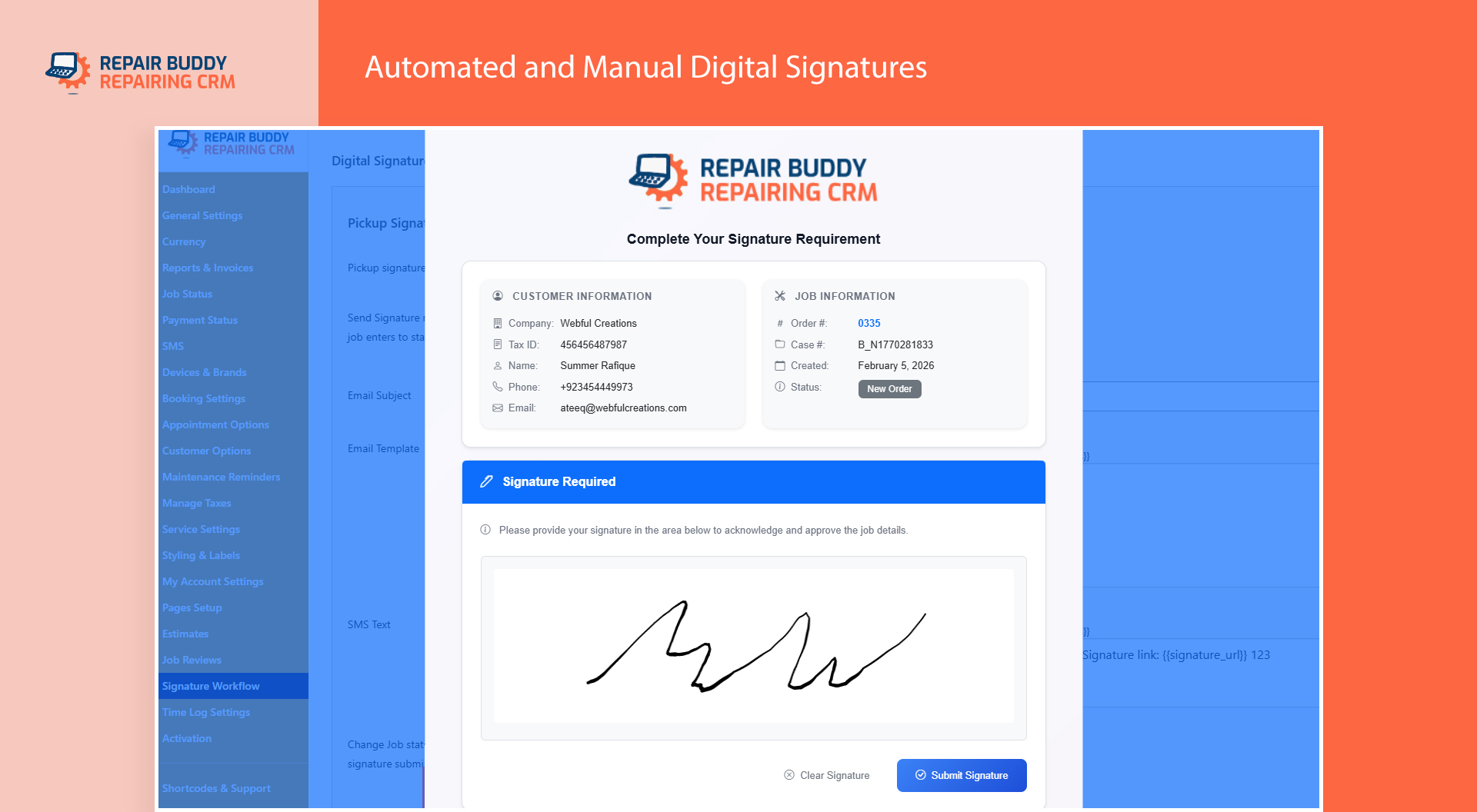
Keep work authorization records together in RepairBuddy truck repair shop software

09 · Truck workshop workflow

Keep work authorization records together

Use digital signature workflows where enabled to collect customer authorization for relevant documents. Keeping signed paperwork with the job record makes it easier for the team to find supporting information later.

  • Request signatures for supported documents.
  • Keep authorizations associated with the repair workflow.
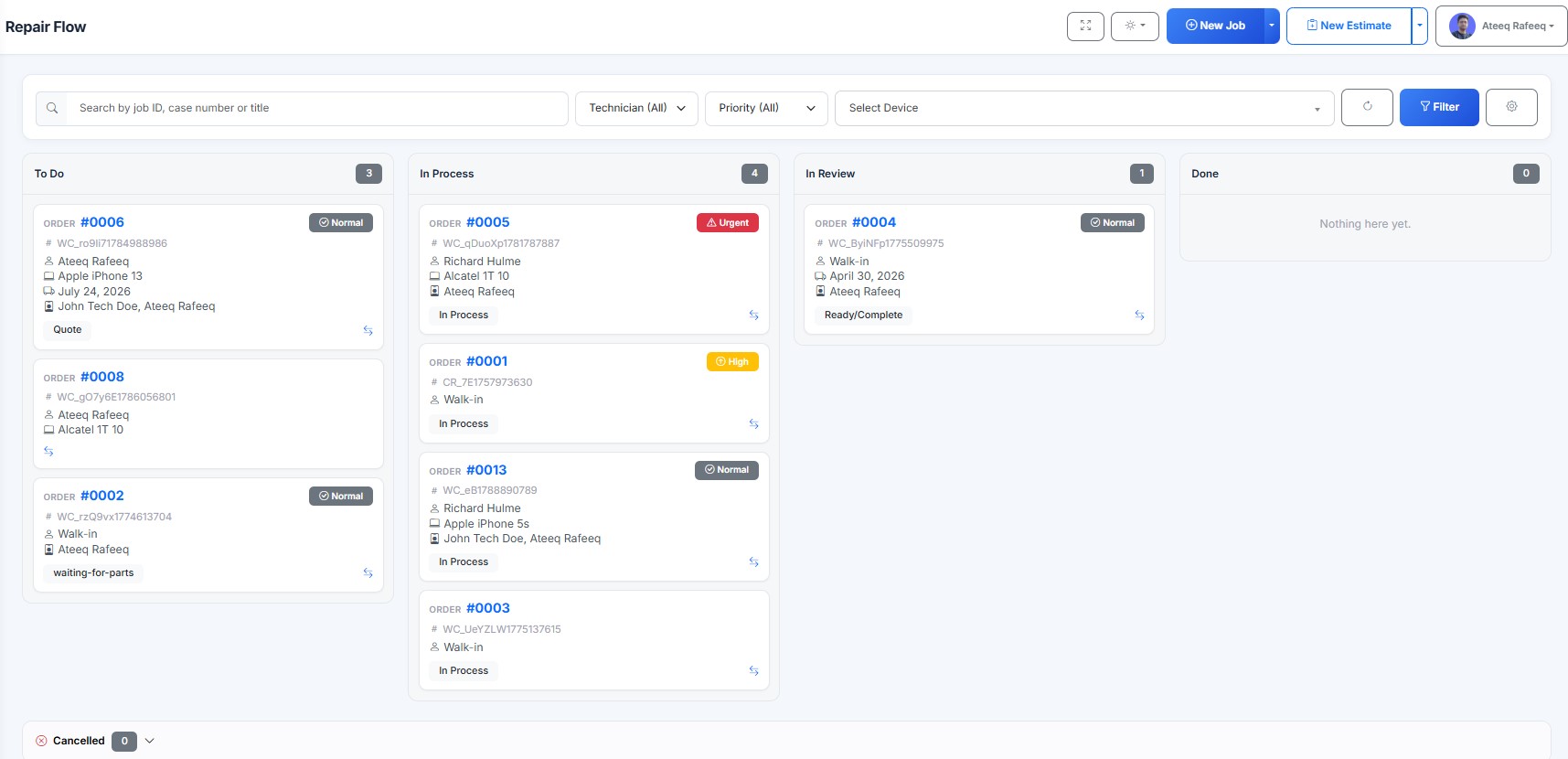
Track every truck repair through job stages in RepairBuddy truck repair shop software

10 · Truck workshop workflow

Track every truck repair through job stages

Give the service team a central place to follow work as it moves through your configured repair stages. A shared view can help staff understand which jobs need attention and what is ready for the next step.

  • Move jobs through your workflow stages.
  • Keep job notes and progress visible to authorized staff.
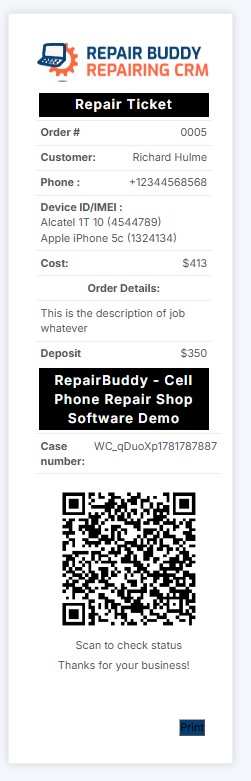
Issue repair tickets for job reference in RepairBuddy truck repair shop software

11 · Truck workshop workflow

Issue repair tickets for job reference

Provide a repair ticket or job reference so customers and fleet coordinators can identify the right repair. This creates a consistent reference for follow-up conversations and status checks.

  • Give each repair a clear reference.
  • Help the service desk find the correct job faster.
Record deposits and staged payments in RepairBuddy truck repair shop software

12 · Truck workshop workflow

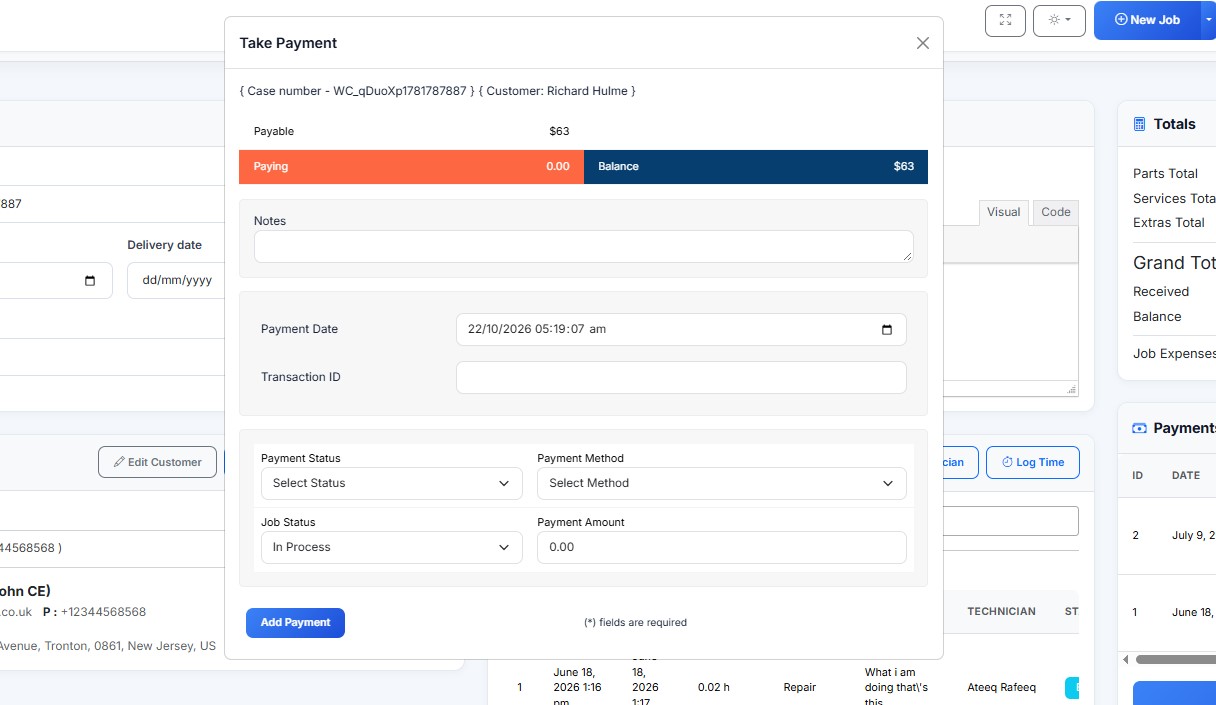
Record deposits and staged payments

Some truck repairs involve substantial parts or labor costs. Where your workflow requires it, record upfront, partial or final payments against the repair and keep payment status visible alongside the job.

  • Record supported payment stages.
  • Keep outstanding balances easier to review.
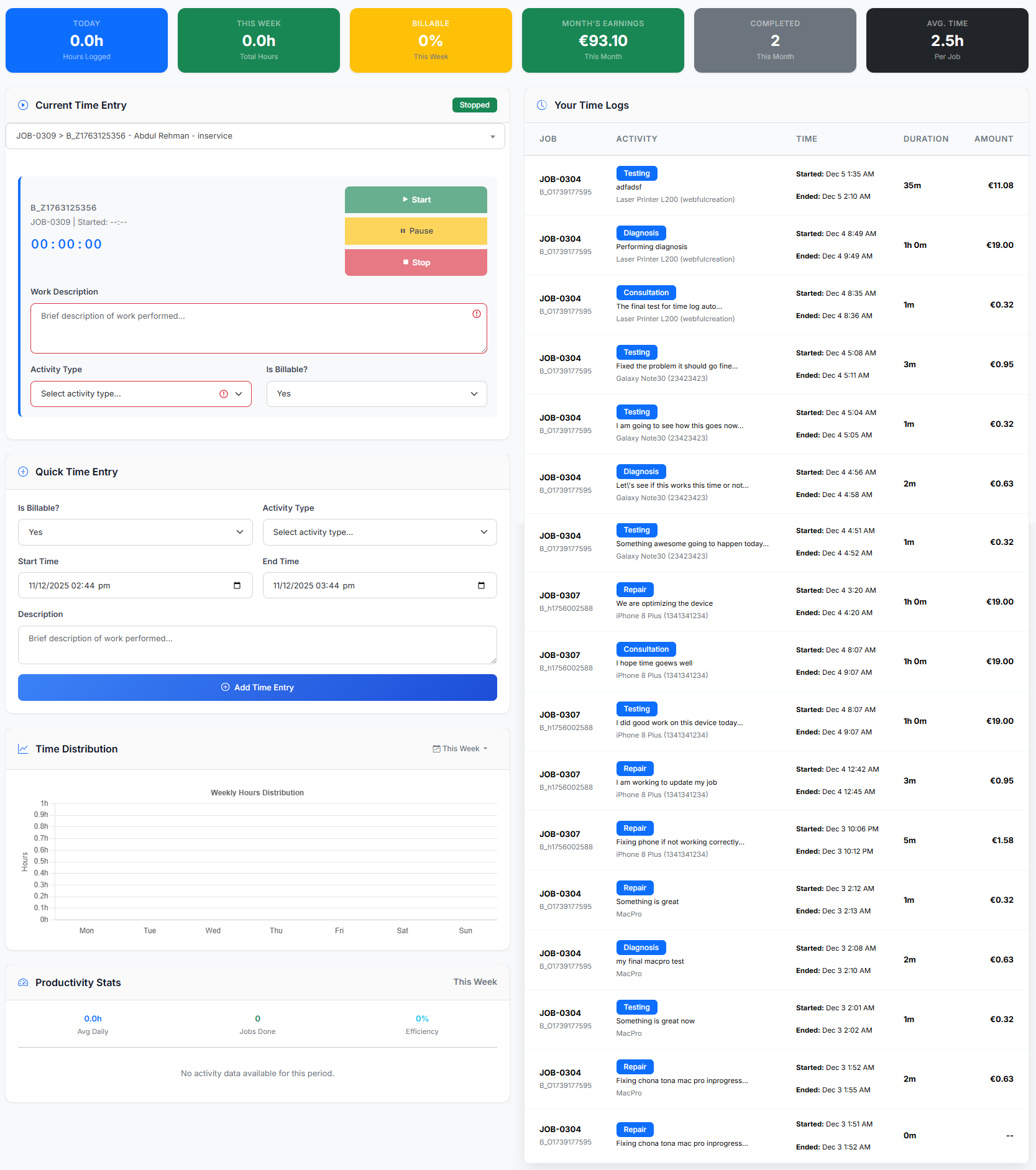
Assign work and record technician time in RepairBuddy truck repair shop software

13 · Truck workshop workflow

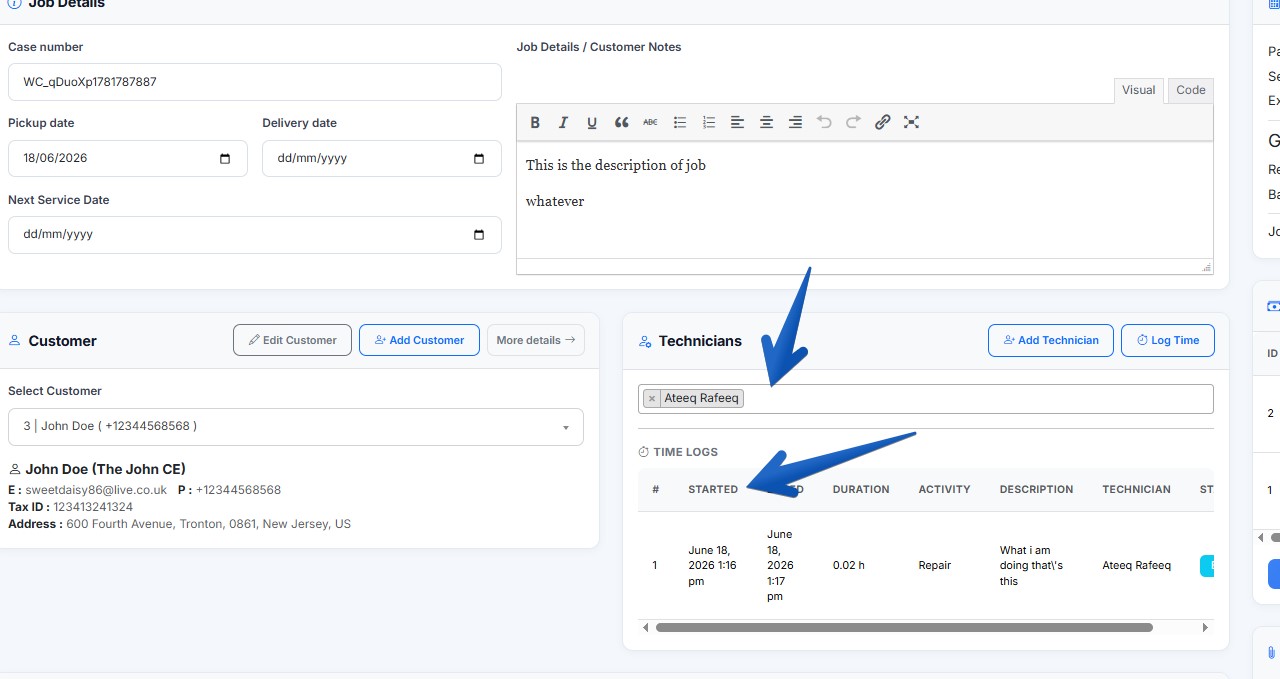
Assign work and record technician time

Assign jobs to technicians and record time spent when time logging is enabled. Clear assignments and job notes help the workshop coordinate work across technicians and shifts.

  • Assign the responsible technician.
  • Record work time and repair notes.
Print job labels for vehicle paperwork and parts in RepairBuddy truck repair shop software

14 · Truck workshop workflow

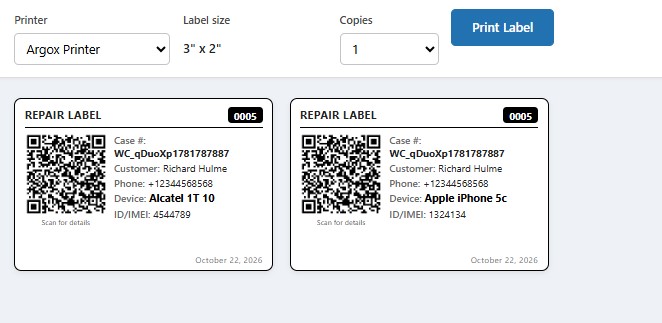
Print job labels for vehicle paperwork and parts

Use printable repair labels to identify jobs and keep related paperwork or items organized. Adapt the process to your workshop’s intake and tracking practices.

  • Print labels with relevant job details.
  • Use a consistent reference across the repair process.
Let customers check truck repair status online in RepairBuddy truck repair shop software

15 · Truck workshop workflow

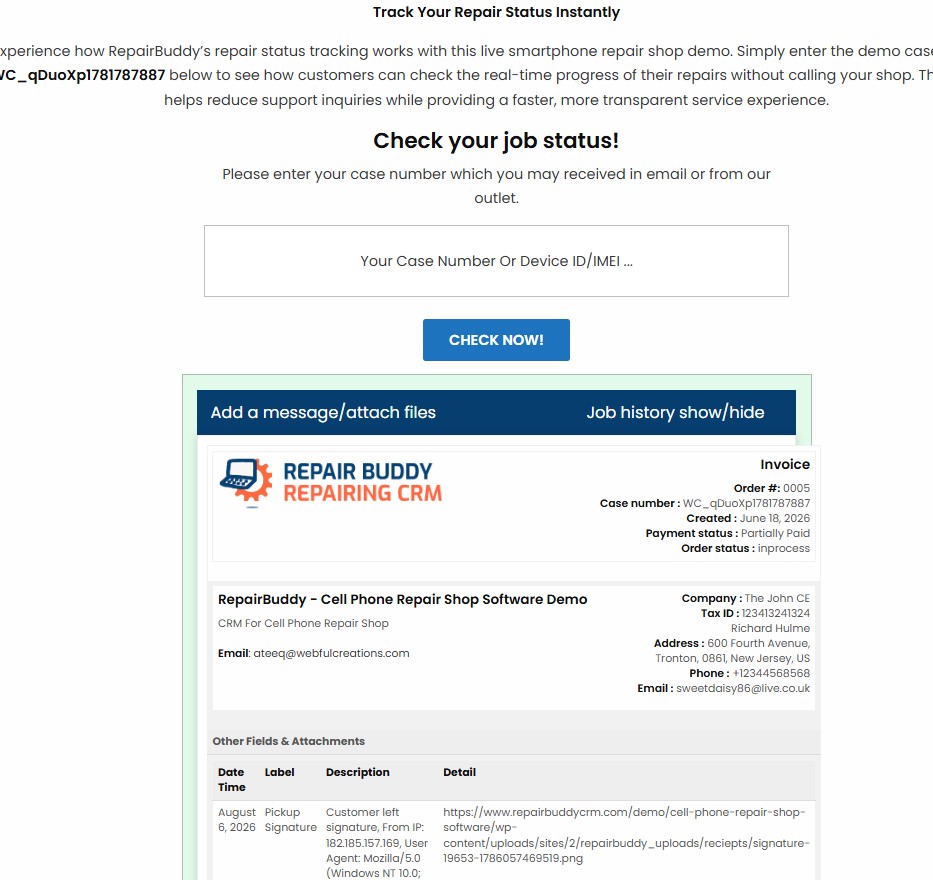
Let customers check truck repair status online

Reduce repetitive status enquiries by giving customers access to an online job-status checker. Fleet contacts can use the job reference to check available progress information without having to call the service desk each time.

  • Offer online access to supported job status.
  • Keep customers informed between updates.
Give fleet customers a self-service portal in RepairBuddy truck repair shop software

16 · Truck workshop workflow

Give fleet customers a self-service portal

The customer portal can bring supported repair information into one place, including jobs, estimates, appointments and history. It gives repeat customers a convenient way to revisit their repair records.

  • Access job and estimate information.
  • Review history and supported customer actions.
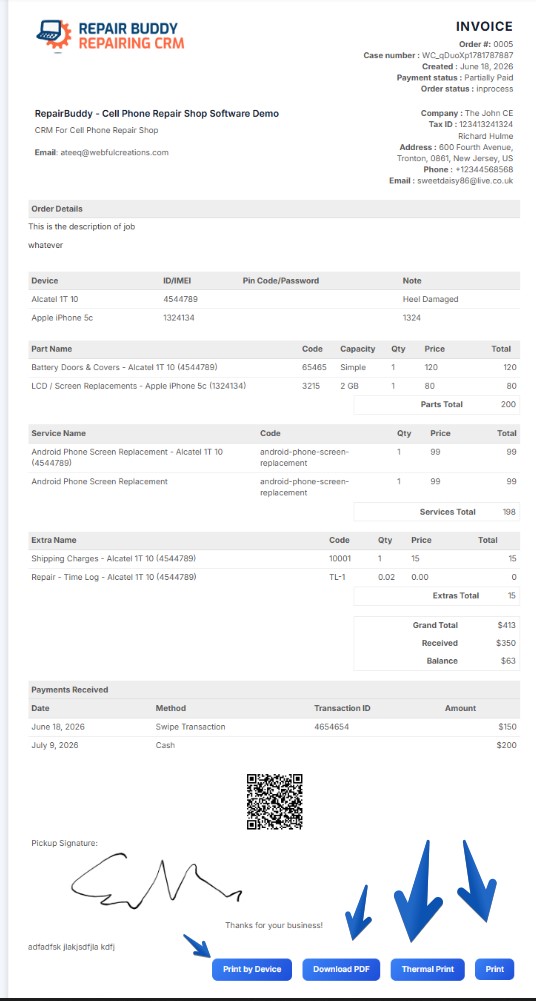
Prepare clear invoices for truck service work in RepairBuddy truck repair shop software

17 · Truck workshop workflow

Prepare clear invoices for truck service work

Create invoices that itemize relevant labor, parts, taxes and other charges. Keep billing associated with the repair record so your team can check what has been charged and what remains outstanding.

  • Print or send invoices to customers.
  • Keep payment and job information connected.
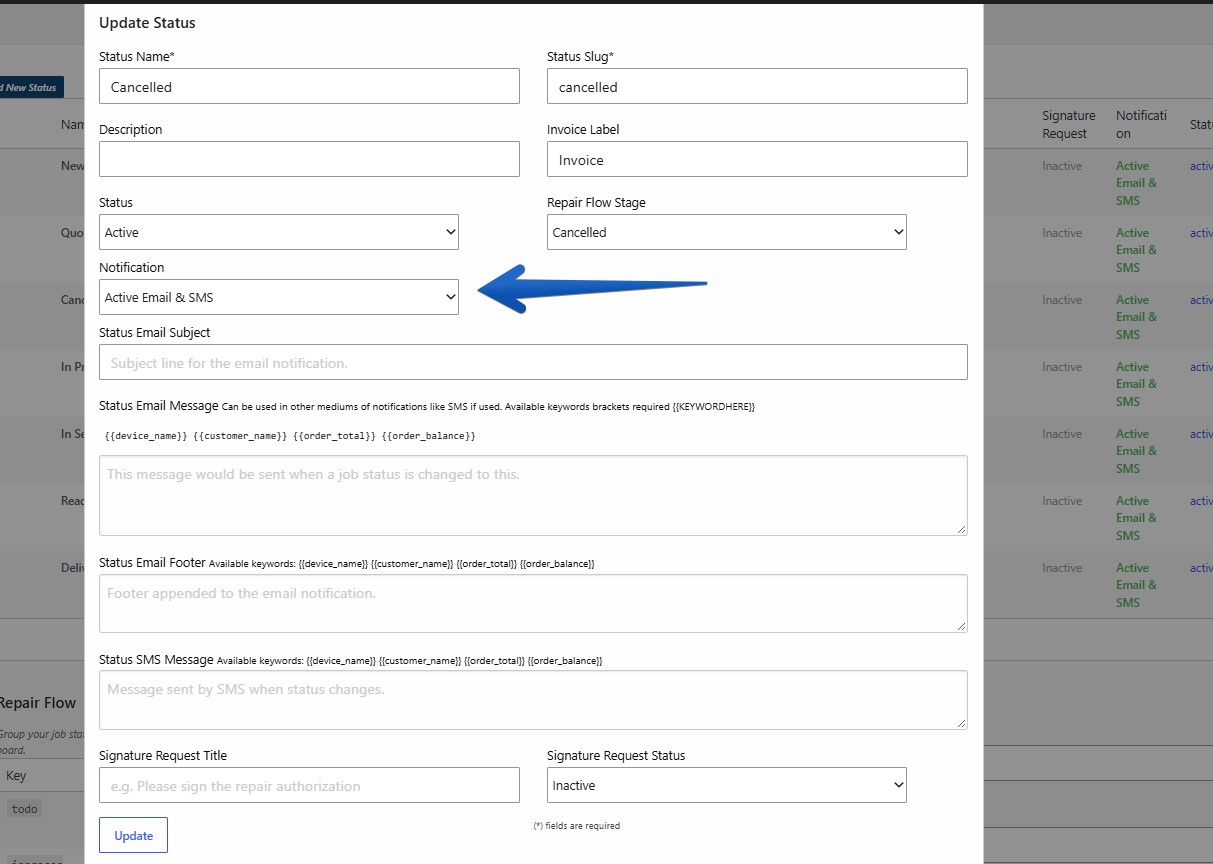
Send status updates as work progresses in RepairBuddy truck repair shop software

18 · Truck workshop workflow

Send status updates as work progresses

Use configured email or SMS notifications to communicate key job changes. Timely updates help customers and fleet coordinators understand when a repair has moved to a new stage or is ready for the next action.

  • Configure messages for supported statuses.
  • Keep customer communication consistent.
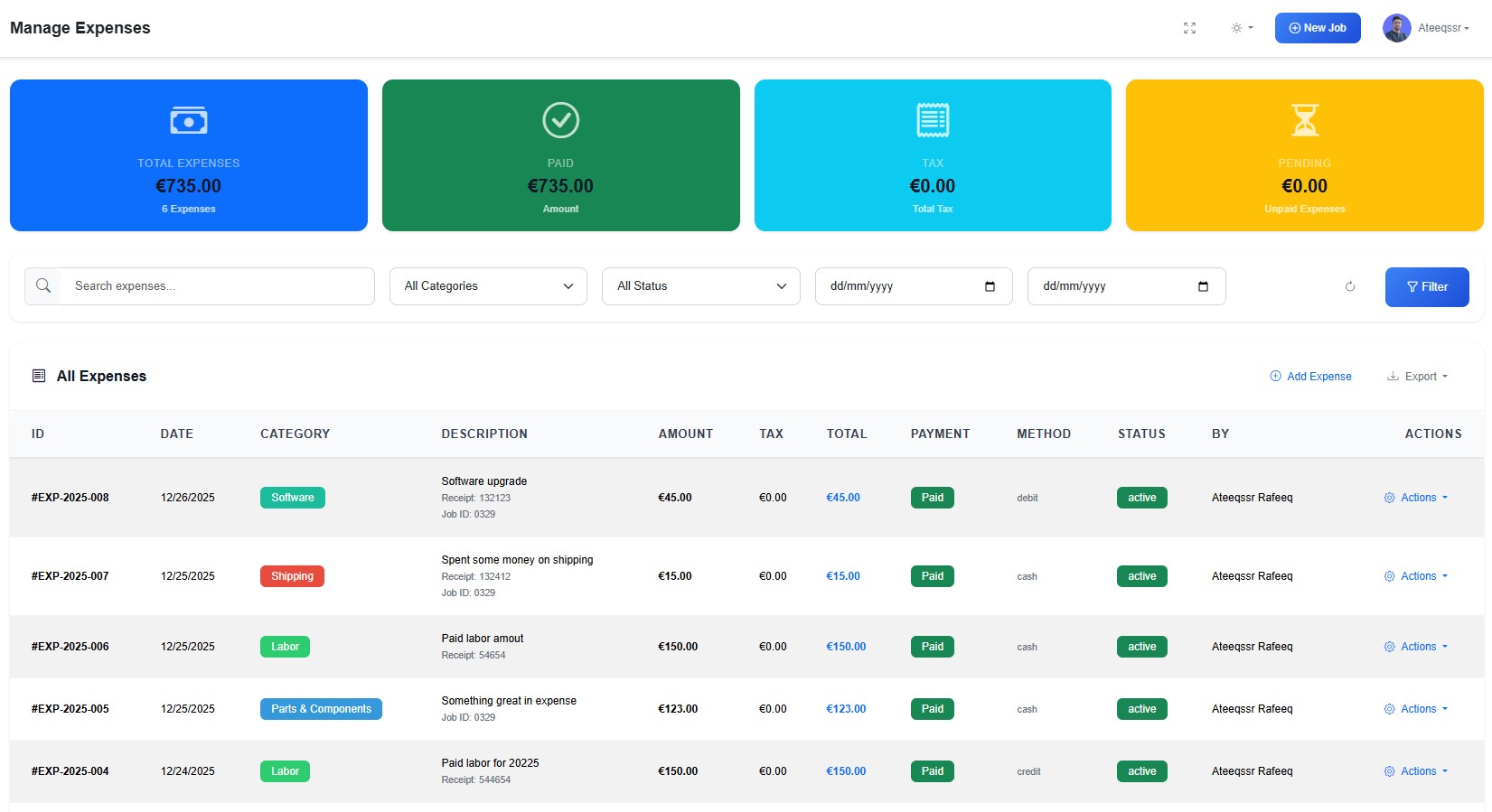
Understand repair-related operating expenses in RepairBuddy truck repair shop software

19 · Truck workshop workflow

Understand repair-related operating expenses

Record business expenses in the expense module and review them alongside your workshop activity. Organized expense records help owners understand operating costs and make more informed business decisions.

  • Keep expense entries organized.
  • Use available reports to review recorded costs.
Coordinate technicians with digital work orders in RepairBuddy truck repair shop software

20 · Truck workshop workflow

Coordinate technicians with digital work orders

Create work orders and assign responsibility so technicians have job information available as they start. Use job notes, tasks and work records to support a repeatable process across the workshop.

  • Keep work instructions connected to the job.
  • Clarify assignments and handoffs.
Review time logged against repair jobs in RepairBuddy truck repair shop software

21 · Truck workshop workflow

Review time logged against repair jobs

When time tracking is enabled, record technician time against work and use those records to better understand how labor is being used. This can support internal review of job effort and workshop capacity.

  • Log time against assigned jobs.
  • Review time records as part of job analysis.
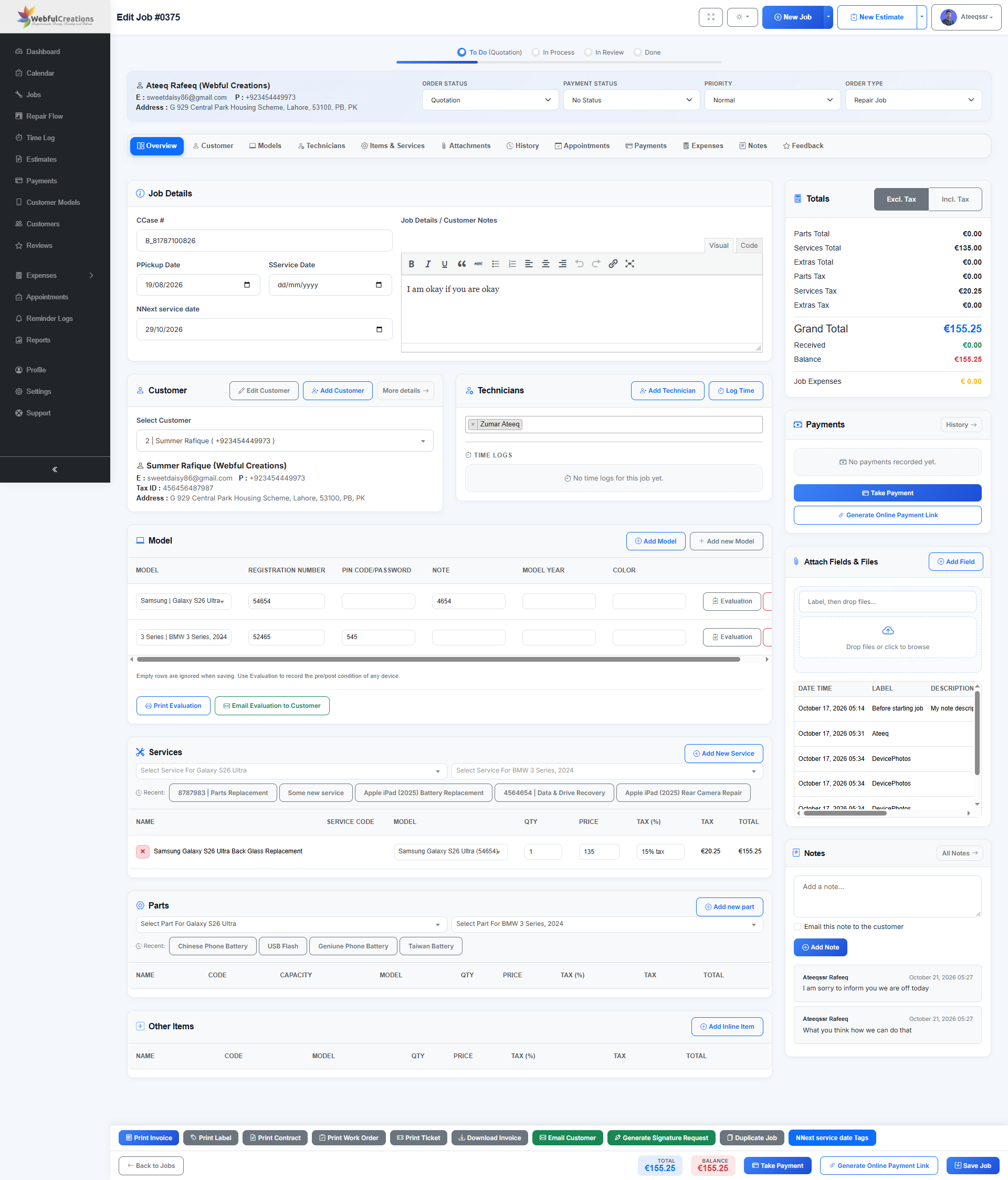
Keep truck repair job details in one record in RepairBuddy truck repair shop software

22 · Truck workshop workflow

Keep truck repair job details in one record

Bring customer details, repair notes, status changes and related job information together. A complete job record makes it easier for staff to pick up work, review history and answer customer questions.

  • Keep important repair details in one place.
  • Follow a job from intake through completion.
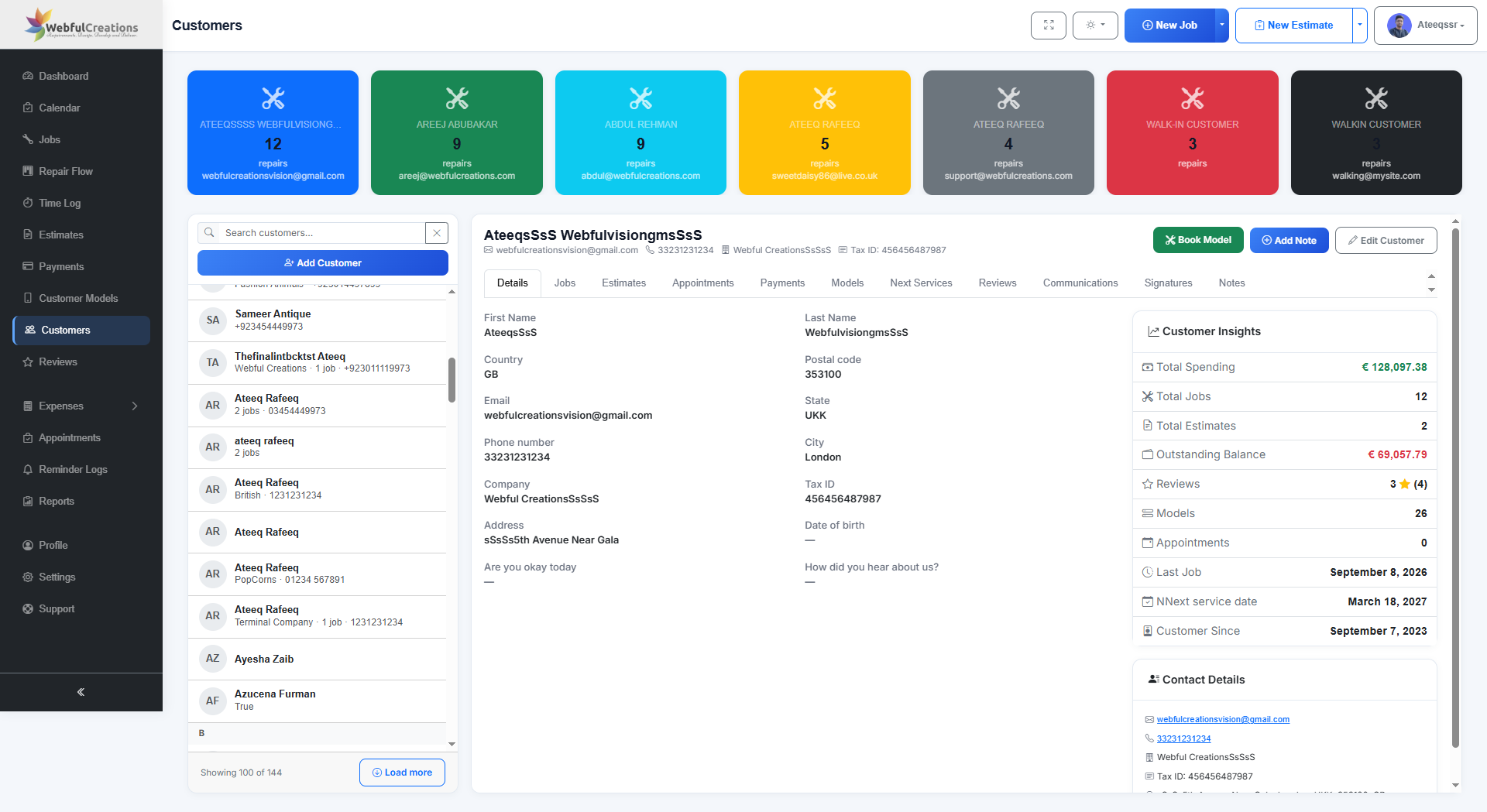
Maintain customer and fleet account history in RepairBuddy truck repair shop software

23 · Truck workshop workflow

Maintain customer and fleet account history

Keep customer records and previous interactions available to your team. For businesses that service repeat customers or fleets, customer history helps staff understand past work and ongoing relationships.

  • Review customer details and job history.
  • Use recorded activity to support follow-up.
RepairBuddy reports and analytics for truck repair shop operations

Business visibility

Truck Repair Shop Reports for Jobs, Sales and Costs

Use RepairBuddy reports to review the information recorded by your team and understand activity across your repair business. Reporting can help workshop owners review job progress, financial records and customer activity without manually gathering every detail.

  • Review available sales, jobs, payments, estimates and customer reports.
  • Use technician and expense information where recorded and available.
  • Use report insights to support operational decisions and follow-up.
Explore RepairBuddy features →
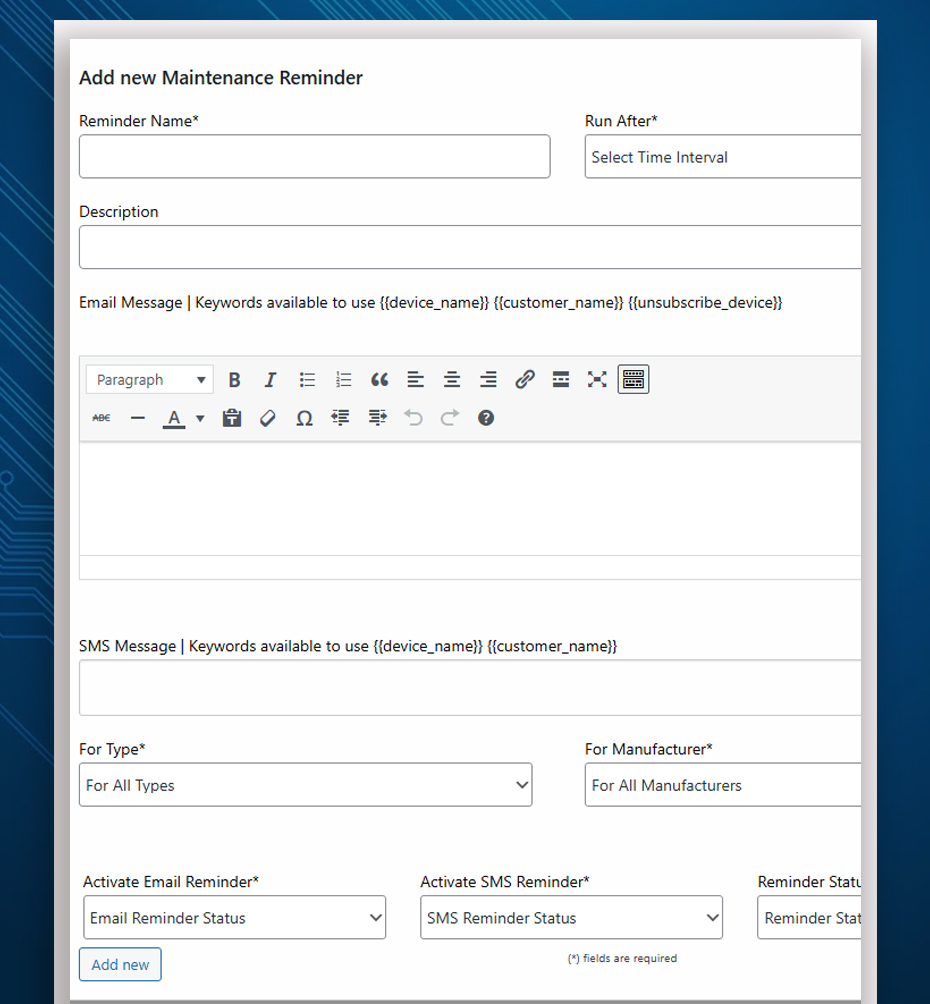
RepairBuddy maintenance reminders for scheduled truck servicing and fleet follow-up

Customer retention

Truck Maintenance Reminders and Service Follow-Ups

Help customers remember upcoming service visits by recording next-service dates and using supported reminder options. For workshops serving commercial vehicles, follow-up communication can support repeat maintenance business and keep your shop in mind when service is due.

  • Record next-service dates as part of the repair workflow.
  • Use configured email or SMS reminders where enabled.
  • Adapt follow-up timing to your service process and customer agreements.
Learn about maintenance reminders →
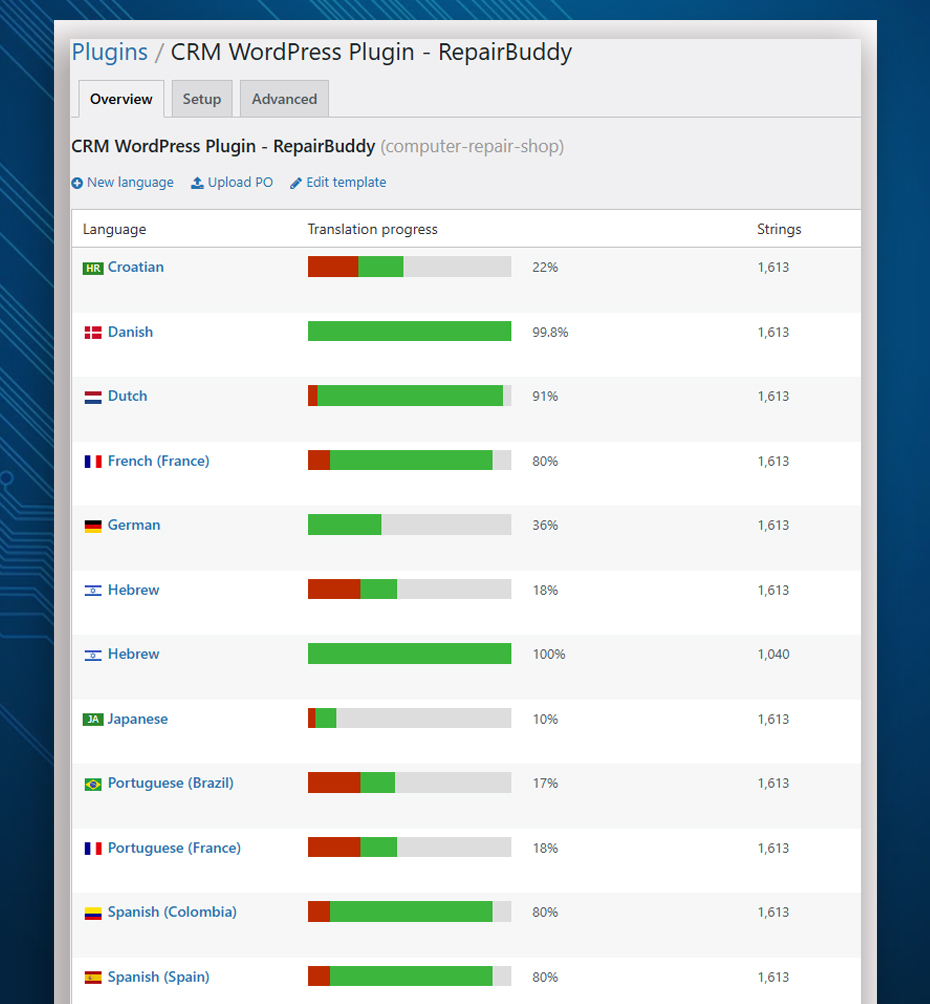
RepairBuddy customizable and multilingual repair shop software interface

Adaptable setup

Customizable Truck Repair Software with Multilingual Support

Configure supported labels and interface text so the system uses terminology familiar to your team. Adapt wording for truck repair and commercial vehicle service, and translate supported interface text for the language needs of your staff and customers.

  • Customize relevant labels such as “Device” to “Truck” or “Vehicle” where appropriate.
  • Use vehicle-related terms such as VIN or registration number in relevant fields.
  • Translate supported text using compatible tools such as Loco Translate and WPML.
Explore customization and translation →

Tools for daily operations

More Than Truck Repair Booking Software

Bring service intake, repair administration, customer records and billing into one connected system.

Truck Repair Requests

Collect service details through configurable online booking forms.

Estimates & Approvals

Prepare itemized estimates and record customer decisions before proceeding.

Technician Work Orders

Assign jobs and keep work instructions, notes and time records organized.

Invoices & Payments

Manage billing records, payment entries and outstanding balances.

Customer & Fleet Contacts

Keep customer information and previous repair history accessible to your team.

Customer Updates

Use supported job tracking and configured email or SMS notifications.

See How RepairBuddy Can Fit Your Truck Workshop

Explore the demo and compare cloud-hosted and self-hosted options for your repair business.

Open the Live Demo →

Common questions

Truck Repair Shop Software FAQs

What is truck repair shop software?

Truck repair shop software helps commercial vehicle workshops organize service requests, estimates, repair jobs, technician assignments, customer communication, invoices and follow-up. RepairBuddy provides these workflows through its WordPress plugin, with cloud options also available.

Can RepairBuddy be used by a diesel or heavy-duty truck workshop?

RepairBuddy is a configurable repair-management system. You can set up relevant vehicle categories, services, booking fields and job workflows for the types of commercial vehicles your business handles. Confirm your exact workflow requirements against the available features before implementation.

Can customers or fleet contacts request repairs online?

Yes. RepairBuddy supports configurable online booking forms so customers can submit repair requests and provide relevant vehicle and service information through your website.

Can we send estimates for customer approval?

Your team can prepare estimates with relevant services, parts and extras, then send them to customers for approval or rejection through supported workflows.

Can technicians be assigned to jobs?

RepairBuddy supports technician assignment and work-order workflows. Time logging is also available when enabled, allowing your team to record time associated with repair work.

Can customers check repair progress online?

RepairBuddy provides an online job-status checker and customer portal features that help customers access supported repair information and review their job history.

Does RepairBuddy support service reminders and reports?

Yes. You can use supported maintenance reminder workflows and reports based on information recorded in your system. Available options depend on your configuration and enabled features.

Can I choose cloud or self-hosted RepairBuddy?

RepairBuddy offers cloud and self-hosted WordPress options. Compare the plans to choose the setup that best fits your business and technical preferences.

Choose your next step

Organize Your Truck Repair Workflow with RepairBuddy

See the system in action, compare pricing options and decide how RepairBuddy could support your commercial vehicle repair business.

RepairBuddy is software for managing repair businesses; it does not perform truck repairs itself.