
Organize pickup truck repair requests with RepairBuddy. Accept online bookings, collect customer and vehicle details, prepare estimates, track repair jobs, manage invoices and keep customers informed throughout the repair journey.
A vehicle-specific demo of RepairBuddy's broader Auto Repair Shop Software.
Let visitors try a booking flow configured for the Pickup vehicle type. The form captures the request, while your team can continue with the repair management workflow after submission.
RepairBuddy connects online booking with the work your team manages next. These screenshots show vehicle type selection and adding services, parts and extras to a job before sending details to the customer for approval.
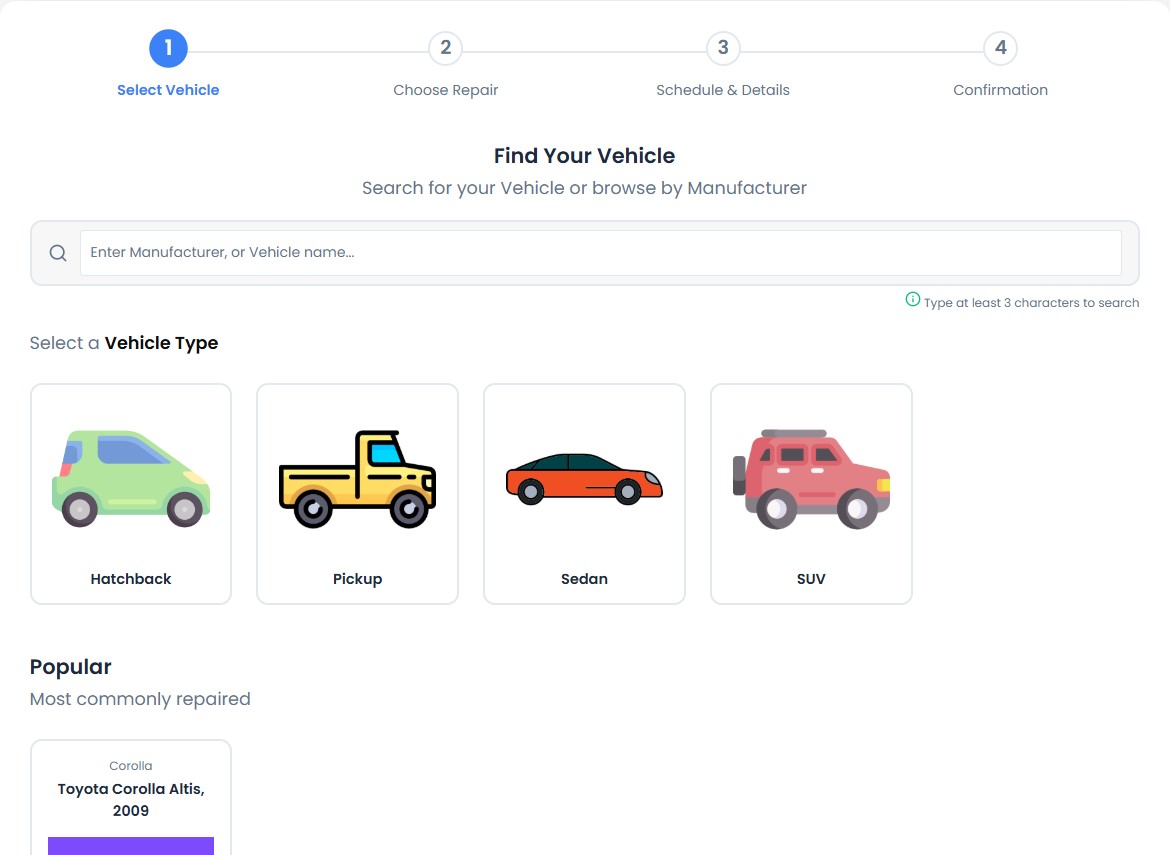
Present a clear online booking journey configured around the vehicle types and services your repair business accepts.
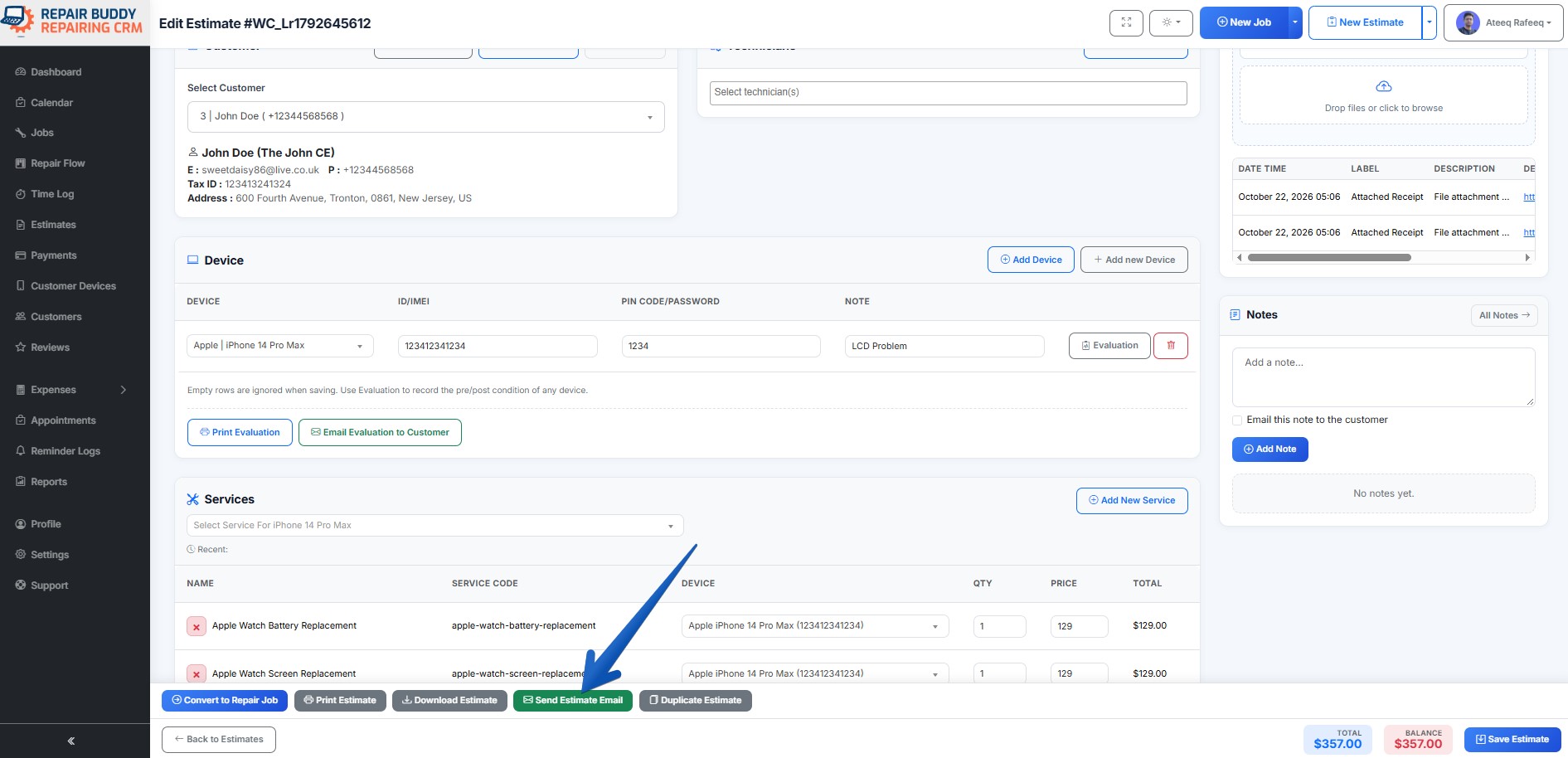
Add relevant services, parts and extras to a repair job, then send the details to the customer for approval as part of the workflow.
RepairBuddy supports a broader repair lifecycle: booking, estimates, job management, customer communication, payment and delivery workflows, review requests, and bringing customers back with next-service tags or automated reminders where configured.
Pickup repair businesses need a clear way to capture requests, review work, keep customers informed and maintain service history. RepairBuddy helps connect these stages instead of treating booking as an isolated form.
Collect customer details, pickup vehicle information, requested services and a description of the problem through your configured booking form.
Prepare an estimate, add applicable services, parts and extras, and send details to the customer for approval.
Keep repair jobs and their related information organized as your team works through the repair process.
Use configured email or SMS notifications and customer communication features at relevant stages.
Manage invoice and payment information and coordinate the final stages of the repair workflow using the features in your setup.
Request customer feedback after service and encourage future visits with next-service tags or automated reminders where configured.
A completed repair can be the start of a long-term customer relationship. RepairBuddy helps keep repair records organized and follow up after delivery.
Invite customers to share their experience after a repair, helping your team collect feedback and improve service.
Use next-service tags and configured automated email or SMS reminders to prompt customers when future maintenance or service may be due.
Note: Reminder timing, channels and triggers depend on the RepairBuddy features and settings enabled on your installation.
Configure vehicle types, manufacturers, models, repair services and intake fields around the work your shop accepts. This page focuses on pickup bookings, while the same wider system can be set up for other vehicle categories.
See the broader workflow for vehicle categories, bookings, estimates, repair jobs and customer management.
View Auto Repair Shop DemoLearn more about RepairBuddy's wider automotive repair management use case.
Explore Car Repair SoftwareChoose the deployment option that fits your business. Review current plan details on the official pricing pages.
Run RepairBuddy on your own WordPress website and manage your repair workflow from your site.
View WordPress PricingRun your repair business while RepairBuddy Cloud handles the cloud platform. Explore hosting and plan details.
Explore Cloud PricingPickup repair shop software helps a garage organize vehicle repair requests and manage the work that follows. RepairBuddy can be configured with vehicle types, manufacturers, models, services and intake fields, then used to manage estimates, jobs, customer records and invoices.
Yes. RepairBuddy provides an online booking form that can be configured for a vehicle type. This demo uses a shortcode set to preselect Pickup. The choices and fields depend on your site's configuration.
RepairBuddy's job workflow lets you add relevant services, parts and extras and send details to the customer for approval. The exact workflow depends on the features enabled in your installation.
Yes. RepairBuddy supports a wider repair workflow that includes estimates and job management, so your team can continue managing the request after a booking is submitted.
RepairBuddy includes customer communication features such as email and SMS notifications where configured. Available options depend on your setup and enabled integrations.
RepairBuddy supports review and feedback workflows to invite customers to share feedback after their repair, depending on your configuration.
Next-service tags and reminders can help bring customers back for future maintenance. Automated email or SMS reminders depend on the relevant settings and integrations being configured.
RepairBuddy can be configured for different vehicle categories. Visit the main Auto Repair Shop Software demo to explore the broader automotive use case.
Choose self-hosted WordPress if you want to run RepairBuddy on your own website, or RepairBuddy Cloud if you prefer a cloud-hosted option. Compare WordPress pricing and Cloud pricing.
Explore how RepairBuddy connects booking, estimates, repair jobs, customer communication, delivery, feedback and future service reminders in one repair management workflow.